

What Is Context Awareness? How Smart Apps Adapt in 2026
Does your translation app understand the situation, or does it only collect signals about it?
Ask that and the reply is often a feature list: languages supported, noise handling, offline mode. Try a sharper question. What changes when you leave a crowded airport gate for a quiet meeting room, or when small talk turns into a question about your medication?
A thermostat that only records the room temperature is collecting data. It adapts when it waits through a brief draft from an open door instead of blasting the heat. Translation follows the same split. Gathering noise, location and who is speaking is the first half. Using those signals to change the reply is the second.
The action is a loop with a timing policy. The system senses the situation, judges whether another moment of speech would change the meaning, then either waits or answers immediately. Good implementations close that loop quickly enough to keep a two-way conversation moving without dropping the thread.
Privacy design belongs in that definition. A signal the app may not collect is one it cannot use, so the limit on collection shapes the response as much as the sensors do.
What Context Awareness Means in Plain Language
Picture a hotel concierge who has worked the desk for years. A guest checks in at eleven at night after a delayed flight, and the concierge doesn't recite the same list of attractions the morning guests received. He mentions the quiet breakfast room, the pharmacy two blocks away that stays open late, and the museum's late-opening night. Same hotel, same information, a different response, because the situation changed.
That's the whole idea in one scene. Context awareness is a system noticing its situation and letting that noticing change what it does.
The term has a formal origin. In 1994, Schilit, Adams and Want described context-aware computing as software that examines and reacts to a person's changing context, as the foundational literature on context-aware computing records. Two years before that, the Olivetti Active Badge project had already proved the principle in hardware, using wearable badges to work out where people were inside a building so the building's systems could serve them better.
The reusable definition: context awareness is a system sensing its situation, such as location, the people involved, the time and the available devices, and changing its behavior in a way that fits the task at hand.
Now the test that separates real context awareness from a data habit. Plenty of apps collect your location, your calendar and your microphone input. Collection on its own proves nothing. A weather app that shows the same national forecast to every user isn't context-aware just because it reads the clock. A map app that reorders its suggestions the moment you step off a train in an unfamiliar city is.
Change the behavior, and change it for a reason the user cares about. Everything short of that is telemetry.
Look at your own phone tonight and ask a blunt question. Which signals already change what it shows you, and which ones does it collect without ever acting on them?
How Context-Aware Systems Sense, Interpret and Adapt
The word "sensor" misleads people. It makes them picture microphones and GPS chips when the most valuable inputs are often quieter: a calendar entry, the app's current language pair, the last three turns of a conversation, a saved preference for formal address. A survey of context-aware systems treats all of these as sensors, hardware and virtual sources alike, and describes the work as a four-stage pipeline of acquisition, representation, inference and adaptation (survey of context-aware systems).
Here's the loop laid out end to end.
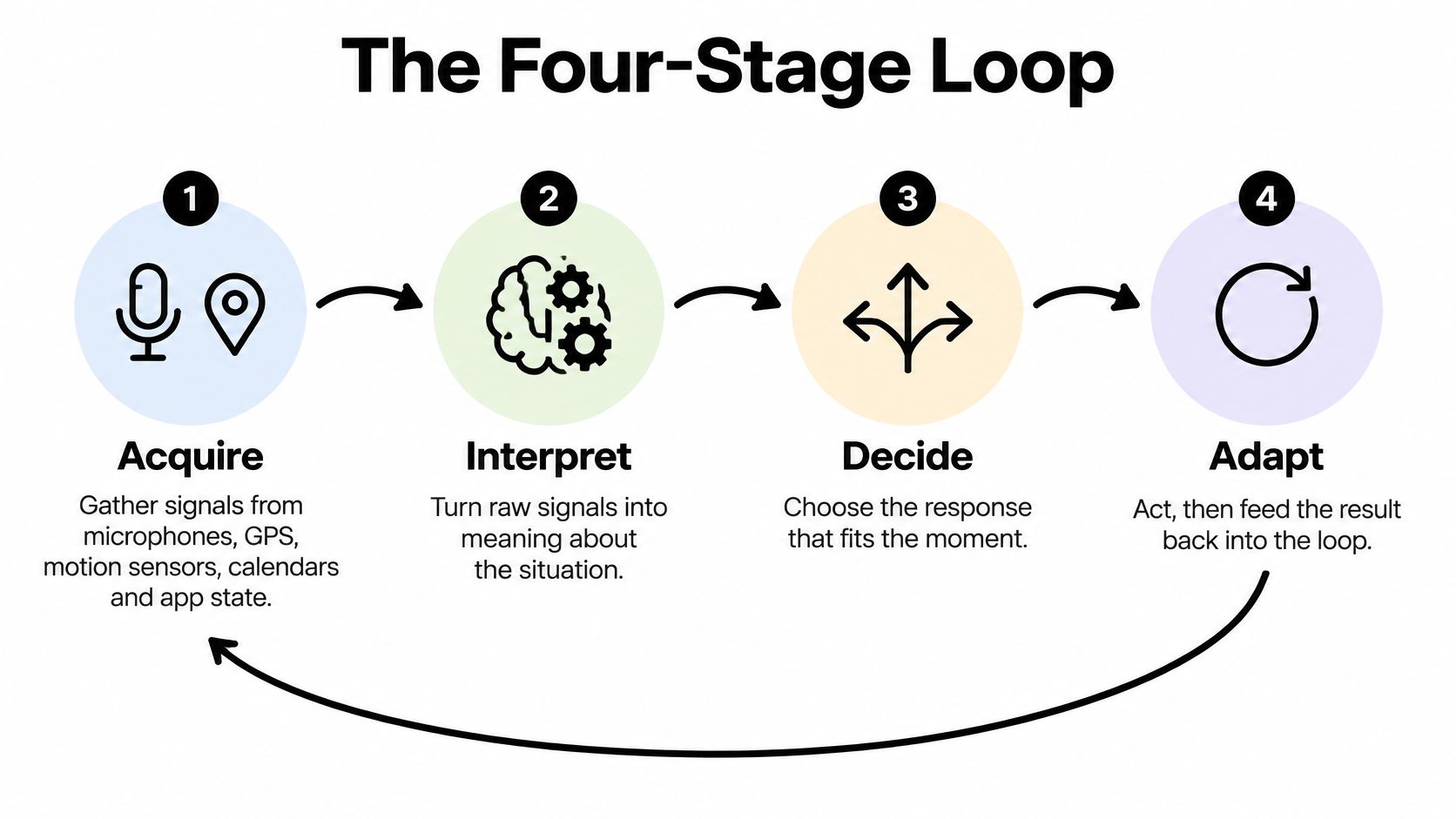
1. Acquire. Microphones, GPS and motion sensors are the obvious inputs. The less obvious ones do more work: the app's current language pair, who holds the floor, background noise level, names mentioned earlier, the setting (a shop counter or a boardroom).
2. Represent. Raw signals stay useless until they're written into a context model with named fields, such as location, speaker, language pair, time, topic and device. A field you can't name is a field you can't test, which is why engineering teams write the schema before they write the features.
3. Infer. Signals turn into meaning, and every guess needs a confidence score attached. Fusion carries the weight: GPS, a Wi-Fi network name and a calendar entry pointing at the same address confirm a meeting venue far more reliably than any one of them alone.
4. Adapt. The output changes without the user asking. Formal register in a business meeting. A person's name left exactly as spoken. A pronoun resolved from the previous turn instead of guessed.
Web personalization runs the same loop on page content, and how live page personalization works walks through how a site decides what to change and when to stop changing it.
When the Loop Breaks
Signals conflict. A phone reports one location, the calendar says another, and the microphone hears a third conversation entirely. A sensor drops out when the battery-saving mode kicks in.
The honest response is a safe default plus a visible note, not a confident guess. For high-impact choices, names, dosages, addresses, prices, the system should stop and ask.
Practical rule: if a wrong inference would cost the user money, health or dignity, ask the question instead of assuming the answer.
The operational test is simple, and it works on any product. Did the adaptation make the output more relevant to what you were trying to do, or did it just make the system more sensor-heavy? A translator that keeps a client's name intact has passed. A translator that adds a feature badge to the screen has not.
The Types of Context and How Systems Capture Them
A phone can know you are outside a pharmacy and still say the wrong thing. The place is raw material. Choosing whether to speak now, or wait for the next sentence, is the policy.
Schilit and Theimer's study of context-aware computing described software that adapts to its location of use, the people and objects nearby, and the resources or devices available, then adapts again as those conditions shift. The four application families come from Schilit, Adams and Want's 1994 paper. All four still show up in ordinary products, and each one implies a different timing choice.
Proximate selection offers what is near you. A translation app can surface the phrase set for the country you just landed in, because location is already enough to act.
Automatic contextual reconfiguration rearranges the interface when the situation changes. A one-handed layout when you start walking is the familiar case. The motion signal is direct, so the layout can switch at once.
Contextual information and commands surface facts because of where you are. Opening hours on a shop you are standing outside do not need a long history. The place is the cue.
Context-triggered actions run when a condition is met. A recorder that starts when a call begins has a clear trigger. If the trigger is fuzzy, waiting beats firing.
Primary Context and Secondary Context
Sensor research on context-aware systems separates primary context, captured directly by a GPS sensor, the device clock, SIM-linked identity or a wearable activity sensor, from secondary context, which is inferred from that raw data, such as predicting your activity from a calendar entry or your location from map information.
Primary context is close to fact, in the way a kitchen scale reading is close to fact. Secondary context is a claim built on those readings. A claim can be useful and still be early. If the next line of dialogue would change the meaning, waiting is the context-aware move.
Privacy sits inside this split. Reading a clock does not describe a person. Keeping identity, or the words already spoken, does. How long those signals are stored is part of the definition of awareness, not a switch added afterward.
| Context type | What it describes | How it is captured | Example of changed behavior |
|---|---|---|---|
| Location | Where the user or device is | GPS, Wi-Fi and map data | Map app suggests a nearby cafe |
| Identity | Who the user is | Account login and SIM-linked identity | Banking app shows the correct profile |
| Time | When the interaction happens | Device clock and calendar | Assistant reads out the next appointment |
| Activity | What the user is doing | Motion sensors and wearable data | Fitness app changes prompts while walking |
| Devices and resources | Which hardware or services are available | Device state and connected accessories | App routes audio to connected earbuds |
| Conversation history | What has already been said | Dialogue state kept by the app | Pronoun resolved from the previous turn |
A Test You Can Run on Any App
Three questions cut through the feature list. What does it sense directly? What does it infer from that? Which of those signals changes the output, and does it change it now or only after another signal arrives?
Collecting a reading is not the same as adapting. A GPS fix that never alters the phrase on screen is storage. A dialogue state that holds a formal wording until the roles are clear is adaptation.
For a traveler, location and time usually carry the useful answer, and they arrive fast enough to act on. For someone in a cross-border sales conversation, identity, activity and the last few turns matter more. A phrase that is fine between friends is wrong in a negotiation, so the system should hold that wording until the dialogue state is clear.
Everyday Examples From Maps to Live Translation
The principle shows up everywhere once you know to look. Each of these apps takes one signal about your situation and uses it to change what it presents.
| App type | Context it uses | Behavior it changes |
|---|---|---|
| Map app | Location and travel mode | Suggests walking or transit routes |
| Photo library | Location and capture date | Groups photos by place and trip |
| Smart thermostat | Occupancy and time of day | Lowers heating when the home is empty |
| Voice assistant | Calendar and current location | Reads out the next appointment and travel time |
| Live translator | Speaker turns, language pair and recent dialogue | Translates each turn for the listener |
The pattern is identical in all five. A situation signal arrives, the app interprets it, and the response shifts. What separates a good implementation from a forgettable one is whether that shift is useful, not whether the app can list more sensors than its competitor.
A thermostat that drops the temperature when the house empties has earned its inference. A photo library that puts three summers in one album because the dates and coordinates line up has earned it too. Neither one needs you to explain anything.
Try Context-Aware Translation in Practice
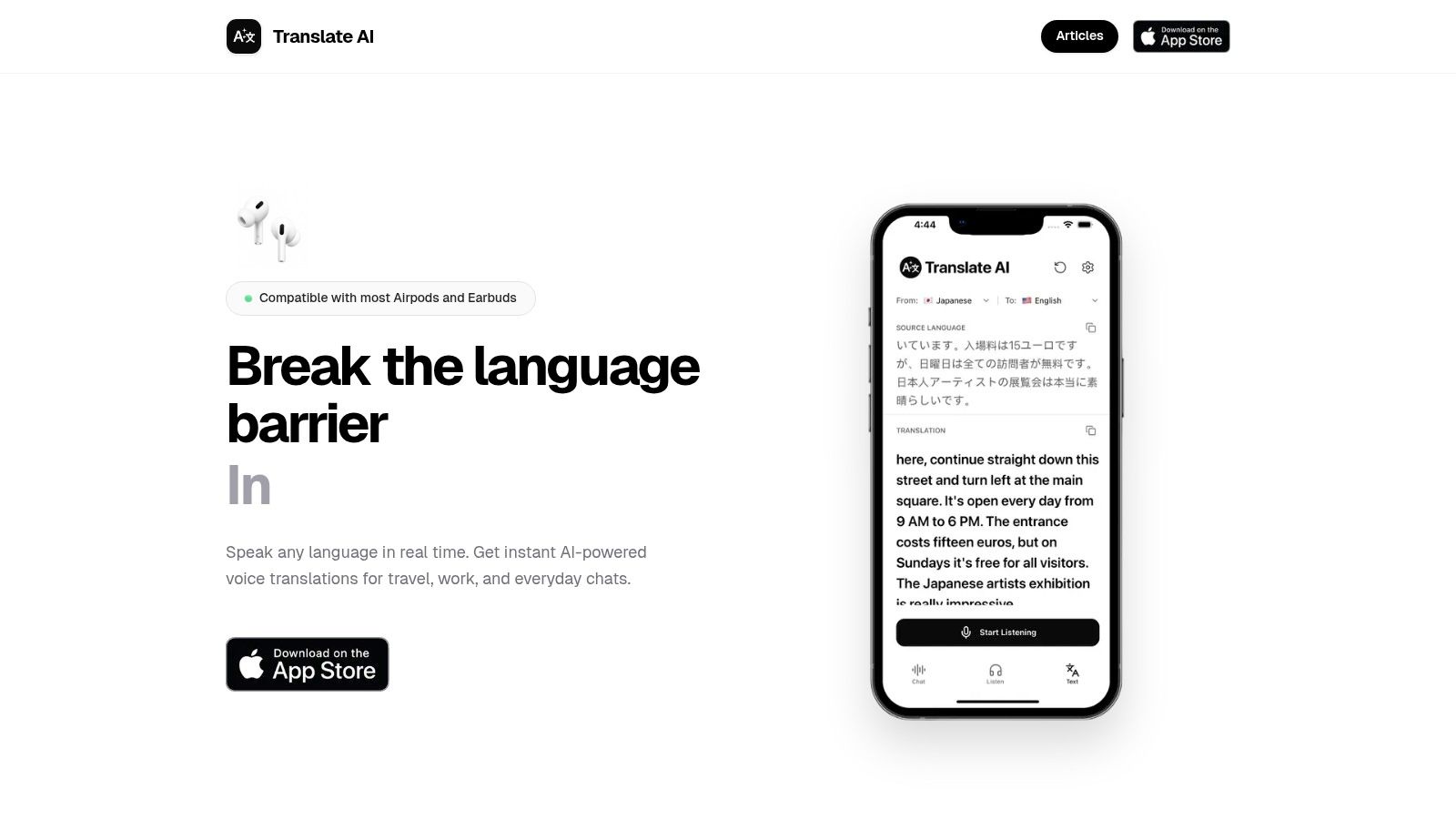
Live voice translation is the hardest everyday version of this problem, because two people need the loop to close in seconds and in both directions. In Translate AI, you speak in your own language and the other person hears it in theirs, and the translation is shown and spoken immediately after you finish speaking. Speaker mode keeps the conversation hands-free, which matters when you're holding a suitcase, a menu or a phone that's showing a boarding pass.
The context work happens in the background: grammar, idioms and the relationships between words inside a complete sentence, rather than a word-for-word swap. Conversation nuance is exactly where word-level translation fails, which is why it's worth reading about how real-time conversation translation handles a live exchange before you rely on it in a meeting.
You can test the whole idea yourself this week. Have a short exchange with a friend who speaks another language, then check each translation against three things: did it fit the speaker, did it fit the topic, and did it keep the name intact. Download Translate AI on the App Store or read more at translate-ai.app when you're ready to run that test on a real conversation.
Why Translation Needs Context and What It Costs
Consider the question "Do you have a minute?" Said by a colleague hovering at your desk, it's a request. Said in a hallway as someone passes, it's a greeting that expects no answer. A word-for-word rendering can be grammatically perfect and still land wrong, because the meaning lives in the situation rather than the sentence.
Research on automated translation and pragmatic force shows why: source and target language communities don't always share the same expectations about implied meaning, so a literal rendering can be pragmatically wrong even when the grammar is right.
The chain that fixes this runs in one direction. More relevant evidence about the situation narrows the set of plausible meanings. Narrower meaning uncertainty produces better word choice, register and politeness. Better choices produce a message that works, which is a different goal from sentence-level similarity.
More Context Isn't Free
Here's where conventional explanations get slippery. Waiting for more context improves meaning and adds delay, and in a live conversation delay is a cost the listener pays. Google's research on real-time speech-to-speech translation reports that longer lookahead improves quality while increasing delay, a direct trade-off against natural turn-taking (Google Research).

The same research line put numbers on how much harder urgent speech is. Average end-to-end latency came in below three seconds, yet accuracy still varied with the audio: word-error rates were 8.28% for non-urgent audio and 10.30% for urgent audio, while BLEU scores fell from 0.40 to 0.33.
| Metric | Reported value |
|---|---|
| Average end-to-end latency | Below 3 seconds |
| Word-error rate, non-urgent audio | 8.28% |
| Word-error rate, urgent audio | 10.30% |
| BLEU score | Fell from 0.40 to 0.33 |
Urgent speech is exactly when people speak fastest and repeat themselves least, and it's also when precision matters most.
Teams building for customer conversations hit the same wall at scale, and AI translation for customer messaging covers how that trade-off plays out when every reply carries a response-time target.
A Wait-or-Translate Policy You Can Apply
Context awareness in a live product is a timing decision before it's a feature.
- Wait for context: names, addresses, medical and safety conversations, prices, legal terms, anything where a wrong number is expensive.
- Translate immediately: casual turn-taking, greetings, ordering food, small talk, where a two-second pause costs more than a slightly loose word.
- Ask instead of guessing: phrases that could be literal or idiomatic, and anything you'd be embarrassed to get wrong in front of the other person.
Two habits cover most of the risk. Ask the speaker to repeat a name or a number rather than accepting a confident guess, and ask a clarifying question when a phrase has more than one reading. It's the same instinct as asking someone to spell their surname. If you want the technical background on where the meaning gets lost in the first place, what machine translation actually does with a sentence is a useful primer.
Benefits, Privacy Risks and Where Trade-Offs Are Heading
Does collecting more context mean the app is adapting to you? Not by itself. Collection is the raw material. Adaptation is the decision that follows: the system senses a signal, judges whether it has enough, then either waits or answers. The same signals that make that loop helpful are the ones that make it revealing. Privacy design belongs inside the definition, because each extra signal is a reason to pause, and each signal you refuse is a reason the answer may be thinner.
| Area | Benefit | Challenge |
|---|---|---|
| Relevance | Fewer irrelevant prompts and results | A wrong inference can trigger the wrong action |
| Meaning | Better interpretation from surrounding context | Extra waiting time when the system looks ahead |
| Privacy | Help tailored to location and situation | Location, identity and conversation data can be exposed |
| Trust | Adaptations users can check and understand | Low trust from data privacy and bias concerns |
| Reliability | Graceful fallback when some signals work | Sensor conflicts and missing signals |
Context-aware systems infer location, conversation setting, speaker intent, urgency and personal details. Scholarly work on these systems identifies user concerns including lack of control, distracting or inappropriate feedback, and privacy risk (Springer chapter on context-aware systems). Those concerns show up in ordinary use, not only in lab descriptions.
A useful comparison is a friend who finishes your sentence. If they only heard the words, they are using linguistic context. If they also noted the room, your tone and who is standing next to you, they collected something else. Translators' objections to generative AI for core translation tasks often focus on data privacy and bias at least as much as on accuracy. People watch what happens to their words, not only how the words come out.
The Questions Worth Asking Before You Speak
Many product descriptions say the AI "understands context" without separating the sentence in front of you from sensitive surroundings. One is visible language. The other is your location, your voice and who you are with. Mixing them up makes a timing policy look like a feature list.
Ask directly: what contextual information is collected, how long is it retained, is it used to improve the system, and can I limit it?
The controls worth looking for are specific. Collection limited to the signals the task needs. A plain-language reason next to each permission prompt. Consent that can change when your situation changes, such as turning location off after you leave a country. Encryption in transit and at rest, which a plain explanation of end-to-end encryption covers without the jargon. A deletion path that deletes. And a clear statement of whether processing happens on your device or in the cloud.
That last choice is the live trade-off. Cloud systems bring greater model capacity. On-device and on-premises processing are the other option: audio can stay on the phone or inside the building, which reduces some exposure even when the model is smaller. For a medical appointment, an immigration interview or a workplace discussion about a restructure, that architecture question outweighs a small gain in wording. Expect privacy design to stay near the center of what counts as a good context-aware system, with on-device options and clear data-use statements among the first things buyers ask about.
How to Check Whether an App Is Truly Context-Aware
You don't need a lab to run this. Five checks, done in about ten minutes on a real conversation.
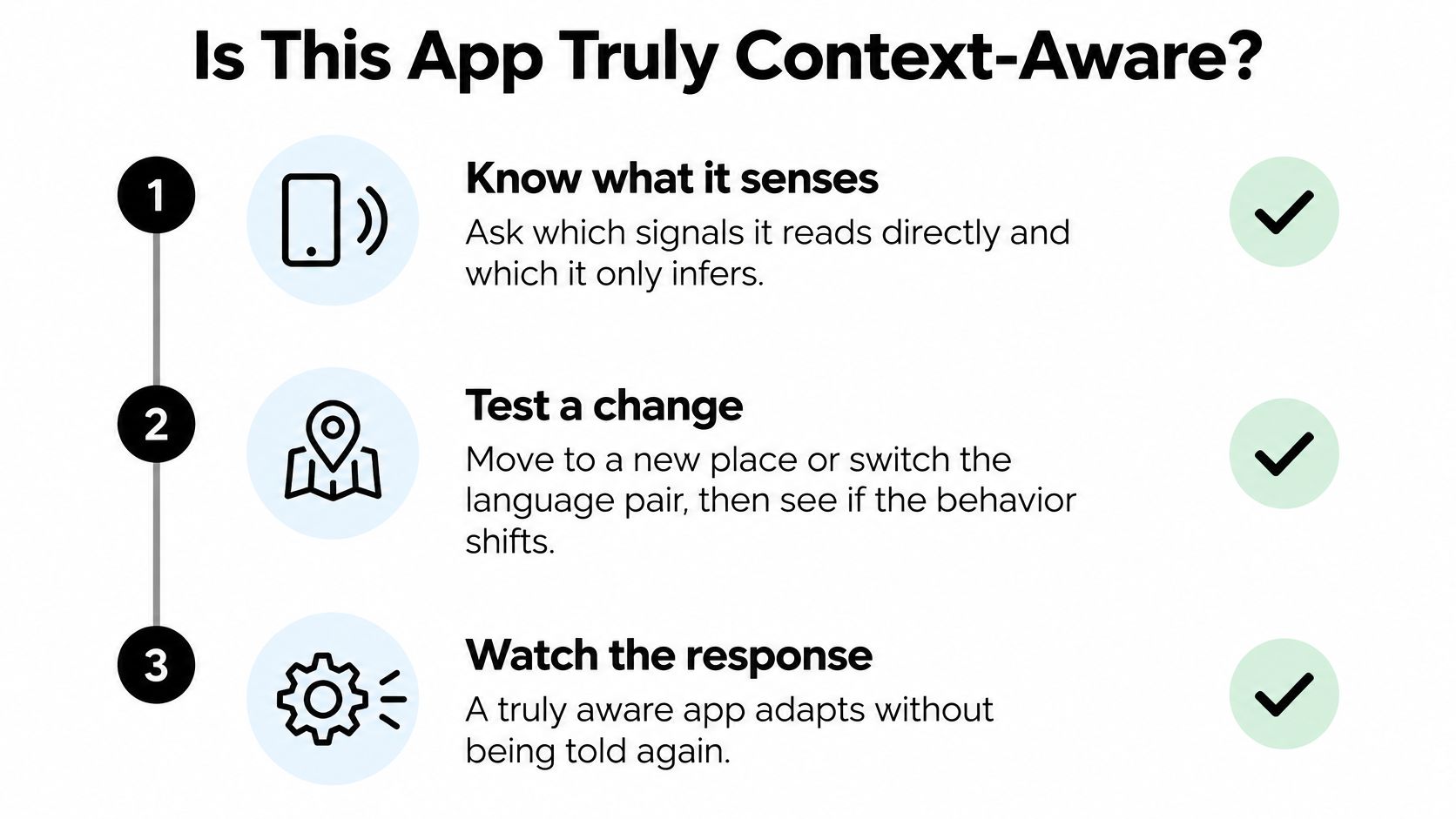
- Separate sensing from inferring. Ask what the app reads directly and what it guesses. If nobody can tell you the difference, the adaptation is probably luck.
- Change the situation. Move to a new place or switch the language pair mid-conversation and watch whether the output shifts in a way you can explain.
- Remove a signal. Turn off location or the microphone and see whether the app falls back gracefully and tells you it has.
- Test a tricky phrase. Try a name, a pronoun that points backwards and an indirect request. Check whether the adaptation serves your goal or just looks clever.
- Run it twice. Repeat the same five checks on a second app and compare. The one that adapts for a reason you can articulate wins.
End-User Tips
- Set the language pair first. A correct pair before you speak saves more accuracy than any recovery afterward.
- One turn at a time. Overlapping speech starves the model of the boundaries it needs.
- Speaker mode in noisy rooms. Hands-free keeps the microphone pointed at the person talking, not at your sleeve.
- Confirm names and numbers. Repeat them back once. It takes two seconds and prevents most embarrassing errors.
Translate AI recognizes context in translations, so it's a fair test subject for check four, and it works with most AirPods and earbuds, which means you can run the speaker-mode check with the headphones you already own.
A Short Developer Checklist
Write an explicit wait-or-translate rule for each conversation type rather than a single global timeout. Attach confidence scores to every inferred variable. Test adaptation under noisy audio, contradictory location data and a missing calendar. Publish a data-use statement beside each permission prompt instead of burying it in a policy page.
The permission and deletion checks from the privacy list apply here unchanged, so there's no second list to memorize. One habit is enough: before you trust an adaptation, find out what signal produced it.
Most of what makes a live translation feel natural happens in the loop you now know how to inspect: the situation gets sensed, interpreted, and turned into wording that fits the moment. Translate AI puts that loop in your pocket for travel, work and everyday chats, translating both ways so you speak your language and the other person hears theirs, with the translation shown and spoken right after you finish. Install it and test it the way this article suggests, with one real conversation and three specific checks. Visit Translate AI to get started.