

How to Translate a Conversation in Real Time (and Not Sound Like a Robot)
Ever felt that awkward silence when you’re trying to connect with someone, but a language barrier stands in the way? Maybe you were navigating a bustling market in Tokyo or trying to close a business deal in Berlin. It’s a frustrating feeling, that sense of a missed connection. You know what you want to say, but you just can't get the words across.
The good news? The days of clumsy phrasebooks and awkward charades are over. In this guide, our goal is to show you exactly how to use your smartphone for natural, real-time conversations with anyone who speaks a different language. We'll skip the generic tips and give you specific, actionable steps to turn the phone in your pocket into a powerful universal translator.
Finally End Awkward Language Barriers
Why Real-Time Translation Matters Now
Whether you're traveling for fun or expanding your business globally, the need for clear, instant communication has never been greater. Language differences can create real friction, turning simple interactions into stressful ordeals. Real-time translation tools completely change that.
Our goal is to help you have natural, flowing conversations with anyone, anywhere. It’s about fostering genuine connections that language once made difficult. Modern tools have reached a level of speed and accuracy that makes these interactions feel remarkably smooth.
Just think about the benefits:
- More Confidence: Walk into a foreign country or a business meeting without the stress of being misunderstood.
- Deeper Connections: Go beyond pointing and simple phrases. You can actually engage in meaningful dialogues with locals or international colleagues.
- Greater Independence: Feel empowered to handle everyday tasks on your own, like ordering food or asking for directions.
- Better Business: Collaborate seamlessly with partners from different linguistic backgrounds, making sure nothing gets lost in translation.
The real magic of this technology isn't just about swapping words. It's about understanding and being understood. It erases the hesitation you feel when trying to speak a new language, paving the way for more authentic conversations.
Your Pocket-Sized Interpreter with Translate AI
The best part? You probably already own all the hardware you need. Your smartphone, paired with a good app, is more than enough to get started. Forget about those expensive, single-purpose translator gadgets.
For a reliable and easy-to-use solution, an app like Translate AI is built specifically to translate conversation in real time. It supports over 80 languages and works with the earbuds you already have, making powerful translation accessible to everyone. You can grab it directly from the App Store.
Preparing for a Flawless Translation Experience
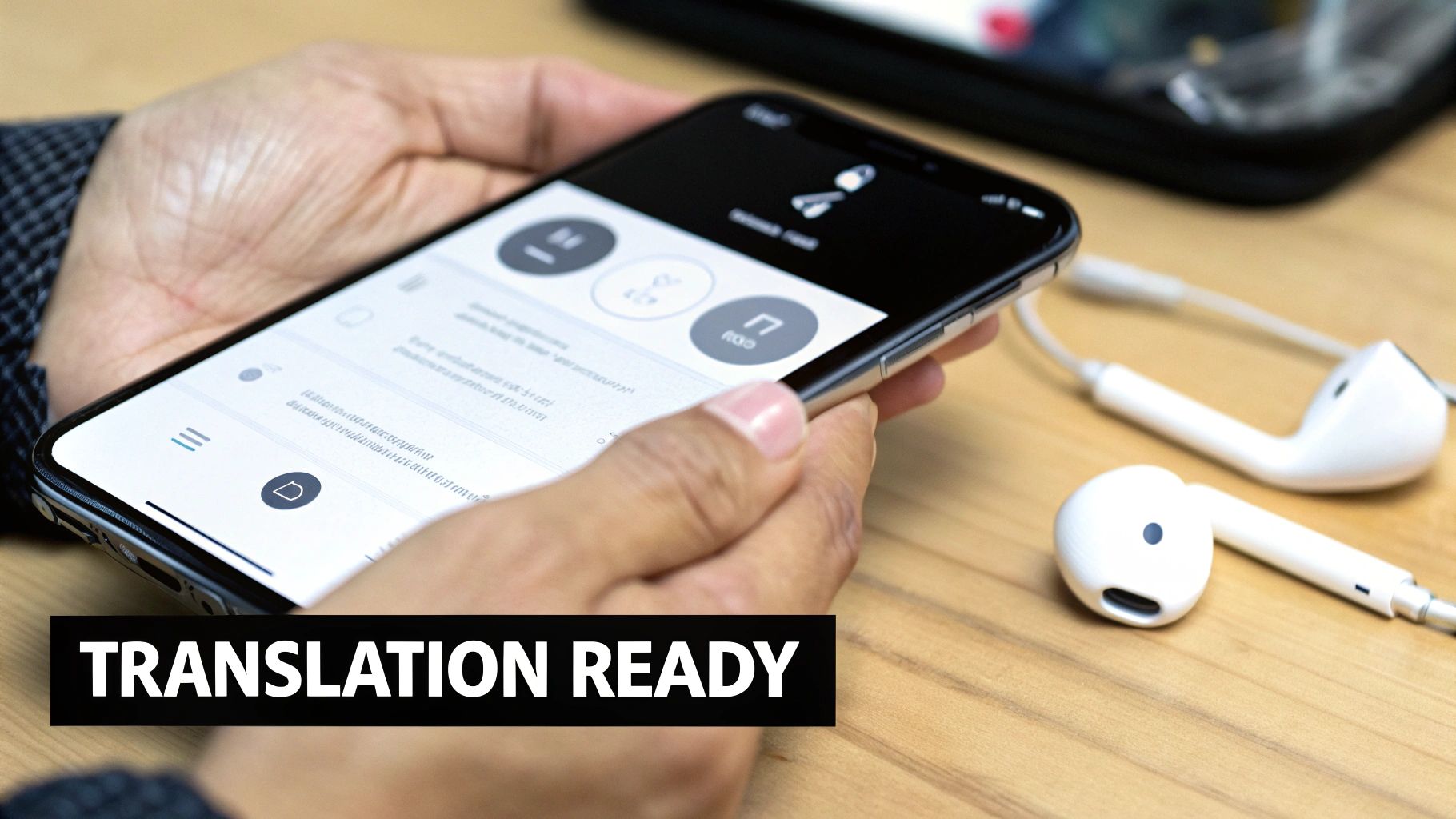
A successful real-time translation starts long before you say a single word. Getting the setup right is the difference between a frustrating mess and a smooth, natural-feeling chat. This section gives you actionable advice to lay the groundwork so the technology works with you, not against you.
The first step is almost laughably simple, but it’s where most errors happen: select your primary language and the language of the person you're speaking with. Double-checking this simple action ensures the underlying machine translation engine has the correct context right from the get-go.
Nail Your Audio for Crystal-Clear Translations
Your phone’s built-in microphone is decent, but for a task this sensitive, it’s often not enough in a noisy environment. Pairing your favorite earbuds or AirPods makes a night-and-day difference in how well an app can translate a conversation in real time.
Using earbuds does two critical things at once:
- It isolates your voice. This helps the app’s microphone zero in on what you're saying, cutting through the background noise of a busy street or a bustling café.
- It delivers clean audio to you. You’ll hear the translated speech piped directly into your ear, making it much easier to understand your partner.
The goal here is to feed the AI a clean audio signal. The fewer distractions it has to filter out, the more accurate and instantaneous your translation will be.
Run Through a Quick Tech Check
Before you dive into a conversation, a quick technical check can save you a world of frustration. These are the small, often-overlooked steps that make or break the experience.
- Check Bluetooth: Make sure it's on and your earbuds are properly connected to your device.
- Check App Permissions: Most importantly, you have to grant the translation app the necessary microphone permissions in your phone's settings. If you skip this, the app simply can't hear you.
Your Pre-Conversation Checklist with Translate AI
To make things even simpler, here’s a quick rundown for getting set up with an app like Translate AI.
- Open the App: Launch Translate AI on your phone.
- Select Your Languages: Use the dropdown menus to pick your language and your partner's.
- Connect Your Earbuds: Make sure your AirPods or other earbuds are paired and active.
- Check Permissions: Jump into your phone’s settings and confirm Translate AI has access to the microphone.
With these preparations handled, you’re ready to bridge that language gap. You can download Translate AI from the App Store to get started.
Choosing the Right Mode for Any Conversation
Not every conversation happens in a quiet room. You might be in a buzzing café, a busy train station, or just sitting around a dinner table. Your translation tool needs to adapt. This section's goal is to help you choose the best translation mode for any situation, making the experience feel natural, not awkward.
The ability to translate a conversation in real time has gone from a sci-fi dream to an everyday tool. Just look at the numbers: the real-time language translation AI market was valued at $4.9 billion in 2025 and is on track to hit an incredible $14.1 billion by 2033. That’s a growth rate of 23.10% every year, driven by people who need to break down language barriers. You can dig deeper into this trend over at HTF Market Research.
So, how do you pick the right mode for your situation? Let’s break it down into specific, actionable advice.
Microphone Mode for Private Face-to-Face Chats
Picture this: you're meeting a new business contact for coffee. The place is packed, and you need to talk without shouting. This is the perfect job for Microphone Mode (sometimes called earbud mode).
Here’s how it works:
- You and your conversation partner each wear one earbud.
- Both earbuds are connected to the same phone.
- When you speak, the translation is whispered directly into their ear.
- When they respond, you hear their translated words in your earbud.
This approach gives you two huge wins:
- Discretion: Your chat stays between the two of you.
- Clarity: With audio piped right into your ear, you can hear perfectly, even with background noise.
This mode creates a personal communication bubble. It makes the technology feel almost invisible, letting the conversation flow as naturally as possible.
Speaker Mode for Group and Hands-Free Scenarios
Now, imagine a totally different scene. You're sharing a meal with your host family abroad or in a small team meeting. Passing earbuds around would be clumsy. This is where Speaker Mode comes in.
It turns your phone into a shared translation device. You just place it on the table between everyone. When one person talks, the app translates their words and plays the audio out loud through the phone's speaker for the whole group to hear.
Speaker Mode is perfect for:
- Group Discussions: It ensures everyone can follow along, from family dinners to brainstorming sessions.
- Hands-Free Use: Ideal for quick, casual exchanges where you don't want to mess with earbuds—like asking for directions.
To make the choice even clearer, here’s a quick comparison.
Choosing the Right Conversation Mode
| Feature | Microphone Mode (Earbuds) | Speaker Mode (Hands-Free) |
|---|---|---|
| Best For | One-on-one, private conversations | Group chats, quick & casual interactions |
| Privacy | High—audio is only heard in the earbuds | Low—translations are played out loud |
| Noise Handling | Excellent, isolates audio from background noise | Good, but can be difficult in very loud places |
| Setup | Requires each person to wear an earbud | Just place your phone between speakers |
| Ideal Scenarios | Business meetings, coffee shop chats, dates | Family dinners, asking for directions, team huddles |
Choosing the Best Tool for Any Mode
To get the most out of either mode, you need an app that’s built for fluid, real-time dialogue. A great option here is Translate AI, which is designed to handle both microphone and speaker translations smoothly. It intelligently manages the back-and-forth, so your conversation keeps a natural rhythm.
Ready to give it a shot? You can find and download Translate AI on the App Store and start your next conversation in minutes.
Where Real-Time Translation Actually Comes in Handy
It's one thing to talk about the tech, but where does the ability to translate conversation in real time stop being a neat party trick and start making a real difference? The goal here is to show you how this applies to real-life situations you've likely faced.
Think about the last time you traveled. Remember pointing at a menu in Rome, crossing your fingers, and hoping you didn't just order something you're allergic to? With a good translation app, you can ask the waiter for a recommendation or clarify ingredients.
Or what about trying to get directions in a bustling city like Seoul? Instead of a confusing game of charades, you can have a quick, helpful chat with a local. It transforms a moment of potential frustration into a genuine human connection.
From Sealing a Deal to Fixing a Leak
In the business world, the stakes are even higher. Imagine you're leading a virtual meeting with potential partners in Brazil. Real-time translation ensures every point is understood, preventing costly misunderstandings and building trust.
For anyone living abroad, this technology is a daily lifesaver. Those little interactions—like explaining a leaky faucet to your landlord or describing symptoms to a doctor—become simple conversations instead of stressful ordeals.
Not sure which mode to use for these situations? This quick decision tree can help you pick the right one for any conversation.
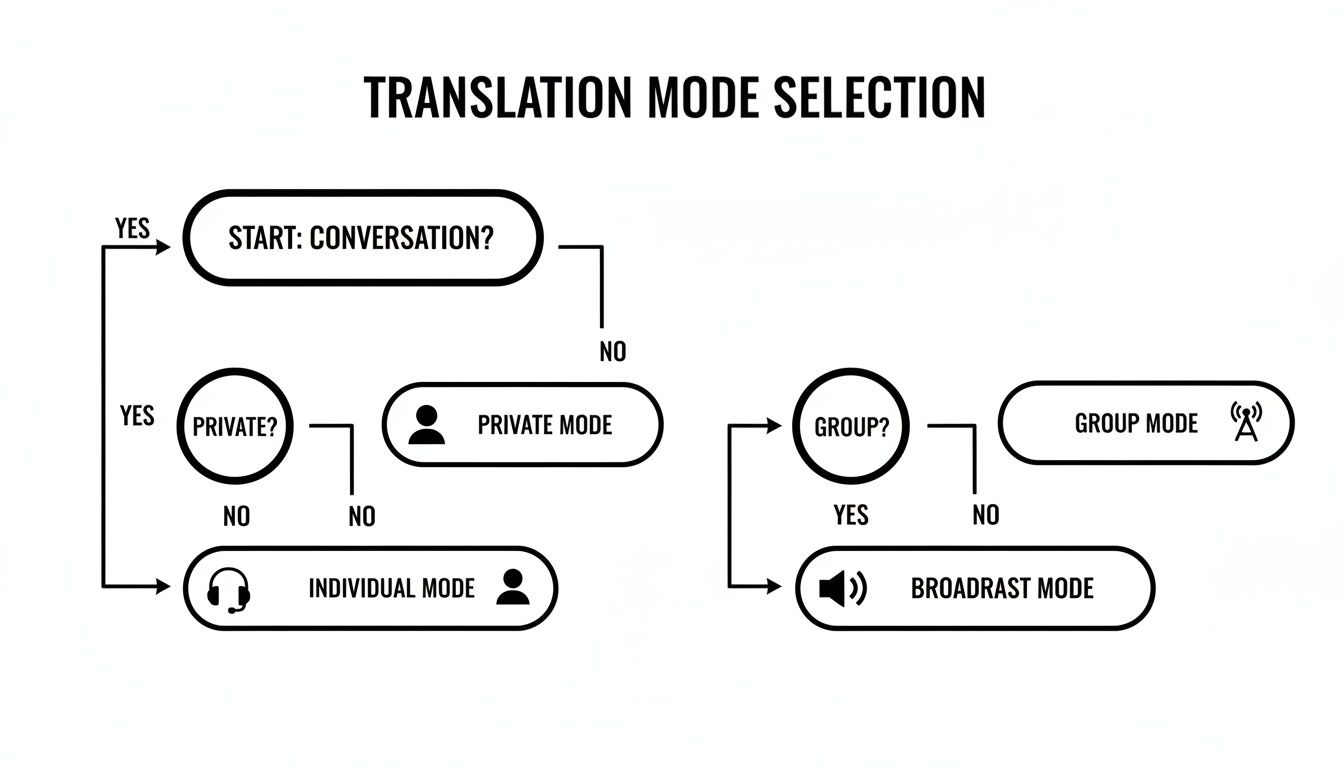
The trick is to match your tool to the environment. Use a discreet earbud mode for one-on-one chats and switch to speaker mode for more open, group discussions.
In every one of these cases, the goal is the same: to make the language barrier invisible so you can focus on the person in front of you.
The Right Tool for the Job: Translate AI
To handle these real-world challenges, you need an app that’s built for the natural back-and-forth of human dialogue. Translate AI is designed specifically for these moments, with intuitive modes that adapt to your surroundings, whether you're in a noisy market or a quiet office.
It’s made to feel seamless, so you can stop thinking about the technology and just have a conversation.
Ready to try it on your next trip or meeting? You can download Translate AI from the App Store and walk into your next international conversation with a lot more confidence.
Pro Tips for Getting Crystal-Clear Translations
Even the most advanced AI can't read minds or make sense of muffled audio. If you want to successfully translate conversation in real time, a few small tweaks to how you speak can make a massive difference in accuracy. This section's goal is to give you specific advice to improve translation quality instantly.
Think of it as meeting the AI halfway. When you give it clear audio to work with, you get much cleaner translations back.
The biggest thing you can do? Speak clearly at a natural, steady pace. Mumbling or rushing your words forces the app to guess, and that’s where errors creep in. You don’t need to talk like a robot—just enunciate clearly.
Simplify Your Language for Better Results
Next up is being mindful of your words. While it’s good to speak naturally, try to steer clear of too much slang, regional idioms, or long, winding sentences. AI models still do their best work with clear, direct language.
A few specific pointers:
- Avoid Slang: A phrase like "I'm beat" could get translated literally and completely lose its meaning. It’s much safer to just say, "I'm very tired."
- Keep Sentences Simple: Instead of one long, complicated thought, break it down into a few shorter sentences. This cuts down the risk of the AI getting tangled up in the grammar.
- Give Some Context: If you're talking about something specific or technical, lead with a simple intro. For instance, instead of jumping in with "The kerf is off," try starting with, "When I use the saw, the cut isn't straight. The kerf is off."
This isn't about "dumbing down" what you say. It’s about being direct to make sure your message gets across perfectly. You can learn more about this in our guide on how to improve listening comprehension.
Mind Your Surroundings
Background noise is the arch-nemesis of accurate voice translation. A loud café or a windy street can make it tough for the microphone to pick out your voice from the chaos.
The fix is usually simple: if a translation is important, just step into a quieter spot for a moment. If you can't, using noise-canceling earbuds can make a world of difference.
Getting this right matters. The global market for Translation Management Systems hit $2.16 billion in 2024 and is expected to jump to $5.47 billion by 2030. A lot of that is driven by sectors like global e-commerce, where a clear message is everything. You can see more on this expanding market at Grand View Research.
By adopting these habits—speaking clearly, simplifying your language, and managing your environment—you’re setting the technology up for success.
The Best Tool for Your Real-Time Translation Needs
To effectively translate a conversation in real time, you need the right app in your pocket. The goal is to find one that creates natural, contextual dialogue instead of just spitting out robotic, word-for-word translations.
This push for quality is fueling massive growth. The machine translation market is expected to jump from $9 billion in 2024 to over $23.53 billion by 2032. These aren't just niche gadgets anymore; they're becoming fundamental tools for communication. In fact, over 70% of European language professionals already use them in their daily work. You can find more stats about this expanding market on sonix.ai.
As these tools shift from a novelty to a necessity, you need a solution that's both reliable and intuitive. A great app should feel less like a clunky translator and more like a seamless extension of your own voice.
Our Top Recommendation: Translate AI
For a powerful yet straightforward experience, we recommend Translate AI. It’s designed to turn your iPhone into a pocket-sized, two-way translation device, supporting over 80 languages for fluid, real-time conversations.
What really makes it stand out is its ability to handle the natural back-and-forth of a real chat. Powered by advanced AI, it sidesteps the awkwardness of older translation tools, helping your interactions flow smoothly. We dive deeper into how this tech works in our guide on real-time language translator earbuds.
Best of all, it works with the standard earbuds you already own, so you don't have to shell out for expensive, specialized hardware.
Whether you're trying to connect with new people, finalize a business deal, or just find your way on your next adventure, Translate AI delivers a high-quality experience you can depend on.
It’s built to be simple: pick your languages, connect your earbuds, and just start talking. For a seamless way to break down language barriers, download Translate AI directly from the App Store and start your first real-time conversation today.
Answering Your Top Questions About Live Translation
Jumping into real-time translation for the first time usually brings up a few key questions. This section's goal is to give you quick, specific answers so you can feel totally comfortable before your first conversation.
How Accurate Is This, Really?
Today's AI translators are surprisingly good for most real-world conversations. Modern systems use advanced neural networks to grasp the context of what you're saying, making the translations feel much more natural.
For the cleanest results:
- Speak clearly.
- Ditch the heavy slang.
- Minimize background noise.
While no tech is 100% flawless, a quality app is more than reliable enough for travel, social events, and most business chats.
Do I Need to Buy Special Gadgets?
Nope. And that's one of the best parts. You can get started with the gear you already have in your pocket. Your smartphone's built-in microphone and any pair of standard Bluetooth earbuds are all you need.
This makes the ability to translate conversation in real time accessible and affordable for pretty much everyone. You don't have to sink money into expensive, single-use devices.
Is My Conversation Kept Private and Secure?
Reputable app developers take user privacy very seriously. Conversations are typically processed on secure servers, and the best apps have clear, strict policies to keep your data safe.
It's always a good habit to glance at the privacy policy of any app you download. If you're discussing sensitive business matters, go with a provider that explicitly outlines its commitment to data security.
Ready to start breaking down language barriers with confidence? Translate AI gives you secure, accurate, and incredibly easy-to-use real-time translation for all your travel, business, and social chats. Download Translate AI on the App Store and have your first seamless conversation today.