

A Guide to Using a Voice Translator from English to Spanish
Ever found yourself in a bustling market in Mexico City or trying to close a business deal in Madrid, only to be stopped dead by the language barrier? That feeling of not being able to connect, where good opportunities slip away, is something many travelers and professionals know all too well.
This guide has one clear goal: to show you how to use a modern voice translator from english to spanish to communicate confidently and naturally. We'll walk through actionable steps, from setup to real-world conversations, so you can turn language anxiety into genuine connection.
Why You Need a Modern Voice Translator
The problem isn't just about swapping words; it's about the frustration of not being understood. Whether you're traveling for pleasure or business, that communication gap can be a major hurdle.
The solution is no longer a clunky, expensive gadget. Today, a powerful voice translator lives right on your smartphone. These AI-driven apps are designed for one specific purpose: making real-time, back-and-forth conversations feel seamless and natural.
The Shift to Smarter Communication
Forget awkwardly typing phrases into a text box and waiting for a robotic voice. The new wave of translation apps is built for the dynamic, messy reality of a real conversation. This leap forward is all thanks to huge improvements in AI-powered language translation, which have made translations far more accurate and context-aware.
This isn't a niche tool anymore; it's essential for global communication. The market for speech-to-speech translation is expected to grow from USD 0.76 billion in 2026 to USD 1.25 billion by 2031. This growth is fueled by people just like you who need a reliable translator without carrying extra hardware.
Benefits of Using a Modern Translator App
The advantages of using a translator app on your phone are simple and practical. Here’s what you gain:
- Cost-Effective: You use the smartphone you already own, saving you from buying specialized hardware that can cost hundreds of dollars.
- Convenient and Discreet: Pair the app with your AirPods or Bluetooth earbuds for a private conversation. This is perfect for business meetings or hearing clearly in a noisy café.
- Highly Accurate: Powered by cutting-edge AI, these apps excel at understanding slang, idioms, and context, making translations sound more human.
To see this technology in action, a resource like Polychat's translator page can offer a clearer picture. Ultimately, a modern voice translator helps you build genuine human connections, one conversation at a time.
Setting Up Your Translator for Success
Getting your voice translator ready shouldn't be a chore. This simple setup is your first step toward clear, confident conversations. The goal is to make the technology work for you, so you can focus on the person you're talking to.
Here’s your actionable checklist to get started:
- Choose and install a solid translator app.
- Grant microphone access. When you open the app, it will ask for permission to use your microphone. This is essential for the translator to hear you clearly.
- Ensure a clear audio signal. Good audio input is the foundation for an accurate translation.
This diagram perfectly captures the goal: turning language anxiety into a genuine connection.
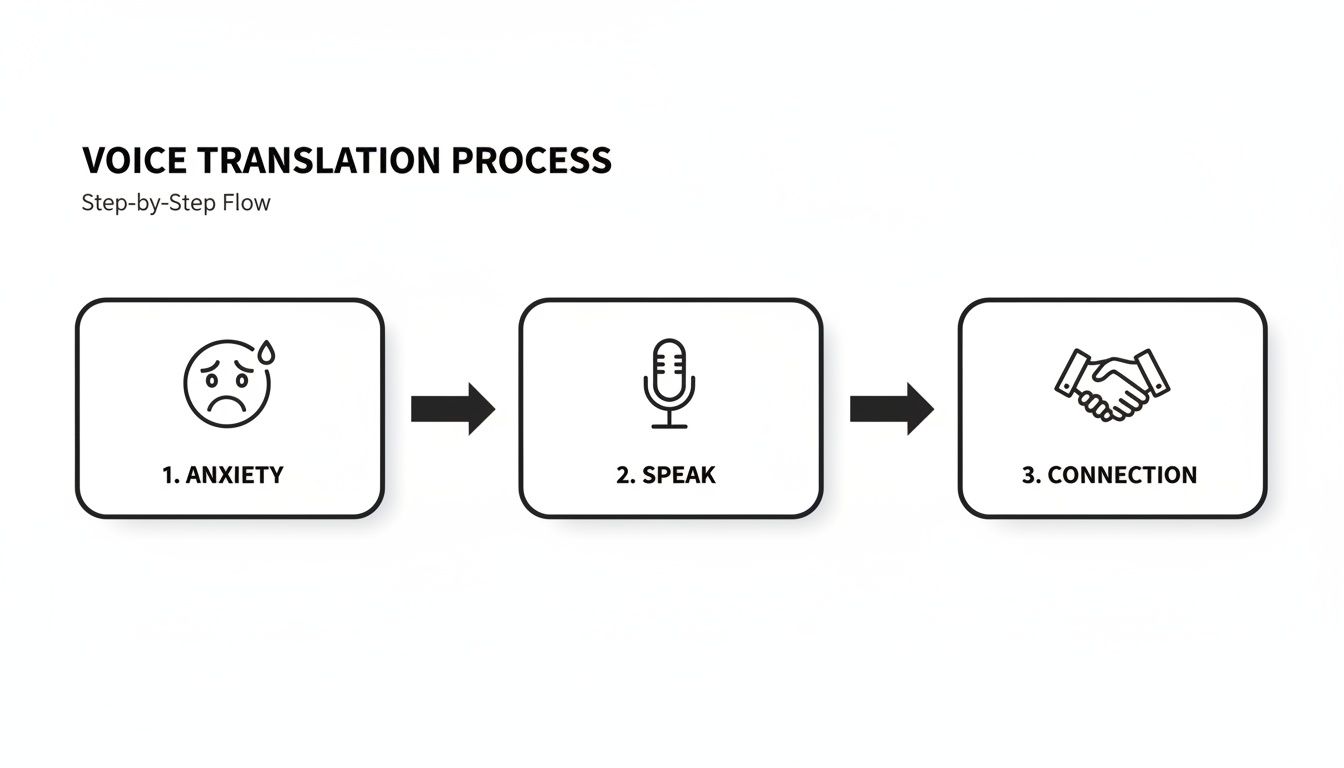
It’s all about bridging that gap, moving from uncertainty to understanding.
Pairing Your Earbuds for Privacy
One of the best features of modern translator apps is their compatibility with Bluetooth earbuds. Pairing your AirPods or other wireless earphones is a game-changer for a few key reasons:
- Discreet Conversations: Hear the translated audio privately without broadcasting it to the entire room.
- Clarity in Noisy Places: Earbuds isolate your voice from background chatter, which is crucial in a bustling market or loud restaurant.
- Hands-Free Operation: Stop holding your phone like a walkie-talkie and just talk naturally.
Taking a couple of minutes to get the setup right from the start saves you from fumbling with settings when you’re in the middle of an important conversation. It’s a small investment for a much smoother experience.
Our Top Pick: Translate AI
For a tool that makes this process painless, we recommend Translate AI. It was designed to be intuitive from the ground up, walking you through permissions and making it incredibly simple to pair your existing earbuds. This focus on a smooth start means you can go from downloading the app to having your first real conversation in just a few taps. That makes it a fantastic voice translator from English to Spanish for everyone.
You can download Translate AI - Live Translator right from the App Store.
Mastering Natural Two-Way Conversations
Once you're set up, the goal is to make your translated exchange feel like a genuine human dialogue, not a series of robotic commands. A great voice translator from english to spanish helps you find a comfortable rhythm.
Here’s how to create a natural conversational flow:
- Start by speaking your English phrase clearly and at a normal pace. Shorter, direct sentences work best.
- Let the app translate. The Spanish translation will play from your phone’s speaker or through your earbud.
- Share the device. Hand your phone to the other person so they can read the translation and speak their reply. This simple act makes the interaction feel collaborative.

This back-and-forth turns a clunky translation into a real connection. For a deeper dive, check out our guide on how to translate a conversation in real time.
Finding Your Conversational Flow
The need for smooth communication is massive. Spanish is a top language pair for voice translators, driven by a huge demand in the U.S. where over 68 million people speak a language other than English at home. With Hispanic consumer spending hitting $1.25 trillion back in 2014, it’s clear why accurate, real-time voice translation is so critical. You can explore more data on the growth of the language services market on fortunebusinessinsights.com.
The secret to a fluid conversation is patience. Give the app a second to process and translate, and give the other person time to understand and respond. Rushing the process just leads to confusion and less accurate results.
Pro Tips for Maximum Accuracy
To get cleaner, more reliable translations every time, follow these simple, actionable tips.
| What to Do | Why It Helps |
|---|---|
| Minimize Background Noise | Step away from loud music or traffic. Cleaner audio input leads to a much more precise translation. |
| Speak One Idea at a Time | Avoid long, winding sentences. Break your thoughts into shorter statements so the AI can translate each idea accurately. |
| Avoid Ambiguous Slang | While AI is getting smarter, sticking to standard phrasing will always give you more reliable results than using complex idioms. |
Following these simple rules helps the AI do its job better, which means your conversation flows more naturally.
Our Top Pick: Translate AI
If you're looking for an app that truly excels at natural conversation, Translate AI is a fantastic choice. It was designed for intuitive two-way dialogues and works seamlessly with standard Bluetooth earbuds, so you can have private, clear conversations without buying special hardware.
Just find the app on the App Store, choose your languages, tap the mic, and you're ready to connect with confidence.
Putting Your Translator to the Test in Real Life
Theory is one thing, but stepping into a real conversation is where your translator truly shines. The goal here is to use your voice translator from english to spanish to handle specific, real-world situations you’ll encounter while traveling or working.
For example, imagine navigating the Madrid Metro. Instead of just asking, "Where is the train?" you can have a more specific exchange:
- Ask a detailed question: "Excuse me, which line do I take to get to the Prado Museum?"
- Listen to the translated reply.
- Ask a follow-up: "How many stops is that?"

This back-and-forth dialogue is powered by impressive AI. The AI language translation sector grew from $1.88 billion in 2023 to $2.34 billion in 2024—a stunning 24.9% growth rate. This is the tech that delivers the accurate, natural-sounding conversations you need. You can find more insights in these powerful translation statistics on sonix.ai.
Ordering Food with Confidence
Here’s another classic scenario: ordering food in Barcelona with a dietary need.
- State your need clearly: "Hello, I would like to order the paella, but I have a severe allergy to shellfish. Is it possible to make it without any shrimp or mussels?"
- Let the app translate the urgency and specifics.
- Receive the translated response from the server.
A high-quality translator ensures you get a safe and enjoyable meal. Remember, a reliable internet connection is crucial for the best performance. Getting an eSIM for international travel can make all the difference.
Advanced Tips for Complex Situations
For more complex interactions, like collaborating with Spanish-speaking colleagues, use these pro tips:
- Use Conversation History: Review the app’s log after a meeting to recall key phrases and decisions.
- Save Common Phrases: Save translations for recurring questions for quick, one-tap access.
- Leverage Your Earbuds: In a noisy office, paired earbuds isolate your voice and deliver clear audio, cutting through background noise.
The real power of a modern voice translator isn't just about single-phrase lookups. It’s about managing an entire interaction, from the initial greeting to the final thank you, with confidence and clarity.
Our Top Pick: Translate AI
To feel prepared for any scenario, you need an app designed for fluid, real-world use. We recommend trying Translate AI. It excels in these exact situations, offering high accuracy and a simple interface that lets you focus on the conversation, not the tech. It works with any standard earbuds, allowing for discreet and clear conversations anywhere.
You can download Translate AI on the App Store and start practicing these scenarios for yourself.
Picking the Right App for Your Needs
With so many options, picking the best voice translator from english to spanish can feel overwhelming. The goal is to find a tool that fits your specific needs—whether that’s travel, business, or language learning. A great app should feel invisible, allowing you to focus on the person you're talking to.
Key Features That Actually Matter
When comparing apps, look for these non-negotiable features for a practical, effective tool:
- High Accuracy: The translation must be contextually correct. The best apps use AI to deliver natural-sounding conversations.
- Simple User Interface: The app should be intuitive. Pick your languages, tap a button, and start talking.
- Broad Language Support: Even if your focus is Spanish, having other languages available is a huge bonus for future needs.
A truly effective translator feels like an extension of your own voice. The technology should just disappear into the background, letting a real human connection happen without awkward pauses or confusing buttons.
To dig deeper, check out our guide on finding the best real-time voice translator app.
Our Top Pick: Translate AI
For a powerful and easy-to-use option, we recommend Translate AI. It delivers accurate, context-aware translations and features a true two-way dialogue mode that makes conversations feel fluid. A key advantage is its compatibility with any standard Bluetooth earbuds or AirPods, saving you from buying expensive, specialized hardware. The interface is designed to be dead simple—pick your languages, tap the mic, and talk.
You can find it right on the App Store.
Got Questions? Let's Clear Things Up
Even with the best tech, it's normal to have questions before you rely on a translator app. When using a voice translator from english to spanish, getting clarity upfront can make all the difference. Let's tackle some common questions with actionable answers.
How Accurate Are These Translators for Complex Topics?
For everyday chats—asking for directions, ordering food, making small talk—today's AI is incredibly accurate. Translations are fast, context-aware, and sound surprisingly human.
However, for highly technical, legal, or medical topics, a voice translator should be used as an assistant, not a substitute for a professional human interpreter. Actionable advice: Speak in clear, direct sentences and always confirm critical details to ensure nothing is lost in translation.
Think of your translator as a highly skilled communication sidekick. It bridges the gap beautifully in most situations, but for mission-critical conversations, clarity and confirmation are your best friends.
Do I Need an Internet Connection to Use It?
For the highest accuracy and most natural-sounding voice, yes, a solid internet connection is key. The best apps use cloud-based AI, which requires data. While some apps offer offline modes, performance is noticeably better online.
Actionable advice for travelers:
- Local SIM Card: A cheap and effective option for reliable data.
- International Data Plan: Check with your provider before your trip.
- Portable Wi-Fi Hotspot: Great for groups or connecting multiple devices.
A good connection ensures your translator performs at its peak when you need it most.
Can I Use My Own Headphones?
Absolutely—and you should! Modern translator apps are designed to work with the Bluetooth earbuds you already own, like AirPods or Galaxy Buds.
Using your own earbuds offers three key advantages:
- Privacy: Have quiet conversations without broadcasting to everyone around you.
- Clarity: Earbud microphones isolate your voice from background noise, improving translation accuracy.
- Convenience: Enjoy a hands-free experience that feels more natural and lets you focus on the conversation.
This compatibility makes the entire process more convenient, private, and cost-effective.
Ready to break down language barriers with confidence? Translate AI was designed to make these real-world conversations simple and seamless. Experience the freedom of natural, two-way dialogue with the earbuds you already own. Download it today from the App Store.