

Your Guide to Finding the Best Real Time Voice Translator App
Picture this: you step off the plane in a new country, buzzing with excitement, but you’re immediately hit with a wall of unfamiliar words. Ordering a coffee, asking for directions, or just striking up a conversation feels impossible. A real time voice translator app is designed to tear down that wall in an instant, turning the smartphone you already own into your personal interpreter.
This guide will show you exactly what to look for in a great translator app. We'll cover the essential features, how the technology works, and provide actionable tips so you can choose a tool that helps you have natural, back-and-forth chats with anyone, anywhere.
Break Down Language Barriers Instantly
That feeling of being lost in translation is a common frustration for travelers, international business professionals, and even language students. Simple tasks can suddenly feel overwhelming. In the past, our only options were clunky phrasebooks or slow, text-based translators that killed any chance of a real conversation.
Thankfully, the technology has come a long way. A modern real time voice translator app isn't just about swapping words; it's about creating a genuine human connection. It bridges the gap by hearing what you say, translating it in a split second, and speaking it aloud for the other person to understand.
Why Instant Voice Translation Matters
In a world that’s more connected than ever, the need for smooth communication is huge. This isn't just a feeling; the numbers back it up.
The real-time voice translation software market is exploding, valued at around $2.5 billion in 2025 and projected to surge at a compound annual growth rate (CAGR) of 18% through 2033. This boom is directly fueled by globalization, where international business and travel demand seamless cross-lingual chats. You can explore more data on this market growth to see the full picture.
This growth shows a massive shift in how we think about language. It's no longer just about getting by in a foreign country; it's about truly connecting. A great app empowers you to take specific actions:
- Travel with Confidence: Easily navigate new cities, order from local menus, and chat with residents without the fear of being misunderstood.
- Conduct Global Business: Lead meetings with international partners where every detail is understood clearly and immediately, building stronger and more trusting professional relationships.
- Accelerate Language Learning: Practice your conversational skills in a low-pressure way, hearing the correct pronunciation and building the confidence to speak with native speakers.
Ultimately, a good real time voice translator app turns moments of potential stress into opportunities. It gives you the power to understand and be understood, making the world feel just a little smaller and a lot more welcoming.
How a Real Time Voice Translator Actually Works
Ever wondered what’s happening "under the hood" when you use a real time voice translator app? It feels like magic, but it’s actually a brilliant, high-speed process that works in three distinct steps. In less than a second, your words are captured, understood, translated, and spoken back in a completely different language.
This process is all about turning a moment of communication frustration into a genuine human connection.
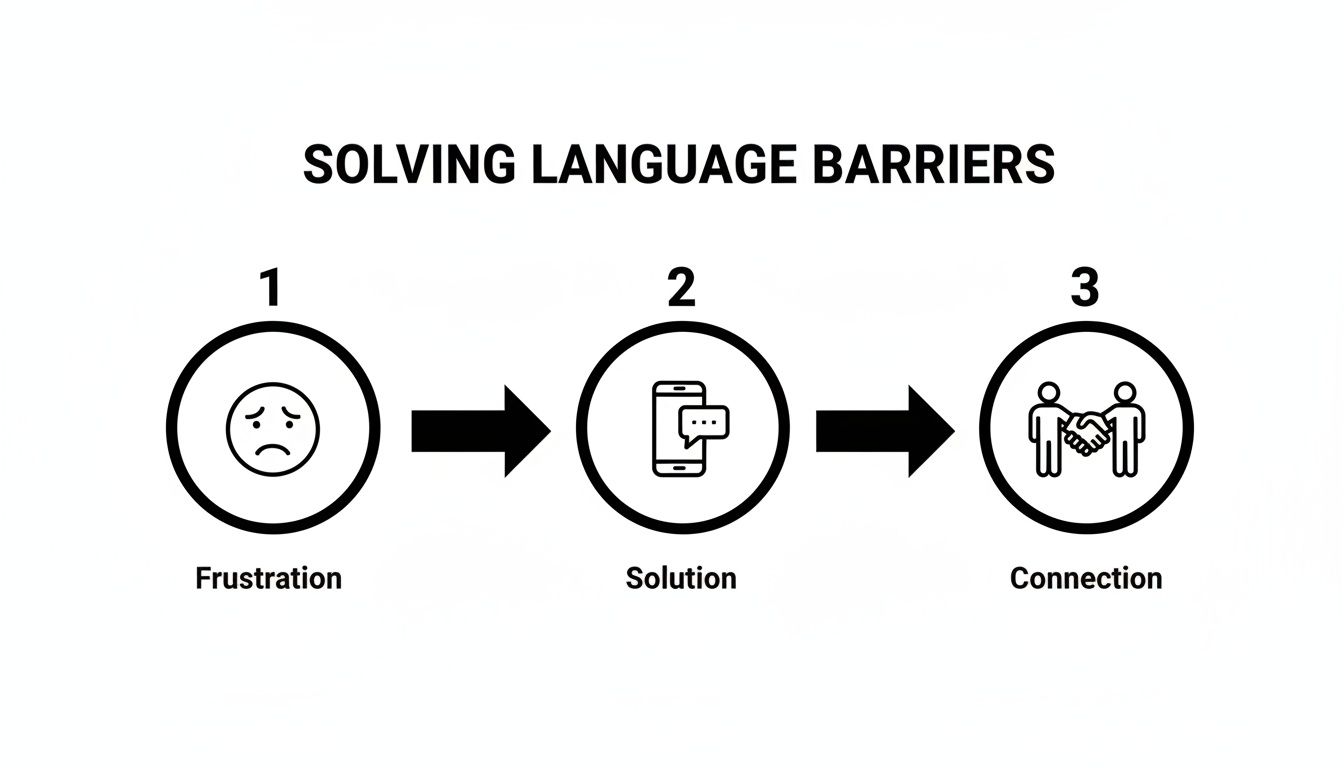
This journey from confusion to clarity is the entire goal of the technology. Let's break down the actionable steps involved.
Step 1: Automatic Speech Recognition (ASR)
The first expert on this digital team is Automatic Speech Recognition (ASR). Its only job is to be the perfect listener. When you speak into your phone, the ASR model instantly gets to work, converting the sound waves of your voice into written text.
This is way more than just a simple recording. ASR systems are trained on massive datasets of human speech to recognize different accents, slang, and speaking styles. Its goal is to create an accurate, word-for-word transcript of what you just said, which sets the stage for the next crucial step.
Step 2: Neural Machine Translation (NMT)
Once your speech is in text form, it’s handed off to the "linguist" of the operation—Neural Machine Translation (NMT). This is where the core translation happens. NMT models don't just swap words one-for-one like an old-school dictionary; they analyze the entire sentence to understand context, grammar, and nuance.
NMT models are designed to mimic the human brain's neural networks, allowing them to grasp the intended meaning of a phrase rather than just its literal words. This contextual understanding is why modern translations feel so much more natural and accurate.
For example, the NMT engine knows that "I'm feeling blue" is about sadness, not the color. By processing the full sentence, it delivers a translation that captures the real meaning, not just a jumble of words. This technology is the heart of any effective real time voice translator app. If you're curious about the details, you can learn more about how machine translation has evolved in our deep-dive article.
Step 3: Text-to-Speech Synthesis (TTS)
With the translated text ready to go, the final team member steps up: Text-to-Speech (TTS). This technology acts as the "speaker," taking the translated text and converting it back into natural-sounding audio in the target language.
Today's TTS systems are incredibly advanced, capable of producing voices that are clear, expressive, and almost human. They can even replicate tones and inflections, which makes the whole conversation feel much more authentic. This is the voice the other person hears, completing the real-time translation cycle.
Essential Features of a Top-Tier Translator App
When you start looking for a real time voice translator app, you quickly learn they're not all the same. The difference between a clunky tool and a seamless conversation boils down to a few critical features. Knowing what to look for is the key to picking an app that actually works in the real world.
A great app isn't just about a long list of languages. It’s about how well it helps you have a real back-and-forth chat. The best technology fades into the background, letting you connect with the person in front of you. Here is some specific, actionable advice on what features to prioritize.
Extensive Multi-Language Support
The most obvious place to start is the number of languages an app can handle. A top-tier translator should offer a wide selection, covering not just the usual suspects like Spanish and French, but also a good mix of dialects and less common languages.
This is more than just a numbers game. Having access to dozens of languages means you’re ready for anything, whether you’re navigating a bustling market in Tokyo or a quiet village in rural Vietnam. It’s about the freedom to communicate confidently, no matter where your travels take you.
Intuitive Two-Way Dialogue Mode
This is the make-or-break feature for real conversations. A good two-way dialogue mode lets two people speak in their native languages while the app translates for each of them on the fly. It smartly figures out who is talking and translates their speech, creating a smooth, conversational rhythm.
Without it, you’re stuck passing the phone back and forth, turning the chat into a slow, disjointed exchange. A proper dialogue mode gets rid of those awkward pauses, making the whole thing feel less like a transaction and more like a genuine conversation.
A truly effective real time voice translator app must excel at this two-way interaction. It should be able to smoothly switch between languages, identify conversational pauses, and handle different accents to keep the discussion moving naturally.
Reliable Offline Capabilities
Let's be realistic: you won't always have an internet connection, especially when traveling. You might be on a subway, hiking in the mountains, or in a country where data is ridiculously expensive. This is where offline functionality becomes a lifesaver.
A quality app lets you download specific language packs right to your device. While online translations often have more nuance—thanks to their connection to massive cloud-based AI—a solid offline mode ensures you can handle the essentials. Think asking for directions, ordering food, or dealing with an emergency. It’s the ultimate safety net for any traveler.
Comparing Essential vs. Advanced App Features
This table helps you identify the core functionalities a great real time voice translator app must have, versus advanced features that are beneficial for specific situations. Use it as a checklist when evaluating options.
| Feature Category | Essential Functionality | Why It Matters | Advanced Feature Example |
|---|---|---|---|
| Voice Translation | Clear two-way dialogue mode with auto-detection of who is speaking. | This is the key to having a natural, back-and-forth conversation without awkward pauses or passing the phone back and forth. | Conversation Transcription: Saves a text log of the entire conversation for you to review later. |
| Language Support | Broad coverage of major languages and popular travel destinations. | You need an app that works where you're going. Good coverage ensures you're prepared for most common travel and business scenarios. | Dialect and Accent Recognition: Understands and translates regional variations of a language (e.g., Castilian Spanish vs. Latin American Spanish). |
| Connectivity | Reliable offline mode with downloadable language packs. | Internet isn't always available. Offline access is crucial for basic communication in remote areas, on flights, or to save on data costs. | Hybrid Mode: Automatically switches between offline and online translation based on connection quality for the best possible accuracy. |
| Usability | Simple, intuitive user interface that is easy to navigate under pressure. | When you're trying to communicate, you don't want to be fumbling with complex menus. The interface should be fast and obvious. | AR Camera Translation: Points your camera at a sign or menu and translates the text live on your screen using augmented reality. |
While advanced features are great, make sure any app you choose nails the essentials first. A slick AR feature doesn't mean much if the core voice translation is slow and clunky.
An App That Delivers: Translate AI
An app that pulls all these essential features together is Translate AI. It’s built from the ground up to deliver a smooth, intuitive experience that puts natural conversation first. Translate AI nails the features that modern travelers and communicators actually need, including broad language coverage, a seamless dialogue mode, and compatibility with standard earbuds for private conversations.
Real-World Scenarios Where Voice Translation Shines

It’s one thing to understand the tech behind a real time voice translator app, but seeing it in action is where it clicks. The magic happens when you move from theory to practice, turning what could be a moment of confusion into a genuine connection.
Let’s walk through a few scenarios you can probably relate to, where this technology doesn’t just help—it completely changes the game.
For the Adventurous Traveler
Your Problem: You’re wandering the backstreets of Rome and find a tiny, family-run trattoria. The menu is only in Italian, and the owner doesn't speak English. You're stuck pointing awkwardly and hoping for the best.
Actionable Solution: With a voice translator app, the story unfolds differently. You simply open the two-way dialogue mode.
- You ask in English, "What do you recommend today?"
- Your phone speaks the question aloud in crisp, natural Italian.
- The owner’s face lights up as he replies, describing the fresh pasta special.
- The app translates his words right back to you. Suddenly, you're confidently ordering a meal you might have otherwise missed.
That quick exchange is a real human moment, made possible because the language gap simply vanished.
For the Global Business Professional
Your Problem: You're on a high-stakes video call with a potential client from South Korea. Key people on their team are most comfortable speaking Korean, and any misunderstanding could sink the partnership.
Actionable Solution: A quality real time voice translator app turns this into a fluid conversation. You pop in your earbuds for private audio.
- As you present, the app feeds a real-time translation to your counterparts.
- When they ask a question in Korean, it's instantly translated back for you.
- The conversation flows, allowing everyone to express complex ideas in their native tongue and focus on building rapport, not on the logistics of communication. This is especially true as more business goes global, and tools like real-time language translator earbuds offer even more discreet ways to keep the conversation moving.
By eliminating the delays and inaccuracies of a human interpreter chain, a real time voice translator app ensures that nuance and intent are not lost. This allows for faster decision-making and builds a stronger foundation of trust between international teams.
For the Dedicated Language Learner
Your Problem: You're trying to learn Spanish, but you have no one to practice with. You're afraid of making mistakes and losing confidence.
Actionable Solution: A translator app becomes an invaluable practice partner in a low-pressure setting.
- Practice Listening: Listen to the app’s natural-sounding Spanish audio to train your ear.
- Practice Speaking: Speak a phrase in Spanish, and the app’s speech recognition shows you exactly what it heard, providing instant feedback on pronunciation.
- Build Confidence: Practice common phrases repeatedly to build the confidence needed to eventually talk to real people.
In this case, the app isn't a crutch. It’s a set of training wheels that makes the road to fluency faster and more interactive.
Putting Powerful Translation into Practice
Knowing the key features of a great real time voice translator app is one thing, but seeing how they come together in a polished, practical tool makes all the difference. The best apps combine powerful technology with a simple user experience that can completely change how you communicate. This is where a well-designed solution becomes indispensable for travel, work, or learning.
The goal isn't just to translate words; it's to have a real conversation. That requires an app that’s fast, accurate, and so intuitive it just fades into the background, letting you focus on the person you're talking to.
Discover Powerful Translation with Translate AI
One app that really delivers on these essential qualities is Translate AI. It’s designed to tackle the core challenges of cross-language communication by focusing on what truly matters for a fluid, natural dialogue. It puts advanced translation right into a package that anyone can pick up and use immediately.
What sets it apart is its practical approach. It skips the unnecessary complexity and instead hones in on delivering a reliable, seamless experience that makes real-time conversations accessible to everyone.
Translate AI works with any standard earbuds you already have, including AirPods. This gives you clear, private audio, making your conversations discreet and easy to follow, even in a noisy café or busy street.
This focus on accessibility removes a huge barrier, putting powerful translation tools directly into the hands of anyone with a smartphone. It’s a smart design choice that shows a real understanding of what users actually need.
Getting Started is Simple
The true test of any real time voice translator app is how quickly you can start a conversation. A complicated setup is a major roadblock when you just need a quick translation. Translate AI nails this with a dead-simple, three-step process:
- Select Your Languages: Just pick your native language and the language of the person you're speaking with from a list of over 80 options.
- Tap to Speak: Use the big, intuitive microphone button to start talking. The app's two-way dialogue mode automatically figures out who is speaking and starts translating.
- Start Your Conversation: The translation appears on the screen and is spoken aloud, allowing for a natural back-and-forth chat without awkward delays or having to pass the phone around.
The app's clean interface, shown below, is built for quick and easy use no matter where you are.
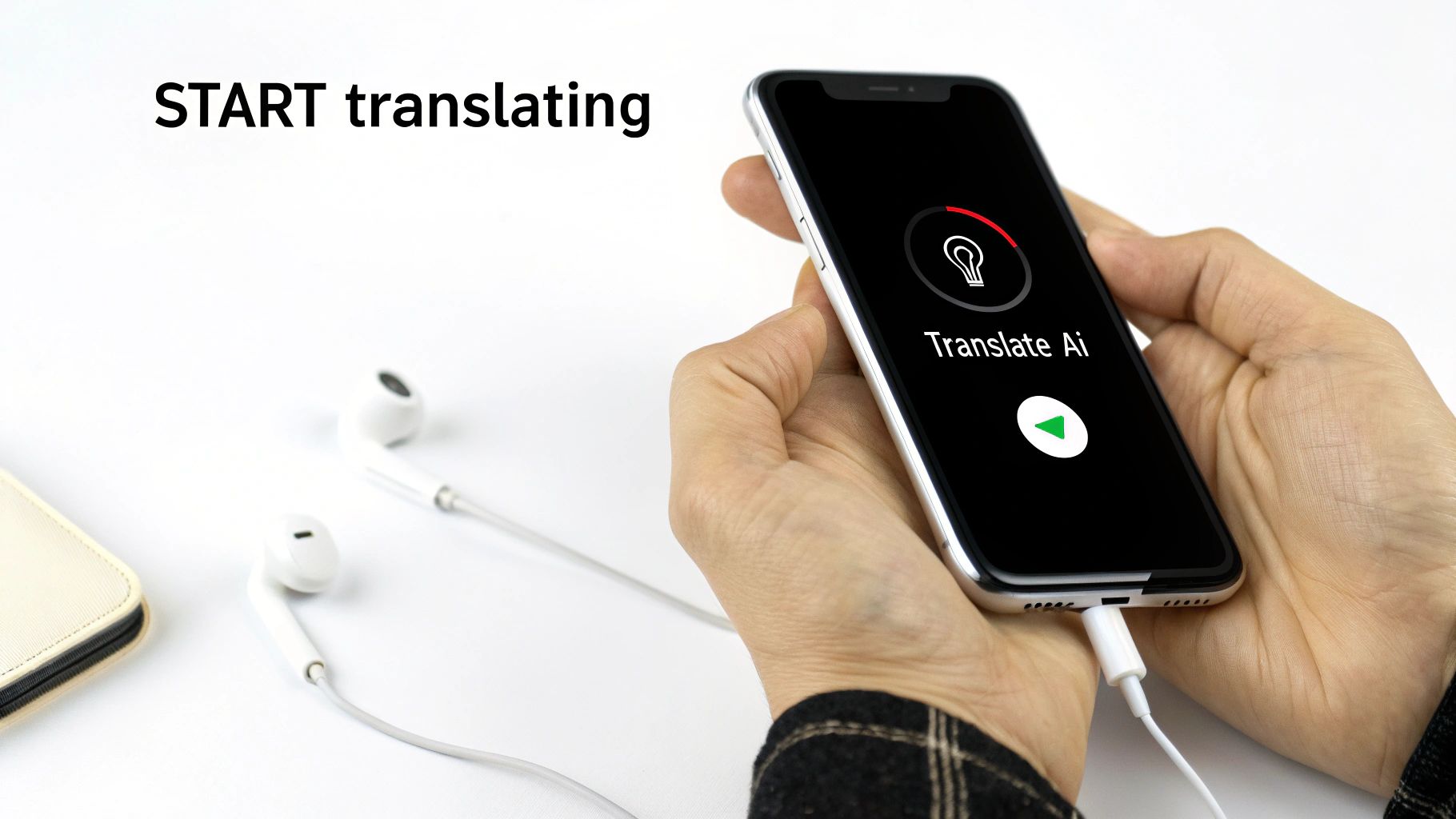
This straightforward design ensures the technology supports your conversation instead of getting in the way. It’s a powerful yet practical tool for breaking down language barriers. You can try Translate AI for yourself on the App Store to see just how seamless it feels firsthand.
Actionable Tips for the Best Translation Results
Even the smartest real time voice translator app gets a little help from its friends—and in this case, that friend is you. While the AI does all the heavy lifting, the way you use the app can make a huge difference in the accuracy and speed of your translations. Think of it as meeting the tech halfway.
A few small tweaks to how you speak can turn a good translation into a great one. Here are specific, actionable tips to try.
Speak Clearly and Consistently
The whole process starts with the app understanding you correctly. If the input is clear, the output will be too. It’s the single most important step.
- Speak at a moderate pace: Rushing your words is a surefire way to get a jumbled translation. A calm, steady speed gives the app time to catch every word.
- Enunciate your words: Mumbling is the enemy of speech recognition. Speaking clearly helps the app distinguish between similar-sounding words.
- Minimize background noise: Before you start talking, try to find the quietest spot you can. Busy streets or loud music make it difficult for the microphone to isolate your voice.
Pro Tip: Don't hold the phone too close to your mouth. This can distort your voice. Hold it a natural distance, as you would for a normal phone call, to get the cleanest sound.
Keep Your Language Simple
Language is messy and filled with nuance, slang, and metaphors that can easily trip up an AI. These apps work best when you keep things straightforward.
- Avoid idioms and slang: Instead of saying "it's raining cats and dogs," just say "it's raining very heavily." The meaning is the same, but it’s much easier for the AI to translate literally.
- Use shorter sentences: Break down complex thoughts into simpler sentences. This is especially true if you’re discussing technical or detailed topics. For a deeper dive on this, check out our guide on how to translate a conversation in real time.
- Check the on-screen text: Glance at the transcript to confirm the app heard you right before it translates. Catching a small error here is easy and keeps your conversation flowing smoothly.
Got Questions About Voice Translator Apps? We’ve Got Answers.
Even with powerful AI in your pocket, it’s smart to have a few questions before you jump in with a real time voice translator app. Knowing how these tools handle real-world situations is the key to using them with confidence. Here are some of the most common things people ask us.
We often hear questions about how accurate these apps really are, what gear you need (if any), and what happens when you’re wandering somewhere without a signal. Let's clear those up so you can get started on the right foot.
How Accurate Are These Apps, Really?
Modern apps, especially those using newer AI like Neural Machine Translation (NMT), are surprisingly good. We're talking near-human fluency for many common languages. They've gotten much better at understanding context, so conversations flow naturally instead of feeling like a clumsy, word-by-word swap.
That said, things like loud background noise, talking a mile a minute, or using a lot of slang can trip them up. For the best results, just try to speak clearly in a place that isn't too chaotic. The top apps are always training their AI models to get better at handling those tricky situations, though.
Do I Need to Buy Special Hardware?
Nope, and that's one of the best parts. You can forget about those expensive, single-purpose translator gadgets from a few years ago. The best solutions today are built to work with the smartphone you already carry.
Your phone’s built-in microphone is perfect for quick translations on the fly. If you want a more private or clearer chat, just connect any standard Bluetooth earbuds you own. This makes powerful translation accessible to pretty much anyone with a smartphone, which is a huge deal.
Can I Use These Apps Without an Internet Connection?
Some can, but there's a trade-off. For the absolute best, most nuanced translations, an app needs an internet connection to connect to its powerful cloud-based AI. However, many of the best apps let you download specific language packs for basic offline use.
This feature is a lifesaver when you're traveling in places with spotty or expensive data. Before you head out, just check if your chosen real time voice translator app has an offline mode and remember to download the languages you'll need ahead of time.
Is It a Pain to Get Started?
Not at all. The whole point is to make communication easier, so a complicated setup would defeat the purpose. A well-designed app will let you start talking in just a couple of taps.
For example, a good, clean process should look something like this:
- Open the app and pick your language and the other person's language.
- Tap one obvious button to start listening.
- Start talking. The app takes it from there.
The technology should just fade into the background and let you focus on the conversation.
Ready to break down language barriers with a tool that’s as powerful as it is simple? Translate AI is designed for natural, seamless conversations.
Experience confident communication with Translate AI on the App Store