

How to Translate to Swahili Fast, Accurately and Offline
You're at a hotel desk, a driver is waiting for directions, or a colleague has just sent a message you can't confidently answer. You need to translate to Swahili quickly, but you also need to know whether the result will make sense to the person in front of you. Choose the right translation method, identify your audience, and check the details that could cause trouble before you speak or send.
Fastest Ways to Translate Into Swahili Today
Choose the tool that fits the task. Use a text translator for a typed sentence, a camera translator for a menu or sign, and a two-way voice app for a conversation. Keep a printed or saved phrasebook for emergencies and courtesy phrases.
Choose by situation, not by the longest feature list. A camera translator can help you read a label, but it cannot handle follow-up questions about an allergy. Voice translation supports an exchange, while consent, legal terms and contracts call for a professional interpreter or native speaker.
Translation methods for Swahili by situation
| Method | Best For | Works Offline | Output |
|---|---|---|---|
| Typed text in a translator app | Menus, signs, short messages | Only if the Swahili language pack is downloaded | Text on screen |
| Phone camera translation | Signs, labels, menus | Only if the Swahili language pack is downloaded | Text overlay on the image |
| Live two-way voice app | Conversations with shopkeepers, drivers and colleagues | Test in airplane mode before travel; offline support depends on the app | Spoken and on-screen translation |
| Printed phrasebook or saved phone card | Emergencies and key courtesy phrases | Yes | Your own spoken Swahili |
| Native speaker or professional interpreter | Medical, legal, contracts and consent | Not applicable | Verified human translation |
Swahili is used across more than 14 African countries and has official or national status in Tanzania, Kenya, Uganda, Rwanda and the Democratic Republic of the Congo, according to this Swahili language overview.
For camera translation, capture the entire line clearly instead of cropping to one word. For typed messages, keep the original beside the translation so you can compare names and amounts. If you need voice translation offline, test the app in airplane mode before relying on it during a trip.
First decide whether you need to read and write, speak, or do both. Then choose the Swahili your audience expects before entering any words.
Choose Standard or Regional Swahili Before You Translate
A message for colleagues across borders calls for a different choice than a greeting for someone in a specific coastal community. Decide who will read or hear the translation, and where they are, before translating any words.
For formal documents, travel instructions and communication across regions, choose Standard Swahili, or Kiswahili sanifu. Its historical basis is Kiunguja, the Zanzibar variety, not an equal blend of every dialect, as explained in this Oxford academic account of Standard Swahili. Use local vocabulary when you know the audience expects it. A sentence may be grammatically correct yet sound unfamiliar or too formal to local speakers.
Swahili varieties and the word for one
The Oxford description of Swahili dialects describes differences in pronunciation and noun forms. The word for “one” is moja in Kimvita and Kiunguja, and moya in Kiamu and Kivu.
| Variety | Coast or region | Word for one | Note |
|---|---|---|---|
| Kimvita | Kenyan coast | moja | Same form as Kiunguja |
| Kiunguja | Zanzibar | moja | Basis of Standard Swahili |
| Kiamu | Kenyan coast | moya | Differs from standard |
Urban conversations in Nairobi and Dar es Salaam can mix English and Swahili. Don't assume a translation app will handle every switch correctly. A borrowed English word may carry a local meaning that the app misses, so check the translated wording with someone familiar with the audience before relying on it.
Use extra care with Congolese Swahili. A study of Congolese Swahili machine translation describes dialect-specific translation as severely under-resourced. For community notices, customer messages and humanitarian instructions, have a local speaker review the wording before you share it.
Pronunciation checks before speaking
- Keep vowels clear. Say a, e, i, o and u consistently; English vowel habits can distort them.
- Put stress on the second-to-last syllable as your starting point.
- Listen closely to consonants. Preserve consonant length and the nasal sound in ng'ombe, meaning cow. Replay native audio instead of guessing from English spelling.
Practical rule: Identify the audience's country or region first. Use Standard Swahili unless the audience expects a local term.
How to Translate Written Text Into Swahili Step by Step
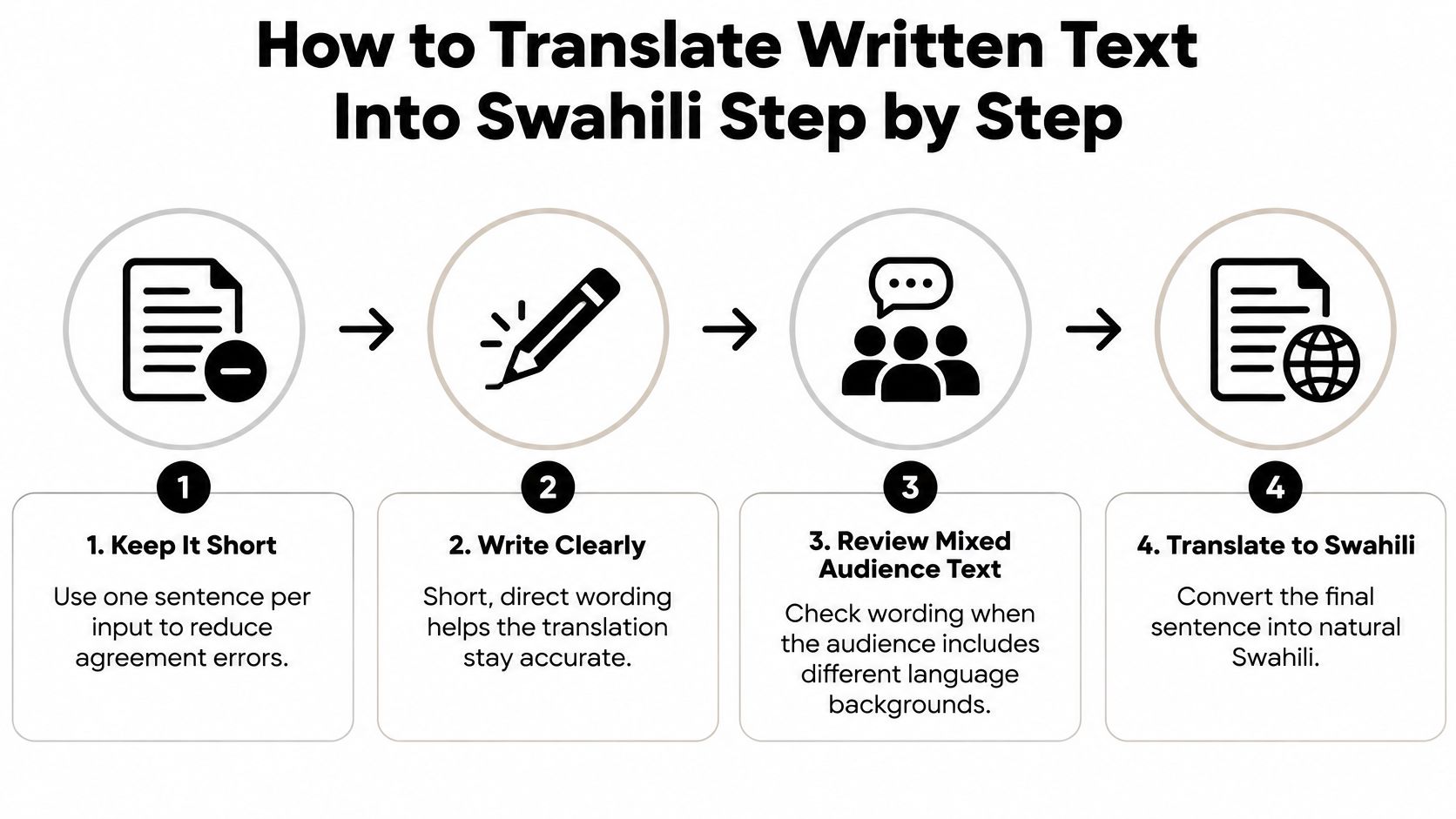
Keep each input to a short sentence with a clear subject and action. Long paragraphs make it harder to spot omitted conditions, confusing references and inconsistent wording.
For a mixed audience, request Kiswahili sanifu. The AIETI entry on Swahili records Kiunguja's formal adoption as Standard Swahili at the Dar es Salaam Education Conference held 5–12 October 1925. That history matters practically: choosing Swahili also means choosing a written standard.
Use this workflow to prepare the source before translating it.
- Set the languages explicitly. Choose English as the source and Swahili as the target. Automatic detection can misread short labels and names.
- Type a sentence at a time. For a menu, enter each dish separately; for an email, keep related sentences together in your saved document, not in one oversized input.
- Select the standard option if available. If the app doesn't offer variants, don't assume it supports local usage.
- Play the audio output. Listen for clipped words or awkward delivery, but don't mistake smooth speech for proof of accuracy.
- Translate the result back into English as a sanity check. If the meaning changes, simplify the English source. Back-translation can reveal a problem, but it can also repeat the original error.
- Compare names, numbers, dates, prices and times against the original. Preserve spelling and make ambiguous date formats explicit.
- Save the final text. Take a screenshot or create a phone card so you can show it without reopening the translator.
Rewrite ambiguity before translating
Instead of asking whether someone can take it there later, name the object, destination and intended time. The translator shouldn't have to guess what it, there or later means.
Readable isn't the same as correct. Have a qualified local reviewer check safety notices, legal wording and anything you'll publish for customers or staff.
How to Set Up Translate AI for Two-Way Voice Chats
In a two-way conversation, you speak English, your partner hears Swahili, and their reply comes back in English. Both people should also be able to read the translation, because audio alone makes errors harder to catch.
The screen provides a useful reference while you check language selection and microphone controls.
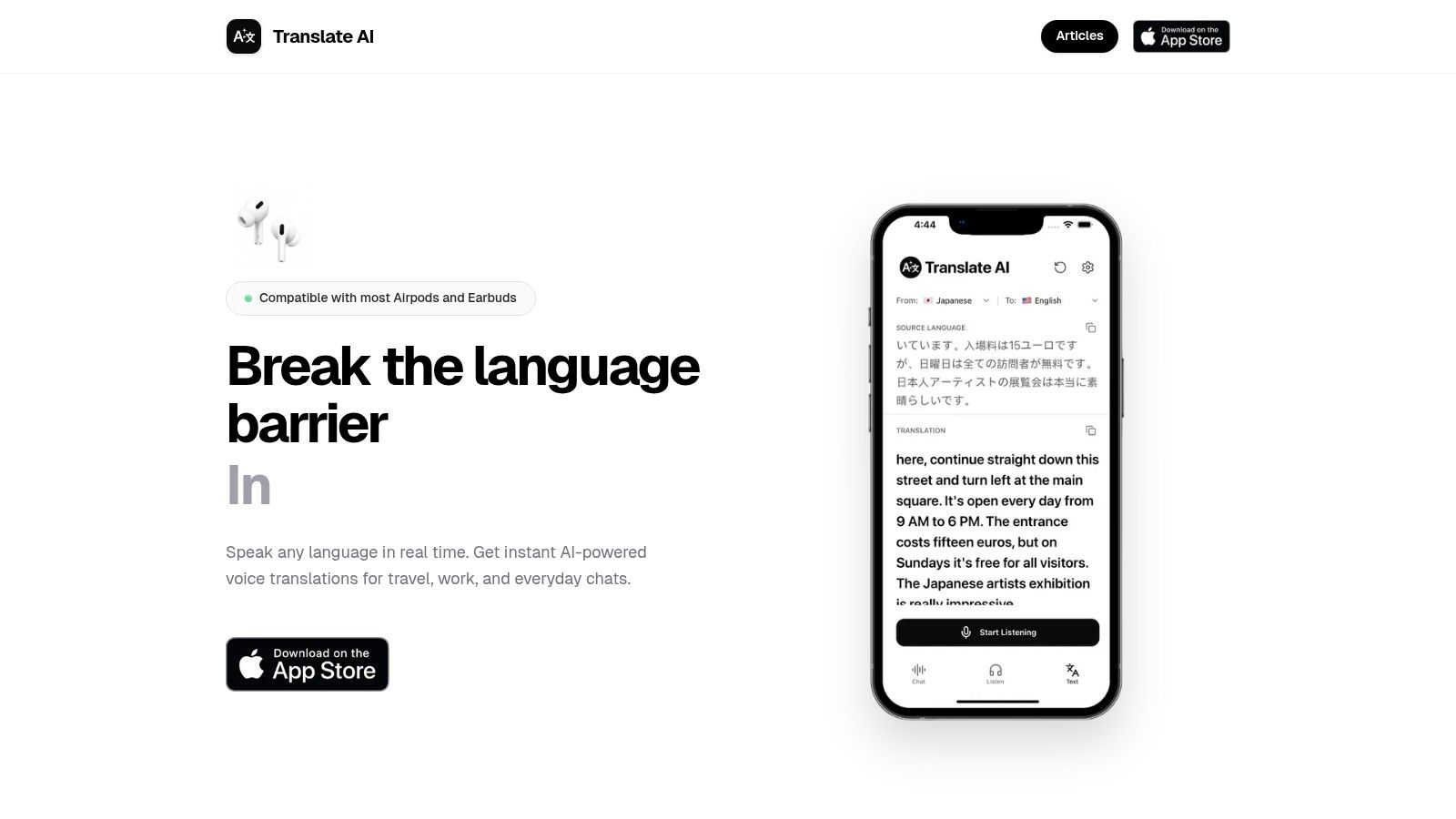
Get Translate AI on the App Store
Install Translate AI from the App Store, then open it somewhere quiet. Check the current language options, permissions and subscription details before relying on it during a trip.
Treat your first session as a rehearsal, not a test during an important meeting. Your aim is to confirm that both people can hear the correct audio and recognize when it's their turn.
- Open the app and review permissions. Allow microphone access when you're ready to speak. Don't dismiss permission prompts without reading them.
- Set English on your side and Swahili on your partner's side. Check both directions rather than assuming the return language changed automatically.
- Connect your earbuds first. Pair your AirPods, earbuds or earphones through Bluetooth, then confirm where playback goes. You don't need specialized translation hardware, but you do need a working audio connection.
- Tap the microphone and speak a short sentence. Start with a greeting or a simple question whose meaning you can easily verify.
- Read the translation and play the audio. Give your partner time to listen before inviting a reply.
- Use speaker mode when you're sitting together. Confirm that your partner can hear without raising the volume enough to disturb everyone nearby.
- Rehearse a complete exchange. Ask a friend to answer, interrupt and request repetition so you can practice recovering from a missed turn.
Make turn-taking obvious
Agree on a simple routine: speak, pause, check, reply. Don't start answering while the translated audio is still playing, and don't let several colleagues speak into the microphone together.
For more guidance on managing interruptions and shared audio, use this guide to translating a conversation in real time.
The demonstration below provides another way to familiarize yourself with the conversation workflow.
Before blaming a strange translation on Swahili support, check the input and playback. Background noise can obscure what you said, while disconnected earbuds can send the response somewhere you weren't expecting.
Tips for Getting Accurate Swahili Translations
A translator is only as useful as the speech it hears and the sentence it receives. The EAMT paper on Swahili-English speech translation highlights practical challenges involving dialect, idioms, code-switching and speech processing.
Fix the input before repeatedly generating another translation. These controls are more useful than speaking louder or repeating a confusing sentence unchanged.
- Keep each turn to one idea. Ask whether breakfast is included, then ask when it starts. Don't combine the booking, meal and checkout questions.
- Replace idioms with literal wording. Say that you're leaving instead of using hit the road. Avoid jokes when the practical meaning matters.
- Spell names and separate digits. Show the hotel name on screen and read a booking reference character by character.
- Reduce background noise. Move away from traffic or a loudspeaker. Hold the microphone near your mouth without covering it or speaking directly against it.
- Replay anything odd. If a response seems unrelated, inspect the recognized text before trying again.
- Build a trip glossary. Save your hotel name, room reference, flight number and product codes so you don't have to dictate them repeatedly.
- Clarify mixed-language speech. If your partner switches into English for a key term, repeat that term clearly rather than letting the app guess.
- Confirm the action. End with a yes-or-no question about the important point, such as whether the driver will wait at the entrance.
Check meaning, not just fluent wording
Swahili noun classes don't encode biological sex the way English pronouns do. If the English output introduces he or she, confirm which person the speaker means rather than treating that pronoun as established information.
Understanding how machine translation works helps explain why polished wording can still contain the wrong meaning.
Read the translation back before you act on it. For an important instruction, ask the listener to explain what they understood.
Essential Swahili Phrases for Travel and Business
Use greetings and courtesy before requests. Habari, Asante and Tafadhali help you begin an exchange politely instead of opening with a demand.
Business phrases matter too: asking for a receipt clearly or agreeing to continue tomorrow avoids an awkward ending. Keep this phrase card accessible, but don't treat a memorized sentence as preparation for every possible reply.
Essential Swahili phrases for travel and business
| English | Swahili | When to Use |
|---|---|---|
| Hello | Habari | Greeting any shopkeeper, host or colleague |
| Thank you | Asante | After any service or favour |
| Please | Tafadhali | Before any request |
| Excuse me or sorry | Samahani | Getting attention or apologizing |
| How much is this? | Bei gani? | Markets, taxis and shops |
| I don't understand | Sielewi | When a reply goes too fast |
| Can you repeat that, please? | Tafadhali rudia | Voice chats with unclear audio |
| Can you speak more slowly? | Tafadhali ongea polepole | Phone calls and meetings |
| Where is the toilet? | Choo kiko wapi? | Travel and venues |
| I'd like the bill, please | Naomba bili, tafadhali | Restaurants |
| I need a receipt | Naomba risiti | Purchases and expense claims |
| I am a tourist | Mimi ni mtalii | Hotels, borders and visitor questions |
| Let's continue tomorrow | Tuendelee kesho | Closing a business meeting |
| Goodbye | Kwaheri | Leaving any conversation |
These are standard forms suitable for most everyday East African settings. Some are concise conversational equivalents rather than word-for-word translations: Habari works as a greeting, while Naomba risiti politely requests a receipt.
Use the card without overreaching
Point to the object when asking a price. Show the purchase when requesting a receipt, and make sure everyone agrees on the next meeting date before ending a business discussion.
Anything beyond greetings and courtesy should be checked with a local speaker before you rely on it. That's especially useful when a phrase concerns a payment, a deadline or someone's responsibilities.
To make an offline card, type the English phrases into your translator and compare its output with the table. Investigate differences rather than assuming either version is automatically wrong, then save the checked phrases as screenshots on your phone.
Choose Your Offline and Privacy Setup Before You Travel
Decide what you can do without a signal and what you're willing to say into a microphone. A working app on hotel Wi-Fi doesn't establish that Swahili speech translation will work offline.
Check whether the app offers a downloadable Swahili language pack and whether that pack supports text, speech or both. Test the intended function in airplane mode; if support is unclear, carry saved screenshots and printed phrase cards.
Set privacy and safety boundaries
Review the App Store privacy label before installing. Use microphone access only while the app is in use where your phone permits it, and never dictate passwords, bank details or passport numbers into a translator.
For practical selection criteria, consult this travel translation app guide, then verify the features you need on your own device.
A 2025 review of African-language healthcare NLP identifies persistent problems with domain adaptation, cultural and linguistic bias, and explainability, including systems evaluated for Swahili. Fluent-looking output isn't a safety guarantee.
Use a professional interpreter for symptoms, medication doses, consent, legal rights, police interviews and asylum interviews. In an immediate emergency, seek help promptly and use available communication aids while requesting qualified language support.
- Market day: Text translation plus an offline phrasebook.
- Business meeting: A voice app with earbuds and a backup interpreter on call.
- Health, legal or official matters: A professional interpreter.
Translate AI offers two-way voice conversations with spoken and on-screen translations, helping you communicate in Swahili during everyday travel and work exchanges. Visit Translate AI, check the current Swahili options, and rehearse a simple conversation before your next trip or meeting.