

Creative Ideas for a Presentation: 10 Formats That Work
You're halfway through your slide deck when a visitor leans toward a colleague and asks for a translation of a single sentence. You stop speaking. The room goes quiet, someone paraphrases, and the discussion loses its pace. By the time you resume, several people are looking at their phones.
The problem isn't necessarily your topic or your slides. You've asked everyone to follow the same spoken explanation at the same speed, even though they don't share the same language, context, or confidence.
That's why your audience can stop listening by slide five. A traveler may need to see what happens at a ticket counter. An expat may need time to understand an unfamiliar expression. An international colleague may understand your words but miss the decision you're asking them to make.
Your presentation needs a clear outcome, not just an interesting format. Decide what people should be able to explain, try, or choose before they leave.
- For travelers: Help them rehearse a conversation they'll need.
- For international teams: Make an instruction, decision, or responsibility clear.
- For newcomers: Show how to ask for clarification without embarrassment.
The strongest creative ideas for a presentation make the audience part of the story, the demonstration, or the decision. They don't require everyone to perform publicly or install something before they can participate.
Choose a format that makes your message easier to understand. Then prepare an equivalent version that works without live translation, reliable Wi-Fi, or a willing volunteer. That backup isn't an admission of failure. It's how you keep control of the room.
1. The Before-and-After Language Barrier Story
Open on a human problem, not a product screen. A traveler sits down at a restaurant and needs to explain a dietary restriction. The employee points at the menu. The traveler repeats the same words, louder this time. Neither person knows whether the message landed.
Show the room the moment before you describe it.

Recreate the Turning Point
Keep the opening story to two or three minutes. Use two panels labeled Without clear communication and With clear communication, then replay the exchange with interpretation and a confirmation question. Run the replay yourself or with a prepared colleague so nobody in the audience has to perform.
The contrast that teaches something isn't sudden fluency. In the second version, both people leave the exchange knowing the same thing. Pause between panels and ask the room what changed: the words, or the step where someone checked.
Stories are easier to remember than isolated facts, so give the audience one concrete scene to hold onto before you explain the method behind it.
For a workplace version, show a colleague misunderstanding a delivery request. Ground the scene in understanding language barriers at work, rather than making someone's accent the joke.
Make the misunderstanding the problem, not the person speaking.
End with a lesson people can apply: state the need plainly, translate it, and ask the other person to confirm. Offer your guide to overcoming language barriers as follow-up reading.
Fallback: Save captioned stills of the exchange. If the role-play or live translation fails, narrate those panels without pretending the backup is live.
2. The Live Two-Way Conversation Demo with Translate AI
A live demo works when the audience can follow the exchange without understanding either language. Display the original speech and its translation, identify who's speaking, and explain the task before touching the microphone.
Ask for a useful travel question, such as finding a train station. For a business audience, use a simple supplier question about availability rather than a complicated negotiation.
Run a Short, Visible Exchange
Use Translate AI on the App Store to select a language pair, tap the microphone, and begin speaking. Invite a prepared colleague or willing volunteer to answer in their preferred language, then let the audience read and hear the translated reply.
- Explain the setup: Identify the selected languages and show where the translation appears.
- Keep the task narrow: Ask for directions and a nearby recommendation, or clarify a meeting request.
- Let the reply matter: Continue from the answer instead of reciting unrelated phrases.
- Finish promptly: Keep the demonstration under three minutes so it supports your message.
For language learners, compare the displayed translation with the original wording. For professionals, explain how the exchange supports clarification without claiming it eliminates every misunderstanding.
Use earbuds for private rehearsal when appropriate, but route demonstration audio so the audience can hear it. Your guide to translating a conversation in real time can support preparation.
Fallback: Keep a captioned screen recording on the presentation laptop. Label it as a recording and explain the same steps.
Close with a concrete invitation: download the app, select two languages, and practice one phrase before the next trip or meeting.
3. The Language-Accessibility Checklist Board
Can everyone in this room participate equally? Put that question above a board of situation cards, then ask the audience to identify what prevents participation.
Include an international meeting, a guided tour, a medical appointment, a classroom discussion, and a tourist asking for help. Keep each card to a sentence so people spend their time discussing the situation rather than decoding the slide.
Use a workshop visual to introduce the activity.
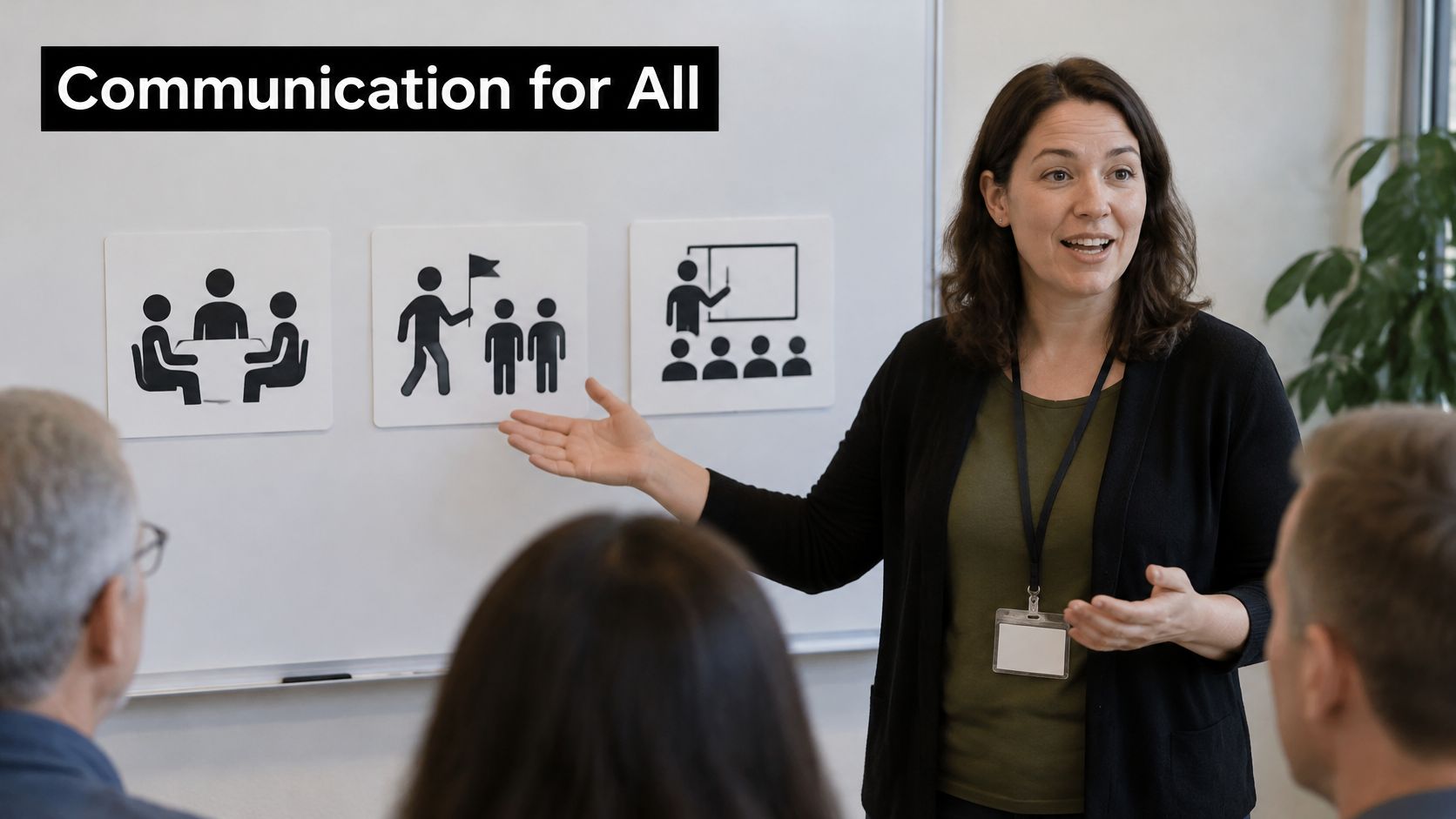
Turn Barriers Into Changes
For a team meeting spanning five countries, ask whether translated speech alone is enough. Participants may also need captions, an explanation of abbreviations, a written decision, or more time to respond.
Let people vote on the biggest barrier through a show of hands, written notes, or an accessible digital poll. Don't require a phone to join in.
- Show the consequence: Explain what someone might miss, such as a changed meeting location.
- Name the adjustment: Add plain-language instructions, readable captions, or a translated summary.
- Check the limits: For medical decisions, explain the need for qualified language support rather than treating a demonstration app as a substitute.
Close with three actions for the coming week: distribute key terms before a meeting, caption the presentation, and provide a written response route.
Fallback: Print the cards and collect paper votes. If live captions or translation fail, pause and use the prepared text instead of continuing at a pace some people can't follow.
The trade-off is preparation. You'll build fewer decorative slides, but you'll spend more time making the content usable.
4. The Translation Workflow Comic
An expat walks into a café, asks about an ingredient, hears the reply, and confirms the order. The audience understands that sequence faster than a slide listing interface features.
Build a four-panel comic around one real transaction: choose the languages, speak naturally, receive the translation, continue the interaction. Keep the same characters, counter, and menu board in every panel so viewers track the relationship rather than decoding new scenery.
This interaction collage can introduce the everyday situation before you reveal the illustrated workflow.
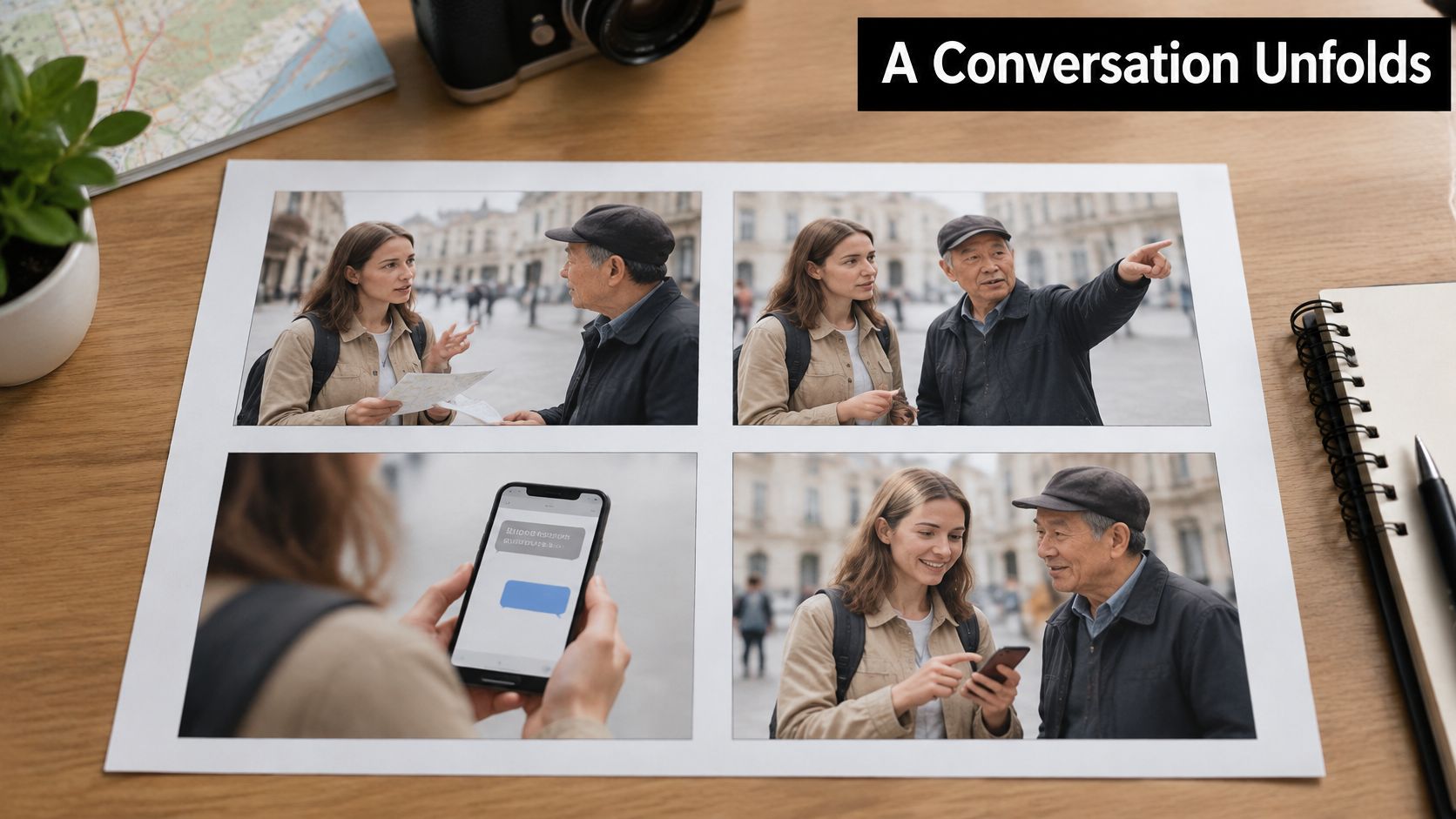
Show Meaning, Not Just Buttons
Give each panel one job. Panel one sets the language pair and direction. Panel two shows the request in a speech bubble. Panel three shows what the listener receives. Panel four closes the loop with confirmation, a corrected order, or a follow-up question.
Use consistent colors for original and translated speech, and add labels such as “said” and “heard” so color is not the only signal. Reveal panels while you speak. Pair your explanation with a meaningful visual rather than repeating the narration as slide text, because people generally follow ideas more easily when spoken words are supported by clear images.
The trade-off is space. Crowded bubbles force small type, so separate the panels or shorten the exchange to one request and one reply.
Fallback: Export the comic as a static PDF and narrate it without animations, live translation, or internet access. Ask fluent speakers to check the dialogue, ask someone outside the team to follow the sequence cold, and keep the confirmation panel for the close.
5. The International Meeting Replay
Replay a familiar business task from different participants' perspectives. Scheduling works well because everyone can recognize the consequences of an unclear date, location, or responsibility.
Say a Japanese-speaking salesperson and a Spanish-speaking client are arranging a follow-up discussion. In the opening scene, one participant misses a qualification while the other assumes agreement. Stop before the audience has to untangle a long conversation.
Replay the Decision, Not the Entire Meeting
Show the same moment again with interpretation, deliberate turn-taking, and written confirmation. Let the audience compare what each participant understood.
A remote stand-up provides another useful scenario. Show a colleague struggling to follow a fast update, then replay the task with shorter turns and translated support. Ask what still needs to be written down.
Presenter's judgment: A smoother conversation isn't proof that everyone agreed. Show the confirmation step.
Avoid theatrical incompetence in the baseline scene. People working across languages are often capable professionals who need a better process, not exaggerated gestures or louder speech.
End with a preparation checklist:
- Share context: Send the purpose, agenda, and unfamiliar terms ahead of time.
- Assign turns: Make it clear who speaks next and when interpretation happens.
- Confirm decisions: Write down the owner, action, and deadline.
- Prepare access: Check captions, audio, and a text-based participation route.
Use virtual meeting etiquette tips to reinforce those habits beyond the presentation.
Fallback: Store captioned clips locally and keep a transcript beside your notes. If playback fails, read the critical exchange and ask the same decision question. The discussion should survive without the video.
6. The One-Minute Travel Micro-Conversation Challenge
Give the room a task before giving it an explanation. Play a hotel receptionist, pause after a greeting, and ask participants how they'd request a late checkout.
The purpose is to rehearse a useful response, not catch people making grammatical mistakes. Accept spoken answers, written responses, or a quiet choice between displayed options.
Keep the Prompts Short
Use five prompts of about ten seconds each, leaving room for a brief opening and transition. Show the situation visually before you start the clock.
- Hotel: Ask whether a late checkout is possible.
- Station: Confirm which platform serves the destination.
- Restaurant: Explain an ingredient restriction and request confirmation.
- Street: Ask someone to repeat directions more slowly.
- Pharmacy: Ask whether a pharmacist can explain an over-the-counter medicine.
After the challenge, replay a selected prompt with translation support. Show how adding context changes the usefulness of the exchange, especially when a short phrase leaves the listener guessing.
Don't turn the pharmacy scenario into a medical advice exercise. Practice asking for professional help, not choosing a medicine from an automatically translated answer.
Speed adds energy, but it can also exclude people who need more processing time. Let participants preview the prompts, and make the timed element optional.
Fallback: Put the prompts and reviewed responses on cards. If translation or audio fails, invite participants to match each situation to an appropriate response and explain their choice.
Finish by asking everyone to save a phrase they can use immediately. For a travel-training group, that practical takeaway matters more than naming a winner.
7. The Object Lesson: One Phrase, Two Perspectives
Put an ordinary phrase on screen: Let's talk later. Ask whether it sounds reassuring, dismissive, or like a definite plan.
The answer depends on context. A colleague might mean after the current meeting, while a friend might mean sometime soon. Translation needs that surrounding information, not just the words.
Change the Context Before the Translation
Display the original phrase beside reviewed alternatives for a business conversation and a casual exchange. Explain the intended relationship and tone before asking the audience to compare them.
A travel version can focus on asking someone to repeat. Show formal, neutral, and friendly options, then ask which fits a station employee, a new colleague, or a friend.
- Establish the relationship: Explain who's speaking to whom.
- Specify the intention: Distinguish postponing, declining, and arranging a follow-up.
- Validate the wording: Ask native speakers or qualified reviewers to check tone and naturalness.
- Allow variation: Don't present a preferred translation as universally correct.
Use a printed meeting invitation, café menu, or ticket as a physical prop. The object gives the phrase a situation instead of leaving the audience to invent one.
Translate the intention you can explain, not an intention you've merely assumed.
The trade-off is depth rather than breadth. You'll cover less vocabulary, but people will leave with a better question to ask before translating.
Fallback: Prepare reviewed translation cards and read the context aloud. If a live tool produces unexpected wording, discuss the ambiguity without improvising a linguistic verdict you aren't qualified to give.
Close by demonstrating how a clearer original request makes the intended meaning easier to preserve.
8. The Split-Screen “Without It / With It” Presentation
Use matching views of the same interaction so the audience doesn't have to remember the baseline. A traveler asking for directions is easy to follow because the task has a visible endpoint.
Introduce the contrast with a clear before-and-after image.
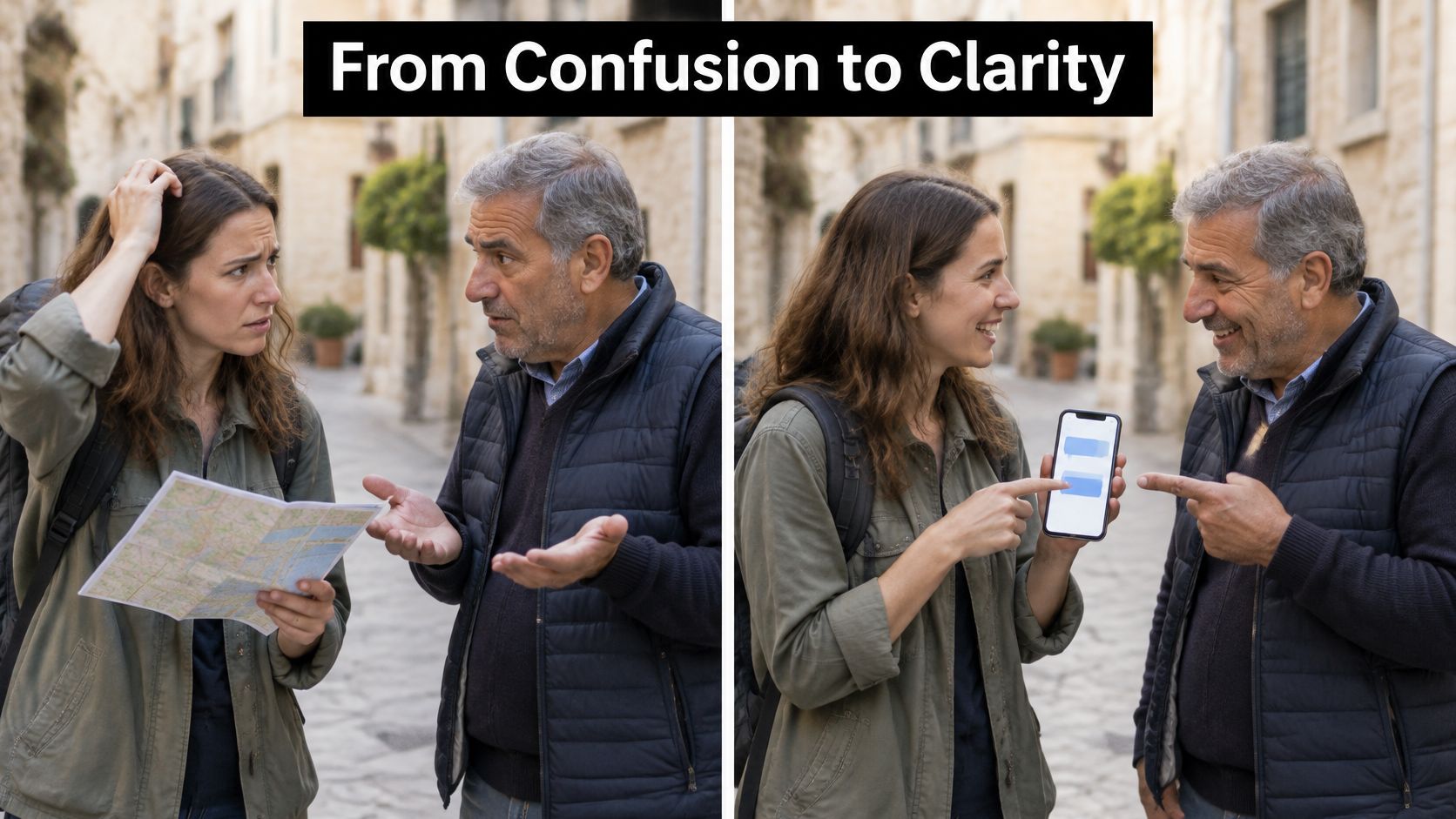
Make the Comparison Fair
Use the same actors, location, question, and camera framing. Label the panels Repeated clarification and Supported exchange, then add readable captions.
Focus on continuity: can each participant understand the reply and take the next turn? Don't give the supported version an easier question or edit out its pauses.
A study summarized in research on visual presentation support found that presentations using visual aids were 43% more persuasive than unaided presentations. Use that persuasive power responsibly by distinguishing an illustrative scenario from a measured product test.
Video can extend the visual comparison, but preview embedded material before presenting and explain what the audience should observe.
Check the split-screen on a phone and from the back of the room. If the captions are hard to read, play the versions sequentially before showing a still comparison.
Fallback: Save captioned screenshots and a local recording you have permission to use. If embedded playback fails, explain the contrast from the screenshots rather than troubleshooting on stage.
For a product pitch, finish by asking the audience which part of the exchange they'd want to test themselves.
9. The Audience Language Map
Ask where people want to communicate, not where they're from. A map of upcoming travel or recurring work conversations gives you relevant examples without asking participants to disclose nationality or personal history.
Let travelers mark destinations and select the situations they find difficult. International professionals can identify language pairs they encounter in meetings without naming clients or employers.
Ask a Question You Can Act On
Use a simple prompt: Which conversation would you most like to handle more confidently? Offer directions, accommodation, work discussions, everyday services, and an open response.
- Make participation optional: Allow anonymous markers, paper notes, or no response.
- Offer a language list: Not everyone wants to use a geographic map.
- Show useful results: Group responses by communication need, not by presumed identity.
- Adapt visibly: Choose your closing scenario from the needs people identify.
Say the room selects accommodation questions. Replace your prepared supplier example with a hotel check-in exchange, then explain how to rehearse a request and confirm the reply.
Don't promise language coverage from memory. Check the selected languages in the tool before inviting a live demonstration.
The main trade-off is timing. Open-ended responses can become individual travel consultations, so acknowledge detailed questions and reserve them for follow-up.
Fallback: Keep a printed map, language cards, and sticky notes available. If the poll or connection fails, gather responses manually and demonstrate from a prepared recording.
Close with a specific recommendation. A room worried about directions needs a different practice task from a team trying to clarify project decisions.
10. The Hands-Free Conversation Demo
Walking while listening changes the demonstration. The audience can see whether translation support remains practical when the speaker isn't staring at a phone.
Set up a simulated airport check-in or market conversation. Keep the route clear and the phone visible to a camera so people can connect your movement with what appears on screen.
Explain the Setup Simply
Keep the explanation to three steps:
- Pair and test: Connect compatible earbuds or earphones, then confirm the microphone and playback route.
- Choose the languages: Show the selected pair and rehearse a short exchange.
- Start the conversation: Enable the appropriate speaker or audio mode and continue while keeping the screen visible.
Use Translate AI for the exchange, but demonstrate the actual behavior of your device setup. Don't imply that every earbud configuration routes microphones and translated audio identically.
For an expat scenario, ask a market vendor where to find an item, listen to the response, and confirm the direction. Move only after you've understood the instruction.
Stage rule: The audience needs access to the translation, even when you hear it privately.
Private audio creates a presentation problem. Mirror the text, provide captions, or repeat the translated response so the room isn't watching an unexplained conversation.
Fallback: Record the complete demonstration with captions and keep a still of the audio settings. If pairing fails, remove the earbuds and switch to the recording or a stationary speaker-mode exchange.
End by explaining the trade-off clearly: freedom of movement is useful, but microphone placement, room noise, and audio routing still need testing. Don't demonstrate while crossing roads or navigating an unfamiliar active space.
How the 10 presentation formats compare
| Item | Core Format | Best For | Tech Requirement |
|---|---|---|---|
| The Before-and-After Language Barrier Story | Personal story with before-and-after contrast | Making communication barriers relatable and memorable | Slides or visuals; optional live demonstration |
| The Live Two-Way Conversation Demo with Translate AI | Audience-participation conversation and live translation demo | Showing real-time two-way translation in practice | Translate AI app, stable connectivity, and reliable audio |
| The Language-Accessibility Checklist Board | Scenario cards with audience discussion or voting | Planning inclusive communication across settings | Printed or digital cards; optional polling |
| The Translation Workflow Comic | Illustrated sequence showing a translated conversation | Explaining a translation process visually | Comic panels or illustrations |
| The International Meeting Replay | Reenacted or recorded cross-border meeting | Demonstrating communication challenges in international teams | Slides, video clips, or live role-play |
| The One-Minute Travel Micro-Conversation Challenge | Fast-paced travel prompts and audience responses | Practicing practical travel conversations | Prompts on slides; optional translation demo |
| The Object Lesson: One Phrase, Two Perspectives | Comparing translations of one phrase across contexts | Exploring tone, intent, and cultural nuance | Slides displaying the phrase and translations |
| The Split-Screen “Without It / With It” Presentation | Side-by-side comparison of the same conversation | Showing the contrast between communication difficulties and smoother exchanges | Video, animation, or split-screen slides |
| The Audience Language Map | Interactive map or poll of audience language needs | Tailoring examples to an international audience | World map and markers, or digital polling |
| The Hands-Free Conversation Demo | Mobile translation demo using earbuds during an exchange | Demonstrating translation for travelers and people on the go | Translation app, compatible earbuds, and reliable audio |
Pick One Format and Test It This Week
Choose the format that addresses your audience's difficulty, not the one that looks most impressive in a template. If people don't understand why your topic matters, use the before-and-after story. If they understand the problem but doubt the workflow, use the live conversation demo or translation comic.
A travel-training group will benefit from the micro-conversation challenge because participants leave having practiced a response. A product-pitch audience may need the split-screen comparison so they can inspect the difference. An international team may get more value from the meeting replay, especially when the problem is unclear decisions rather than vocabulary.
Build Around a Visible Outcome
Write the result you want in plain language before opening PowerPoint or Keynote. For example, participants should be able to request clarification, confirm a translated answer, or prepare an accessible meeting invitation.
Then remove anything that doesn't help them do that. Music, animated maps, and audience polls can all work, but each adds another element you must explain and operate.
- Choose a familiar task: Use a hotel request, scheduling question, or everyday service interaction.
- Prepare the audience: Show the context and explain how they can participate.
- Make understanding visible: Ask someone to identify the next action or summarize the decision.
- Provide an equivalent backup: Preserve the task and lesson even if the technology stops working.
Rehearse aloud with the presentation running. A sequence that seems obvious while you're editing may need a longer pause when people are reading unfamiliar words.
Try Live Translation Yourself
Download Translate AI from the App Store, select two languages, and rehearse a phrase before your next presentation. Choose something your audience might need, such as asking for directions or clarifying when a meeting begins.
Tap the microphone, speak naturally, and inspect the displayed translation. With a fluent partner, practice the reply as well, because a useful demonstration needs an exchange rather than an isolated translated sentence.
Try the setup in the conditions you expect to use. Check the presentation microphone, phone placement, room speakers, screen mirroring, and earbuds together rather than testing each separately.
Keep the Lesson When the Technology Fails
Decide in advance when you'll stop troubleshooting. If the audience is watching you search through settings, switch to the recording and continue explaining the communication task.
Make participation optional, distribute readable materials, and leave time for people to process translated speech. A quiet audience member may be thinking carefully, not disengaging.
The best creative ideas for a presentation give people a clearer route to understanding. Before you present, test the audio, prepare a fallback recording, and confirm that fluent speakers have reviewed every example.
Translate AI offers live voice translation for two-way conversations, with translations you can read and hear. Use it to rehearse a travel scenario or build a multilingual presentation demo, then visit Translate AI to explore how it can support your next conversation.