

A Practical Guide to Transcribe Voice Memos on Any Device
You hit record, capture that fleeting thought or crucial meeting note, and feel productive. But a week later, you're scrubbing through hours of audio just to find one specific detail. Sound familiar?
That brilliant idea, client feedback, or lecture note is trapped in an audio file—impossible to search, organize, or share efficiently. This isn't just annoying; it's a productivity killer.
This guide will show you how to turn that messy audio junk drawer into a powerful, searchable knowledge base. We'll walk through specific, actionable steps to transcribe your voice memos on any device, so you can finally put your best ideas to work.
Turn Your Audio into Actionable Knowledge
When you transcribe voice memos, you unlock their true value. Here’s what you'll be able to do:
- Find Anything in Seconds: Stop guessing where you mentioned a project deadline. A quick text search (Ctrl+F or Cmd+F) takes you to the exact spot instantly.
- Organize Like a Pro: Text is easy to categorize, tag, and file in apps like Notion, Evernote, or Apple Notes. Suddenly, you have a personal library of your own thoughts.
- Share and Collaborate Easily: Pasting a text snippet into an email or Slack is far more efficient than sending a huge audio file with a note saying, "listen around the 15-minute mark."
- Repurpose Content Effortlessly: A transcribed memo can become a blog post, a detailed proposal, or a team update without starting from scratch.
By converting your spoken words into text, you're not just getting a script. You're building an accessible, organized, and reusable asset that ensures no brilliant idea ever gets lost in an audio file again.
Who Is This For? (Hint: Probably You)
This is a powerful productivity hack for anyone who uses their voice to capture information.
For a student recording lectures, transcription creates searchable study guides. A journalist can pull precise quotes from an interview without re-listening for hours. An entrepreneur can turn a chaotic brainstorming session into a structured project plan.
The benefit is universal: turning spoken thoughts into clear, actionable text saves time and makes your information infinitely more useful.
Find Your Best Transcription Method for Any Platform
The best tool to transcribe a voice memo is often the one you already have. Before paying for a service, check the built-in features on your phone or computer—they’re surprisingly capable.
Your workflow will be simple: record, transcribe, and organize.
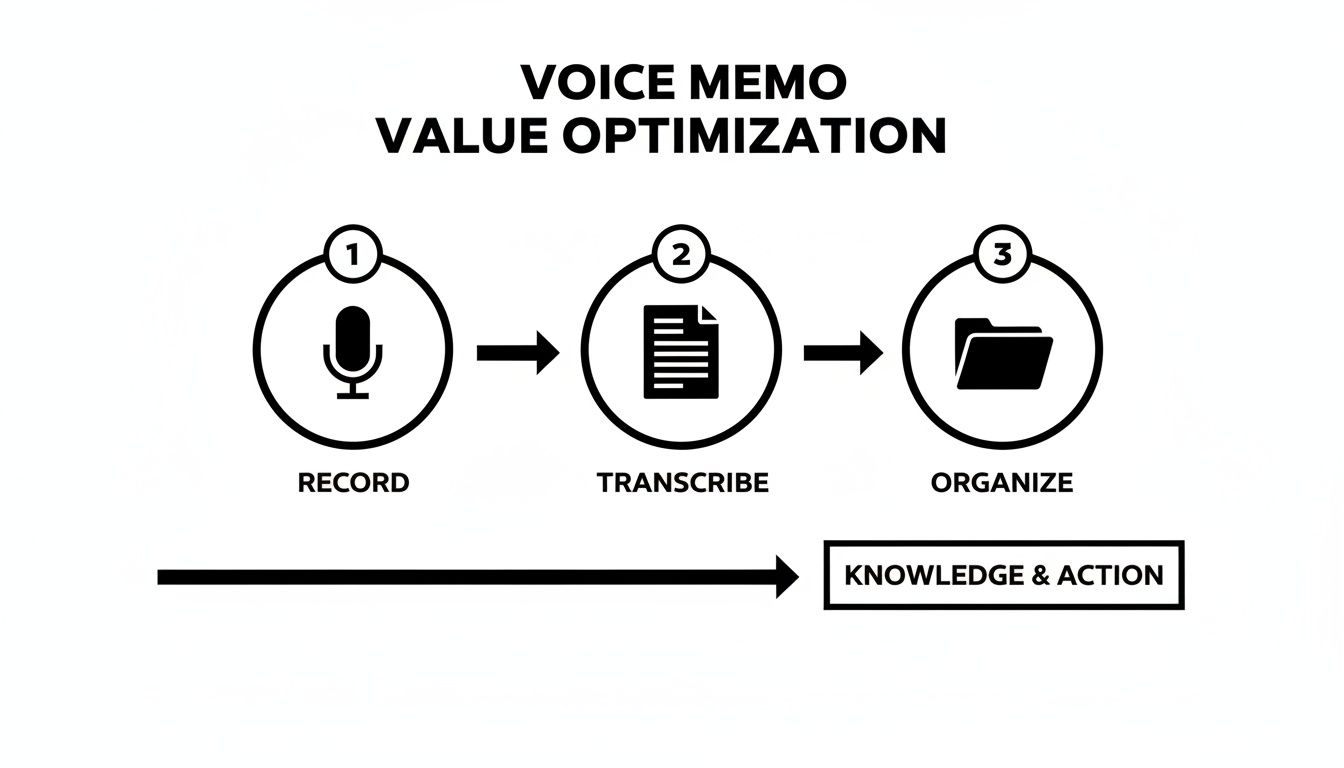
This process makes your spoken ideas searchable, shareable, and actionable. Let's break down the best tools and steps for each major platform.
Transcribing Voice Memos on iOS and macOS
If you're in the Apple ecosystem, the native Voice Memos app on your iPhone, iPad, and Mac automatically transcribes your recordings. It’s free, private, and requires zero setup. Because it works on-device, your audio files never leave your device, which is a huge win for privacy.
The catch? Exporting the text isn't straightforward. The transcript is embedded in the audio file, not saved separately. The most direct method is to copy and paste the text from the Voice Memos app into Notes or another app. It's perfect for quickly grabbing text from a single recording.
Unlocking Your Text on Android Devices
Android's native Google Recorder app, standard on Pixel phones and available for many other devices, offers phenomenal real-time transcription. It’s highly accurate, processes on-device for privacy, and automatically separates speakers. You can easily export the transcript as a text file or send it straight to Google Docs.
If you don't have the Recorder app, Google Assistant offers another path. Activate the assistant and use the voice typing feature in Google Keep or Docs to "speak" your memo directly into a text document.
Your Workflow on a Windows PC
For Windows users, it's a quick two-step process. First, get the voice memo file from your phone to your PC via email, Google Drive, or a USB connection.
Once the file is on your computer, here are your options:
- Microsoft Word for Web: The online version of Word has a robust "Transcribe" feature. Upload an audio file, and Word will process it with speaker labels and timestamps.
- Windows Voice Access: This built-in accessibility tool can be repurposed for transcription. Play your voice memo out loud, and Voice Access will type what it hears into any text editor.
- Third-Party Software: Desktop apps like Otter.ai let you drag and drop audio files for a quick, AI-powered transcript.
Pro Tip: For a quick, informal transcript, an on-device app is fastest. For a formal meeting transcript needing speaker labels and timestamps, a dedicated service like Word for Web or Otter.ai is the way to go.
A Powerful Solution for Multilingual Needs
When your voice memos involve more than one language, standard transcription tools fall short. A specialized app designed for live conversation becomes essential to not only capture what was said but also understand it across language barriers.
Using Translate AI to Capture and Translate Conversations
An app like Translate AI is built for the complexity of multilingual dialogue. It transcribes and translates in near real-time, which is perfect for recording interviews with international sources, client meetings with global partners, or practicing a new language. The app generates a clear text transcript of the entire conversation, a far more efficient process than transcribing first and then using a separate translation tool. For a deeper dive into these kinds of tools, check out our guide on voice translation devices.
Choosing your method comes down to balancing convenience, accuracy, privacy, and cost. Here’s a quick breakdown of the tools we've covered.
Comparing Transcription Tools Across Devices
| Platform | Method/Tool | Cost | Best For |
|---|---|---|---|
| iOS / macOS | Native Voice Memos App | Free | Quick, private, on-device transcription for personal notes. |
| Android | Google Recorder App | Free | Highly accurate, real-time transcription with speaker labels. |
| Windows | Microsoft Word (Web) | Free (with Microsoft 365) | Transcribing pre-recorded files with speaker identification. |
| Cross-Platform | Dedicated Third-Party Apps | Freemium/Paid | Advanced features like collaboration, custom vocabulary, and integrations. |
Start with the free, built-in tools on your devices. If you need more power or specialized features like real-time translation, you can explore dedicated apps.
How to Choose the Right Transcription Service
When you need near-perfect accuracy, timestamps, or speaker labels, it's time to look beyond built-in options. The market is packed with services, but the secret is understanding the trade-offs between speed, accuracy, and cost.
Automated AI vs. Human-Powered Transcription
Your first big decision is whether to trust a machine or a person when you need to transcribe voice memos.
- Automated AI Services: These platforms use AI to turn audio into text in minutes. They are fast and affordable, making them perfect for processing large volumes of audio quickly, like a backlog of meeting recordings.
- Human-Powered Services: A professional transcriptionist listens to your audio and manually types it out, delivering the highest accuracy (99% or more). A human can navigate tricky accents, background noise, and jargon that might stump an AI. This precision comes with a higher price and slower turnaround.
For a quick "good enough" draft you plan to edit yourself, AI is the clear winner. For a final, polished transcript for legal, medical, or publication purposes, the accuracy of a human is non-negotiable.
Key Features That Actually Matter
Focus on the practical tools that will save you time. Look for services that offer:
- Speaker Identification: Automatically labels who is speaking ("Speaker 1," "Speaker 2"). This is a must-have for interviews and meetings.
- Automatic Timestamps: Syncs the text with the audio file, making it simple to find and edit specific soundbites.
- Custom Vocabulary: Lets you build a custom dictionary for industry-specific terms or names, which dramatically boosts accuracy.
- Broad Format Support: Ensure the service can handle your voice memo's audio format (e.g., MP3, M4A).
The demand for these features is causing huge growth, with the intelligent voice transcription platform market projected to hit $3.86 billion by 2025. This shows how urgently people need tools to turn messy audio into useful data. You can explore more data in the full market analysis on Data Insights Market.
Seamless Transcription and Translation with Translate AI
If you're recording interviews with international colleagues or conducting market research abroad, you need a tool that can both transcribe and translate.
An app like Translate AI is designed for this exact scenario. It captures live, multilingual conversations and provides an instant text transcript in both the original and translated languages. This combines both jobs into a single, fluid workflow, keeping the original context intact and giving you a ready-to-use script.
Simple Techniques for Crystal-Clear Transcriptions
The final quality of any transcript comes down to one thing: the quality of the original audio. It's the classic "garbage in, garbage out" problem. A muffled, noisy recording will produce a messy, inaccurate text file.
You don’t need a professional recording studio to get clean audio. Just a few small tweaks to how you record can make a massive difference.
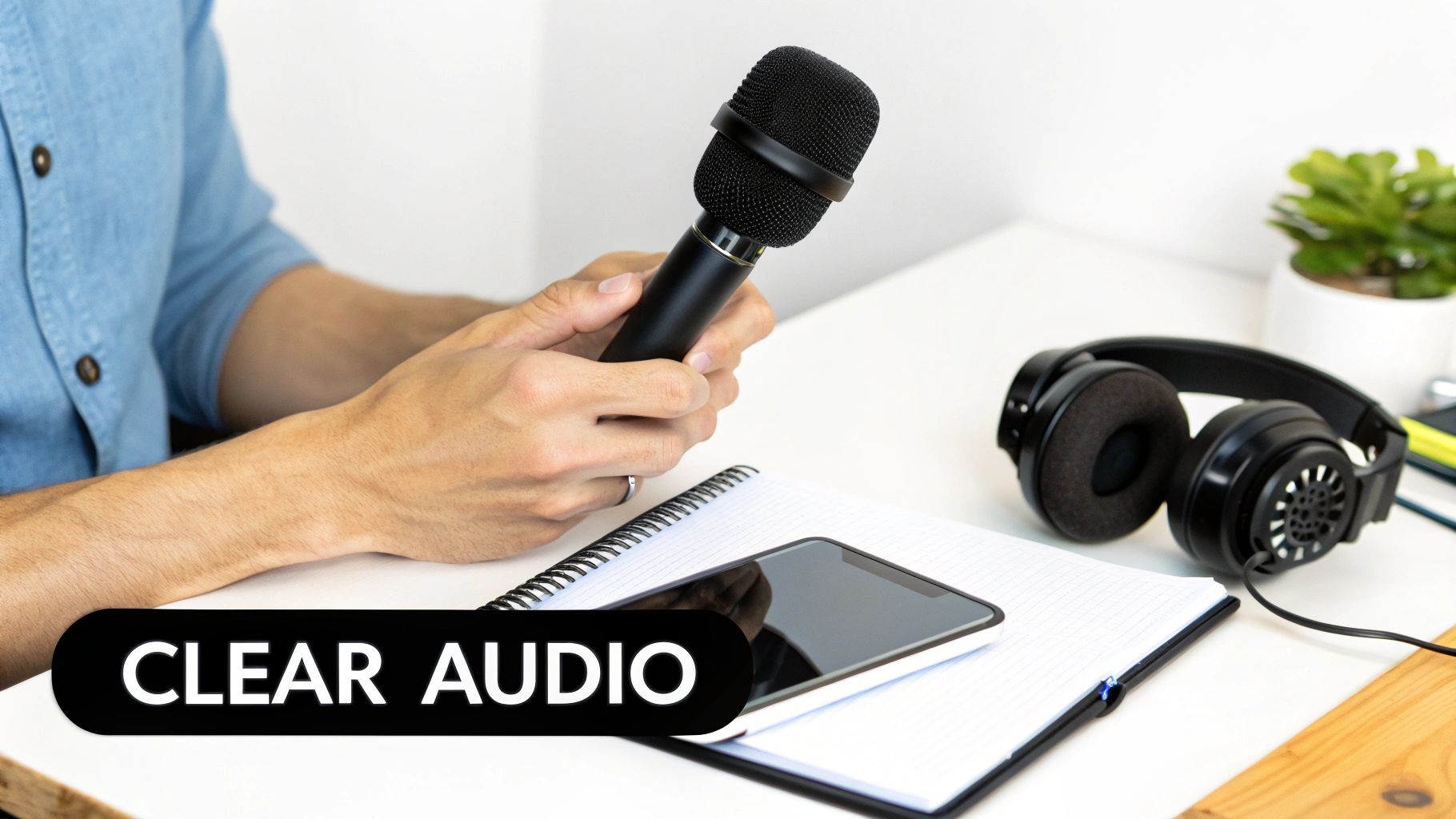
Pre-Recording Best Practices
The best time to fix audio issues is before you press record.
- Find a Quiet Space: This is the most important step. Background noise from a coffee shop or humming fridge forces transcription software to guess. A small room with soft surfaces works wonders.
- Get Close to the Mic: Hold your phone about six inches from your mouth. This simple trick makes your voice the main sound source.
- Use a Simple External Mic: For less than $20, a lavalier (lapel) mic that plugs into your phone can isolate the speaker's voice dramatically.
- Speak Clearly: Enunciate and speak at a consistent volume. Avoid mumbling or letting your voice trail off.
A clean audio file is the foundation of an accurate transcript. By minimizing background noise and ensuring the speaker's voice is prominent, you're setting your transcription tool up for success.
Post-Transcription Cleanup and Formatting
Even with pristine audio, automated transcripts will have a few mistakes. Develop an efficient proofreading workflow to catch common errors.
First, do a quick visual scan of the text for misspelled names or phrases that make no sense. AI often gets tripped up by homophones (like "their" and "they're") and industry jargon.
Next, format the text to make it readable. Break up long walls of text into shorter paragraphs. Use headings, bullet points, and bold text to highlight key ideas.
The demand for high-quality, accessible text is fueling massive growth in voice tech. The global voice recognition market is projected to hit $61.71 billion by 2031, driven by the need for accurate transcription in everything from media to medicine. You can dive deeper into the voice recognition market on Mordor Intelligence.
Using Translate AI for Multilingual Accuracy
When you need to transcribe voice memos that jump between different languages, the accuracy challenge gets even tougher. Standard tools often produce a jumbled, useless mess.
A specialized tool like Translate AI is designed for this scenario. It combines transcription and translation into a single, seamless process, capturing a conversation in real time and providing a clear text record in both the original and translated languages. This approach avoids the errors that pop up when you feed a single-language transcript into a separate translation service.
The Future of Voice Data and AI Transcription
The way we transcribe voice memos is shifting fast. Voice is becoming a primary form of data input, and transcription is the key that unlocks its potential, taking it way beyond basic note-taking.
This isn’t a far-off prediction. Major productivity platforms are building AI transcription into their core services. Think of your spoken meeting notes automatically transforming into smart summaries and action items.
The Driving Force of Market Growth
This wave of adoption is fueling incredible industry growth. The global AI transcription market is projected to skyrocket from $4.5 billion in 2024 to an massive $19.2 billion by 2034, expanding at a compound annual rate of 15.6%.
This isn't just about convenience. It’s driven by a real need to make huge amounts of audio content searchable and accessible. You can get more details on this explosive growth over on Sonix.ai.
As AI models improve, transcription will only get more accurate and useful. We're heading toward a future where your spoken ideas are seamlessly captured and organized into your workflow.
Integrating Transcription and Translation
A huge piece of this future is about tearing down language barriers. The next wave of transcription tools won't just turn speech into text; they'll translate it simultaneously. This is where the core ideas behind what machine translation is become incredibly powerful.
Tools like Translate AI are at the forefront of this trend. By blending live transcription with real-time translation, they offer a glimpse into a world where multilingual communication is effortless, making global collaboration easier than ever.
Going Global with Live Translation and Transcription
Standard transcription only solves half the problem when you're working across different languages. You don't just need to know what was said; you need to understand it instantly.
This is where the typical workflow to transcribe voice memos needs an upgrade. If you're a journalist interviewing an international source or a business professional meeting with global partners, a simple text file in another language doesn't get you very far.
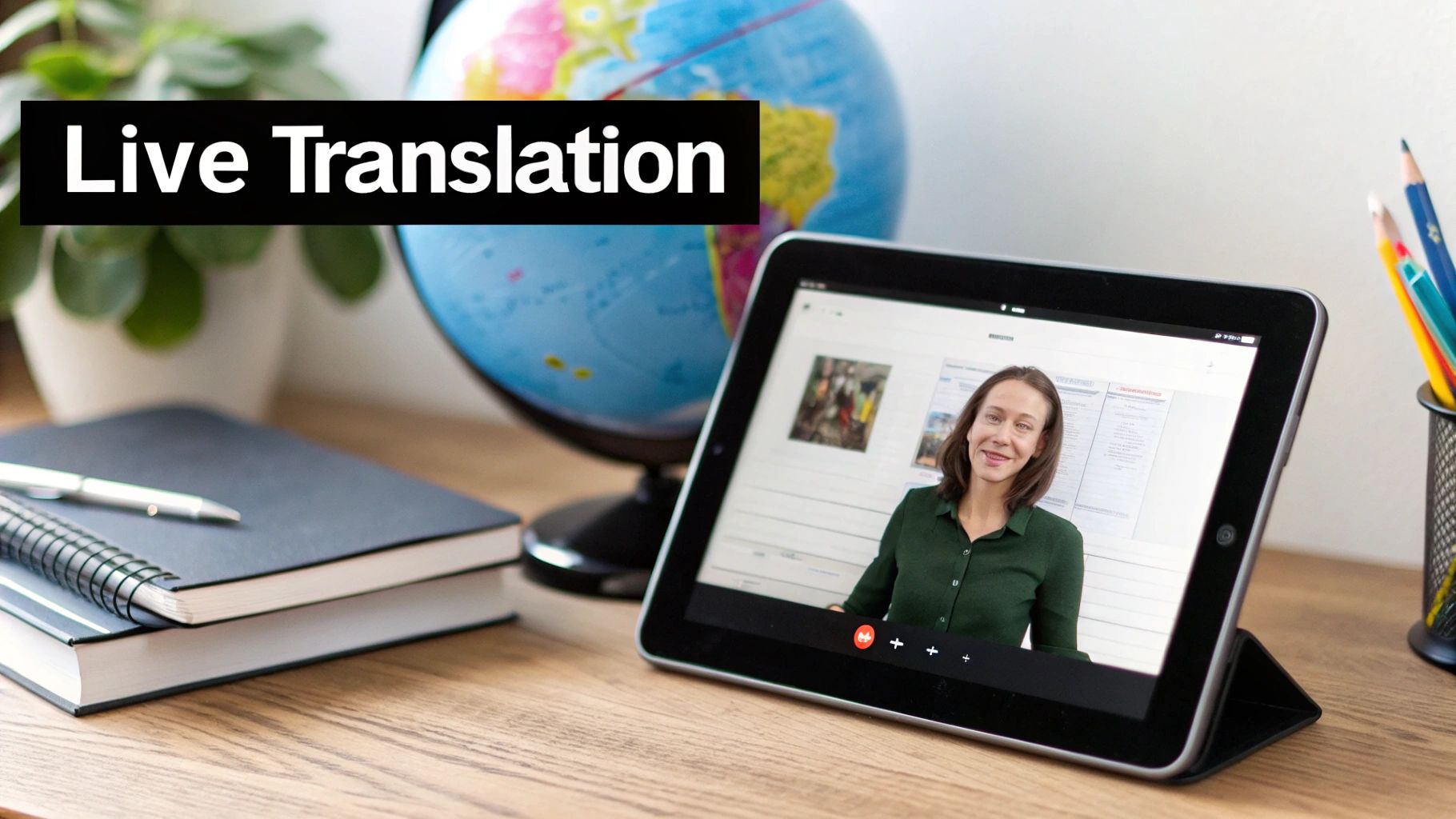
The ideal solution merges transcription with real-time translation, turning a clunky chore into a single, fluid experience.
Bridging the Language Gap Instantly
Imagine a client meeting with teams from three different countries. A tool that translates live completely flips the script, capturing the dialogue and providing an immediate, dual-language transcript. This is invaluable in many situations:
- International Business: Capture meeting minutes and action items in multiple languages simultaneously, ensuring everyone is on the same page.
- Journalism and Research: Conduct interviews in a source's native tongue while getting an instant English transcript.
- Travel and Exploration: Record conversations with locals to remember directions or cultural insights, with a translated script ready to reference later.
- Language Learning: Practice with a native speaker and get a side-by-side text record to review your conversation and improve faster.
By merging transcription and translation, you're not just converting audio to text. You're creating an immediately usable, multilingual record of a conversation, locking in clarity no matter how many languages are in the room.
If this is the functionality you need, learn more in our detailed guide on the benefits of a live voice translation app.
Using Translate AI for Multilingual Conversations
Apps like Translate AI are built to capture and transcribe conversations happening in multiple languages. You select the languages, start the conversation, and the app generates a text transcript of the entire dialogue. It even works with standard earbuds to manage a two-way conversation, making it a perfect tool for transcribing interviews or meetings with international colleagues. You can find Translate AI on the App Store.
Still Have Questions About Transcribing Voice Memos?
When getting started with transcription, a few questions always pop up. It usually boils down to accuracy, security, and language support. Let's clear those up.
How Accurate Is AI Transcription, Really?
Modern AI transcription can hit up to 95% accuracy under ideal conditions: a clear recording of one person with minimal background noise.
However, heavy accents, multiple speakers, or industry jargon will lower that number. Always plan on doing a quick manual review to clean up the final text.
Is It Safe to Upload My Voice Memos to a Service?
Reputable online services use encryption to protect your files. It's always smart to review the privacy policy of any service before you commit.
For anything truly sensitive, the safest bet is an on-device transcription app. These tools do all the processing locally, meaning your voice memo never leaves your phone or computer.
Can I Transcribe a Memo That’s in Another Language?
Absolutely. Most modern AI tools are multilingual. The key is to tell the tool what language the recording is in before you start the transcription to ensure you get an accurate text version.
What About Transcribing and Translating at the Same Time?
If you need to transcribe a conversation and also translate it, especially live, you need a tool built for that specific job. An app like Translate AI is designed to handle both tasks seamlessly, making it the perfect fit for real-time multilingual conversations.
Ready to have conversations that flow across any language? Translate AI offers live, two-way voice translation that makes understanding and being understood feel completely natural. Download the app today and start speaking with confidence.