

Your Guide to Choosing the Best Real Time Language Translator App
Ever stood in a bustling foreign market, trying to ask for directions, only to be met with a confused smile and a flurry of words you don't understand? Or maybe you've stared at a restaurant menu, completely baffled, and ended up just pointing at a random item and hoping for the best. That feeling of being cut off by a language barrier is frustrating, and it’s a problem every traveler faces.
If you’re tired of awkward silences and clumsy hand gestures, this guide is for you. We’re going to show you how a modern real-time language translator app can become your ultimate travel companion, breaking down those walls so you can connect with people, not just get by.
The demand for these tools is exploding for a reason. The global market for translation apps, which includes tools like Translate AI, is set to jump from an estimated $15 billion in 2025 to over $50 billion by 2033. That incredible growth is fueled by people just like you who need a reliable way to communicate on the go. You can read more about this market expansion and what’s driving it.
A real-time translator app is more than just a utility; it's a key to unlocking richer experiences and deeper human connections, turning potential moments of confusion into opportunities for understanding.
By the end of this guide, you’ll have the specific, actionable advice you need to:
- Understand how this powerful technology works.
- Identify the key features that separate great apps from mediocre ones.
- Choose and use the right app for your real-world travel or business needs.
Let's get started.
How Your Phone Becomes a Personal Interpreter
Ever wonder what’s actually going on inside a real time language translator app when you tap the microphone button? It’s not magic, but it’s close. In a fraction of a second, your phone performs a brilliant three-step process to become your personal, pocket-sized interpreter.
This entire sequence is designed to be so fast that conversations feel natural and fluid, turning that initial frustration of not being understood into a moment of genuine connection.
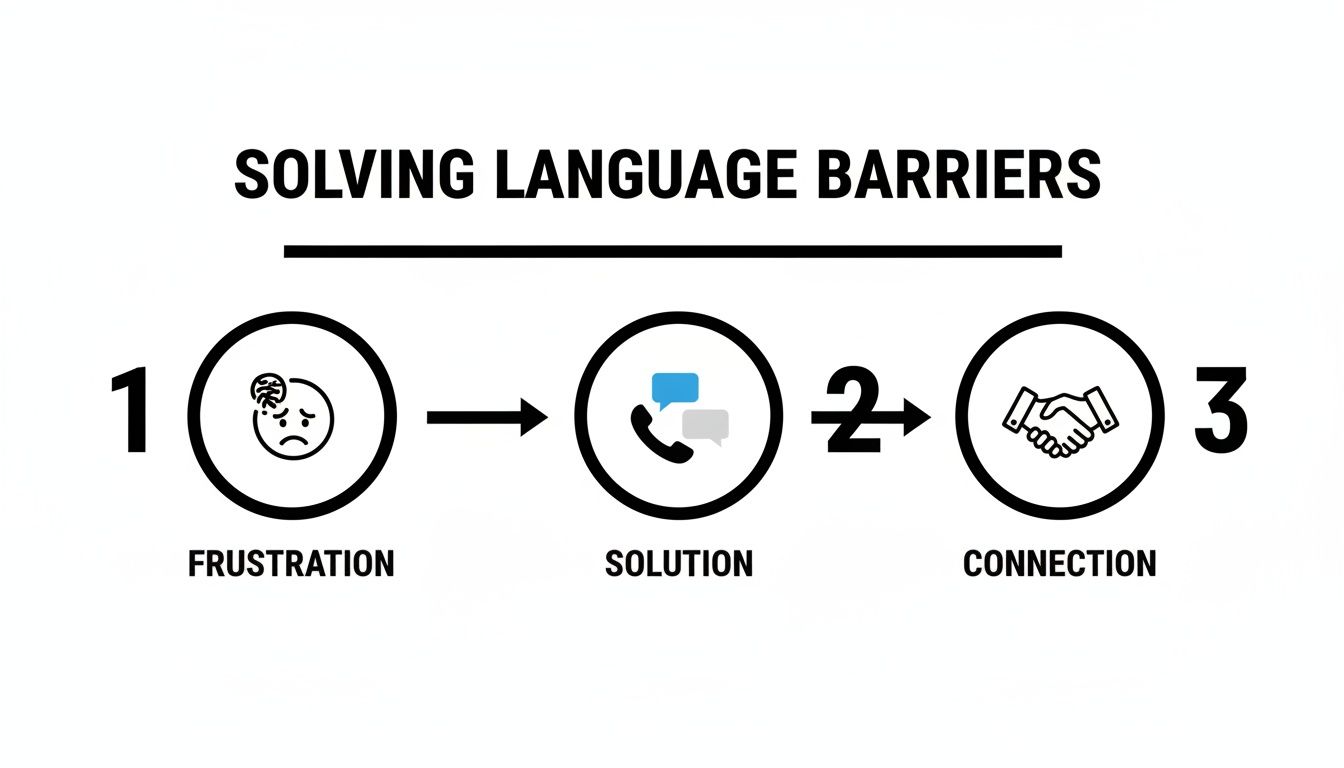
Here’s a step-by-step breakdown of how it works.
1. The App Listens and Understands
The second you start speaking, the app activates a technology called Automatic Speech Recognition (ASR). Think of ASR as the app’s digital ear. Its sole purpose is to listen carefully to your voice and instantly convert the sounds into written text. Modern ASR is smart enough to filter out background noise, ensuring it captures your words accurately from the start.
2. The App Thinks and Translates
Once your speech is text, it’s sent to the app's "brain"—a powerful engine using Neural Machine Translation (NMT). This is a massive upgrade from older, word-for-word translation methods that often produced clunky, nonsensical phrases. NMT analyzes the entire sentence to understand context, grammar, and even subtle meanings.
NMT works by looking at the relationships between words, much like a human interpreter considers the full meaning of a phrase rather than just individual words. This is what makes modern translations sound so natural and preserve the speaker's original intent.
This deep analysis is what allows the app to know the difference between "book a flight" and "read a book," ensuring your message is translated correctly. It's the same core technology that powers advanced devices like real-time language translator earbuds.
3. The App Speaks Back
In the final step, the translated text is converted back into spoken words using Text-to-Speech (TTS), also known as speech synthesis. Forget the robotic, monotone voices of the past. Modern TTS systems produce natural-sounding speech with realistic intonation and rhythm, making the output clear and easy for the other person to understand.
Here’s a quick recap of the entire flow:
- Step 1: Speech Recognition: Hears your voice and converts it to text.
- Step 2: Machine Translation: Analyzes the text for context and translates it.
- Step 3: Speech Synthesis: Speaks the translated text aloud in a natural voice.
This seamless process is what empowers your smartphone to break down language barriers instantly.
How to Choose an App That Actually Works: A 3-Point Checklist
Not all translator apps are created equal. To avoid the frustration of garbled translations and awkward delays, you need to know what to look for. This simple checklist will help you choose a real time language translator app that will be a reliable communication partner on your travels.
Think of it like choosing a co-pilot for your trip—you want one that’s fast, accurate, and easy to work with.

1. Check for Accuracy and Speed
These are the two most critical factors.
- High Accuracy: The app must understand the context of what you’re saying. Look for apps powered by modern Neural Machine Translation (NMT), as this technology analyzes full sentences to preserve your original meaning.
- Low Latency (Speed): Latency is the delay between when you speak and when the translation is delivered. A good app should translate almost instantly to keep the conversation flowing naturally.
A great translator app should feel invisible. Its job is to facilitate a human connection, not to become a clunky obstacle in the middle of your conversation.
2. Demand a True Two-Way Dialogue Feature
Many basic apps work like a walkie-talkie: one person talks, you wait for the translation, then the other person responds. It’s slow and unnatural. A top-tier app will offer a true two-way dialogue feature. This allows for a much more fluid, back-and-forth exchange where both people can speak freely. This is a game-changer for having a real discussion, not just a transactional exchange.
3. Verify These Practical Essentials
Finally, check these practical features to ensure the app will work for you day-to-day.
- Language Support: Does it cover the specific languages and dialects you need? An app with 80+ well-supported languages is often more reliable than one claiming 120 poorly implemented ones.
- Device Compatibility: You shouldn't need special hardware. The app should work with standard Bluetooth earbuds you already own (like AirPods) for private conversations.
- Offline Mode: While online translation is always more accurate, an offline mode for text translation can be a lifesaver when you have no Wi-Fi or want to save on data.
An App That Ticks All the Boxes: Meet Translate AI
After breaking down what makes a real-time language translator app truly great, let's talk about a tool built to nail those essentials. Translate AI is an app designed to make cross-language conversations feel completely natural and effortless.
It focuses on smooth, context-aware translations that just work.
Powered by advanced AI, Translate AI provides clear, precise translations in over 80 languages. Its standout feature is its genuine two-way dialogue, which allows conversations to flow back and forth without those awkward pauses common in other apps.
Best of all, it's designed for real-world use. You can connect any standard Bluetooth earbuds you already own for discreet, private conversations, without needing to buy expensive special hardware.
Why Context-Aware Dialogue Is a Game-Changer
For expats navigating daily life or professionals closing deals abroad, getting the context right is everything. This isn't just a gimmick; it has a real-world impact.
In Europe, companies using integrated translation have cut localization costs by 30%. In the APAC e-commerce market, brands that speak the local language see 15% higher conversion rates. These numbers prove how much clear, accurate communication matters.
Translate AI was built on a simple idea: technology should connect people, not complicate things. By zeroing in on accuracy, speed, and ease of use, it becomes a reliable bridge between you and the rest of the world.
If you're looking for an app that finally delivers on the promise of effortless, real-time translation, you can see how Translate AI works on our website.
Download Translate AI for iOS
Ready to break down language barriers for good? Download Translate AI and start your journey toward effortless global conversations. It's your trusted pocket interpreter, ready when you are.
3 Real-World Scenarios Where Your Translator App Shines
The technical specs are one thing, but the real test of a real time language translator app is how it performs in the real world. Here are three common situations where the right app can turn a moment of confusion into a memorable connection.
These are the kinds of stories we hear from users of Translate AI all the time—real examples of how technology can make the world feel a little smaller.

1. For the International Traveler
Picture this: you’re at a street market in Marrakech. A vendor is passionately describing a beautiful lantern. Instead of clumsy gestures, you use your app. Suddenly, you're having a real conversation, learning the story behind the piece and even haggling a little. That’s the magic.
Here’s how an app helps:
- Ordering Food: Stop pointing at pictures. Ask what the locals recommend.
- Asking for Directions: Get clear, specific help from a real person.
- Shopping: Talk to local artisans and hear the stories behind their work.
2. For the Business Professional
In international business, small misunderstandings can have big consequences. For professionals, a translator app is a vital tool for ensuring every detail is understood correctly. Imagine you're in a meeting in Berlin. Using an app with earbuds for discreet translation allows you to follow the conversation in German, catching nuances you might otherwise miss. It builds trust and helps you close the deal.
For business, the best technology is invisible. It should support the human connection, keeping the focus on the deal, not on the language barrier.
3. For the Language Learner
Textbooks can only take you so far. Real fluency comes from conversation, which can be intimidating. A translator app acts as a safety net, giving you the confidence to practice with native speakers. If you get stuck on a word, the app is there to keep the conversation going. This turns a simple chat at a café into a practical language lesson.
Your Pocket Interpreter: Translate AI
Whether you're exploring new cities, closing a deal, or practicing a new language, Translate AI is built to handle these moments smoothly. Its two-way dialogue makes conversations feel natural, while its accuracy ensures critical terms don't get lost in translation.
- For Travel: Navigate with confidence and connect with people on a deeper level.
- For Business: Ensure communication is crystal-clear in every meeting.
- For Learning: Practice your skills in the real world, without the fear of getting stuck.
Ready to see how it can change your experiences?
Pro Tips: How to Get Crystal-Clear Translations Every Time
Even the most advanced real time language translator app works better when you give it clear input. Follow these simple, actionable tips to make sure nothing gets lost in translation.
1. Speak Clearly and Simply
This is the most important habit to develop.
- Enunciate Your Words: Mumbling is the enemy of accuracy.
- Speak at a Natural Pace: Don't rush your sentences.
- Use Simple Sentences: Avoid complex slang, idioms, or long, rambling thoughts. Break your ideas into shorter sentences.
Think of it like giving someone clear driving directions. The more straightforward your input, the more likely you are to end up at the right destination.
2. Control Your Environment
Background noise can interfere with the app's ability to hear you correctly.
- Find a Quiet Spot: Step away from a noisy crowd if you can.
- Reduce Wind Noise: Shield your phone's microphone if you're outside.
- Speak Close to the Mic: Ensure your voice is the main sound the app picks up.
3. Always Show, Don't Just Tell
For critical information like an address, a price, or a flight number, always show the translated text on your screen to the other person. This visual confirmation eliminates any chance of misunderstanding. To see this in action, check out our guide on how to translate a conversation in real time.
Your Questions, Answered
Still have questions about real time language translator apps? Here are clear, straightforward answers to the most common ones.
Do I Need an Internet Connection?
For the best results, yes. For live voice translation, an active internet connection (Wi-Fi or cellular) is necessary. This allows the app to access powerful cloud-based AI for the most accurate, context-aware translations. Some apps offer basic offline text translation, but the real magic of fluid, two-way conversation happens online.
How Accurate Are These Translator Apps?
Very accurate for most situations. Thanks to Neural Machine Translation (NMT), modern apps handle everyday conversations with impressive reliability. While they might struggle with highly technical jargon or obscure dialects, they are more than accurate enough for most travel, business, and social interactions.
Think of accuracy as a team effort. The app brings the powerful AI, but you can give it a huge boost by speaking clearly and skipping the really complex slang.
Can I Use My Own Earbuds?
Yes, absolutely. The best apps, like Translate AI, are designed to work with the standard Bluetooth headphones or earbuds you already own. There's no need to buy special, expensive hardware. This is perfect for having private, discreet conversations in public places.
Ready to break down language barriers for good? Download Translate AI and turn your phone into your own personal interpreter today.