

The 12 Best Real Time Translator App Options for 2026
You're standing in a bustling market in Tokyo, trying to ask for directions. You pull out your phone, fumble with a clunky app, and get a stilted, awkward translation that only confuses the friendly local trying to help. We've all been there. That communication gap, whether you're traveling, on an international business call, or connecting with family, is frustrating. You need a tool that doesn't just swap words but understands context and enables a natural, flowing conversation. This article is your guide to breaking those barriers. Our goal is to provide a clear, detailed comparison of the top real-time translation apps, giving you specific, actionable advice to choose the perfect one for your needs, no more awkward silences or missed connections.
Finding the best real time translator app can feel overwhelming, with countless options promising seamless communication. This resource cuts through the noise. We've meticulously tested and analyzed the leading applications, from versatile powerhouses like Google Translate and Microsoft Translator to specialized tools like Timekettle's earbud-integrated system. We also highlight standout options that offer a compelling mix of modern features for fluid dialogue.
In this guide, you will find:
- In-depth reviews of each app's performance, accuracy, and user experience.
- Direct comparisons of key features like language support, offline capabilities, and two-way conversation modes.
- Honest assessments of each app's limitations and practical use-case scenarios.
- Actionable recommendations tailored to your specific needs, whether you're a tourist, business professional, or language student.
Each review includes screenshots for a visual preview and direct links to download the app, so you can make an informed choice and start communicating with confidence. Let's find the right tool to help you find your voice, in any language.
1. Google Translate — Google Play (Android)
As the default translation tool for the Android ecosystem, Google Translate sets a high bar for accessibility and feature breadth. It's often the first app users turn to, and for good reason. Its deep integration into the operating system allows for seamless "Tap-to-Translate" functionality within other apps, making it incredibly convenient for quickly understanding messages or text snippets without switching screens. For travelers, its instant camera translation, which overlays translations onto live images, is an indispensable tool for reading signs and menus.
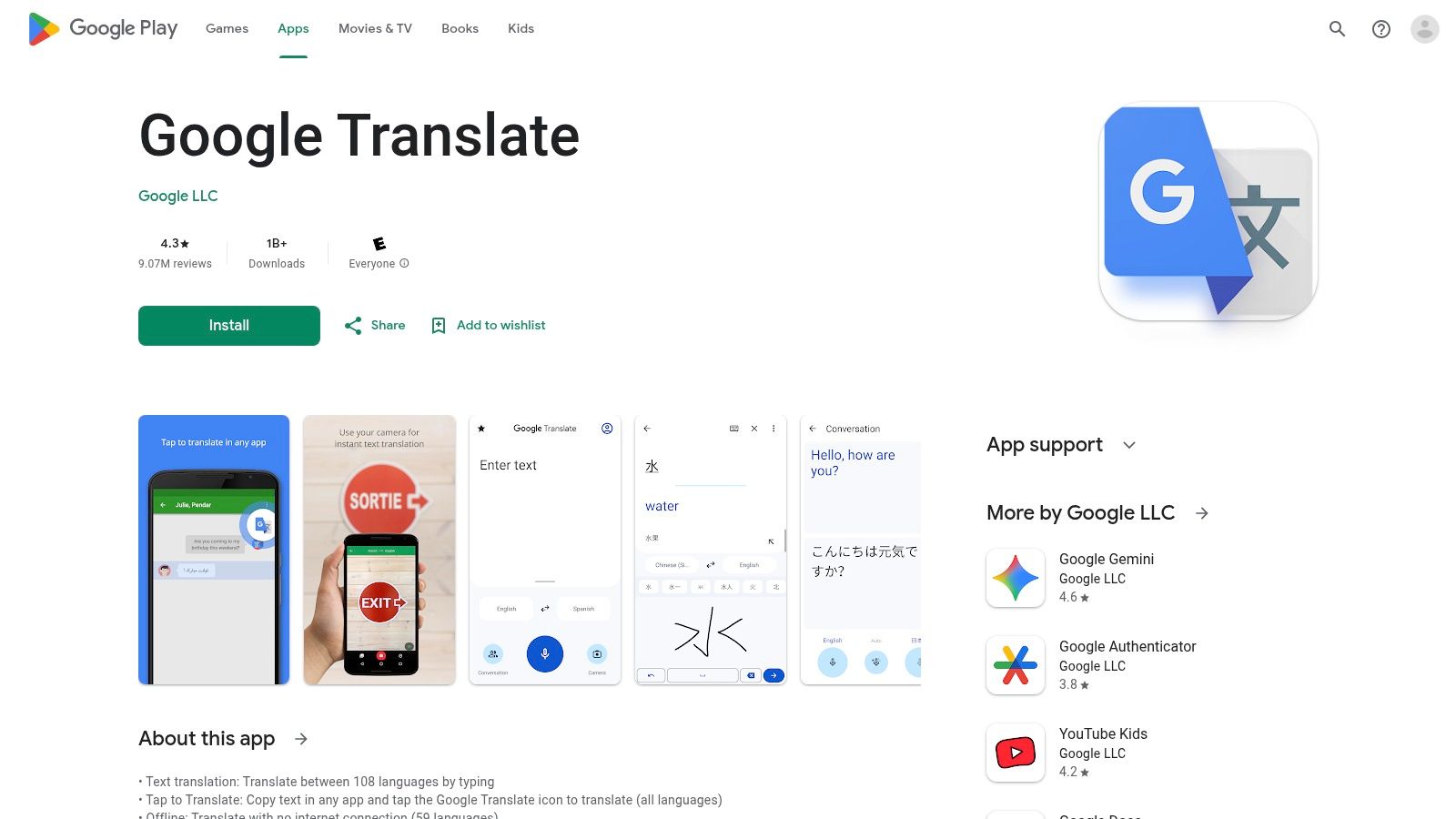
The app’s real-time conversation mode supports over 70 languages, facilitating two-way dialogue with a split-screen interface. A standout feature is its 'Transcribe' mode, which provides continuous, ongoing translation of longer speech, perfect for lectures or meetings. This powerful functionality is a direct result of advancements in its underlying technology; you can explore a deep dive into what machine translation is and how it works to better understand the engine powering this tool. While the quality can vary between language pairs, its frequent updates and massive user base ensure constant improvement.
Key Features & Assessment
- Real-Time Conversation: Excellent two-way dialogue mode with a simple user interface.
- Camera & Photo Translation: Instantly translates text from your camera or existing photos.
- OS Integration: "Tap-to-Translate" offers unmatched convenience for Android users.
- Offline Access: Downloadable language packs are essential for travel without reliable internet.
Our Take: Google Translate is a powerhouse and the best real time translator app for most casual Android users due to its cost (free), massive language support, and seamless OS integration. However, power users may find its reliance on a single translation model and the beta status of cutting-edge features, like live translation on headphones, to be limiting for professional use cases.
Pros:
- Completely free to use
- Extensive language coverage
- Deeply integrated into the Android OS
Cons:
- Translation accuracy can be inconsistent for less common languages
- Newest features are often in beta or limited by region/device
Website: Google Play Store
2. Google Translate — iOS (Apple App Store)
Google's powerful translation tool is also a top-tier contender on Apple devices, offering near-complete feature parity with its Android counterpart. For iPhone and iPad users, this means access to a robust suite of tools, including instant camera translation for signs and menus, and comprehensive text translation. A significant recent development is the ability to set Google Translate as the default system-wide translation app on supported iOS versions (iOS 18.4+), bridging a long-standing convenience gap between the two platforms.
The app's real-time conversation mode facilitates fluid dialogue, while on-device language packs provide reliable offline functionality essential for travel. Its familiar interface is clean and straightforward, making it easy for anyone to pick up and use immediately. While it remains one of the best real time translator app options available, iOS users should be aware that the latest cutting-edge features sometimes debut on Android first before a staged rollout on Apple devices. The tool also includes helpful features for language learners, such as saved phrases and pronunciation guides.
Key Features & Assessment
- Real-Time Conversation: Strong two-way dialogue mode that is intuitive for facilitating conversations.
- Camera & Photo Translation: Instantly translates text using the device's camera or from saved images.
- iOS Integration: Can now be set as the default translation app on supported iOS versions for enhanced usability.
- Offline Access: Downloadable language packs ensure functionality without an internet connection.
Our Take: Google Translate for iOS is a fantastic, all-around choice for iPhone users who need a reliable and free translation tool. The new ability to set it as a default app makes it more integrated than ever. However, users who prioritize immediate access to the newest features or need the highest accuracy for niche language pairs might find staged rollouts and regional limitations a slight drawback.
Pros:
- Cross-platform consistency with Android and widely trusted
- Completely free with extensive language support
- Default-app support improves iPhone/iPad usability
Cons:
- Some new features roll out to Android first
- Feature availability can vary by region and device
Website: Apple App Store
3. Apple Translate (built‑in iOS app)
For users embedded in the Apple ecosystem, the native Translate app offers an unparalleled level of integration and privacy. Built directly into iOS, it provides a seamless translation experience without the need to download a third-party application. Its primary strength lies in its on-device processing, which ensures that conversations remain private and secure, a significant advantage for sensitive business discussions or personal chats. The app is deeply woven into the fabric of iOS, allowing for quick translations within Messages, Safari, and even during phone calls.
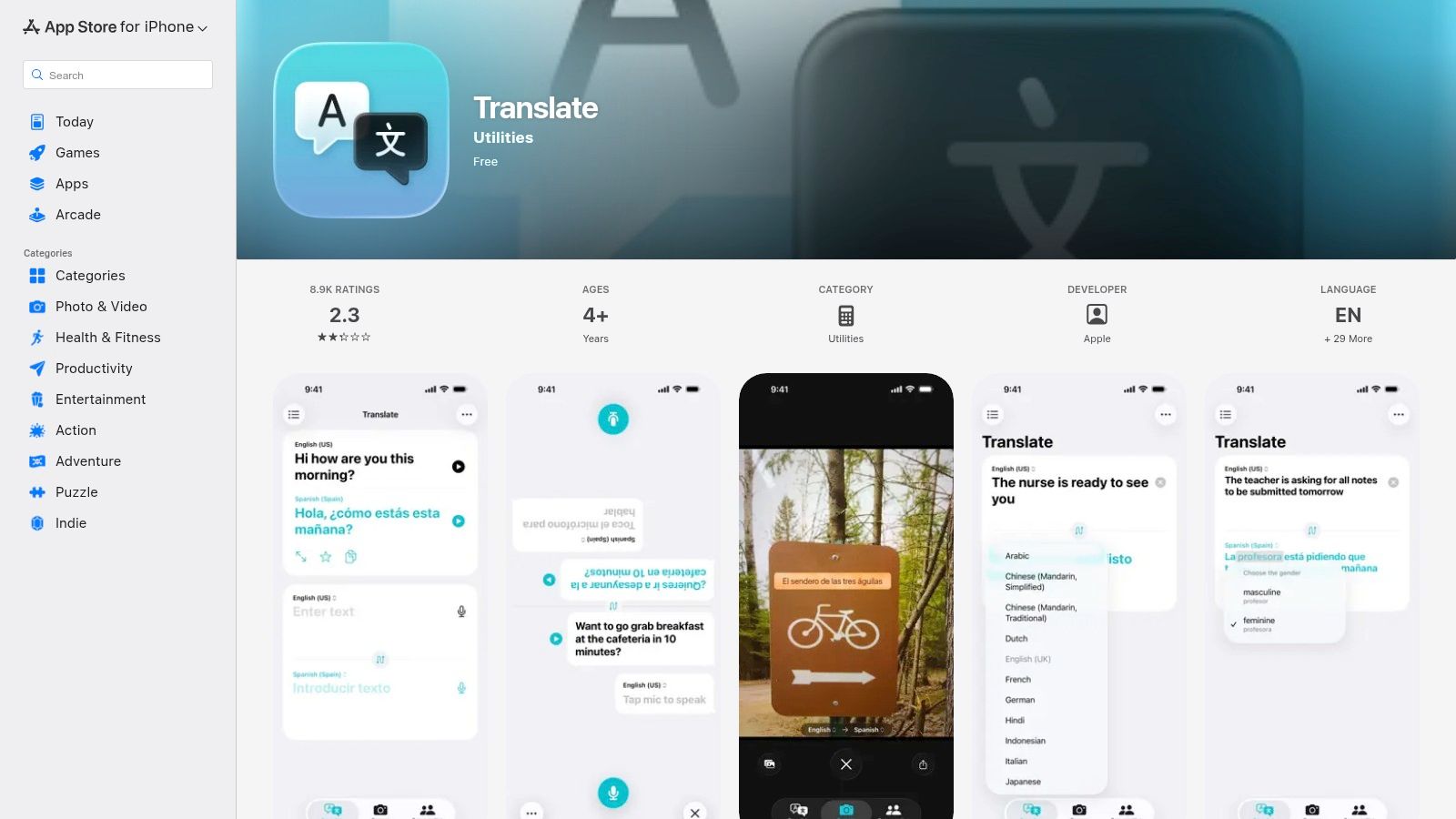
The conversation mode features a clean, face-to-face view that makes two-way dialogue intuitive, with automatic language detection simplifying the interaction. A standout feature for travelers and professionals is Live Translation, which delivers real-time audio translation directly through supported AirPods, creating a more natural and hands-free experience. This tight hardware and software integration is a hallmark of Apple's design philosophy. For those interested in the technical aspects, you can learn more about how to translate conversation in real time and the technology behind it.
Key Features & Assessment
- Real-Time Conversation: Simple face-to-face mode with auto-detection for easy dialogue.
- iOS Integration: Works seamlessly across native apps like Messages, Phone, and FaceTime.
- On-Device Mode: Offers privacy-focused translations that are processed directly on your iPhone.
- Live Translation: Provides real-time audio translation through compatible AirPods for a futuristic experience.
Our Take: Apple Translate is the best real time translator app for iPhone users who prioritize privacy and a deeply integrated, native experience. Its on-device capabilities and AirPods integration are major differentiators. However, its more limited language support compared to competitors means it may not be suitable for all destinations or use cases.
Pros:
- Completely free and pre-installed on iOS
- Deeply integrated into the Apple ecosystem for a seamless feel
- Strong focus on privacy with on-device translation
Cons:
- Smaller language library compared to other major apps
- Advanced features like Live Translation require newer hardware
Website: Apple App Store
4. Microsoft Translator — Official Site
Microsoft Translator carves out a distinct niche by focusing on powerful, multi-device conversations, making it a go-to choice for educational and business settings. Its standout feature is the ability to create a translated conversation room where multiple participants can join from their own devices, each seeing the dialogue in their chosen language. This is ideal for multilingual meetings, classroom lectures, or group discussions, where clarity across different languages is paramount. The app supports text, voice, and camera translation with a clean, business-like interface.
While it offers robust core features like offline language packs and split-screen mode for two-person chats, its strength lies in group collaboration. The platform can generate transcripts of these conversations, which is incredibly useful for reviewing meeting notes or study sessions. Though it may lack some of the consumer-focused flair of its competitors, its reliability and focus on group communication make it an invaluable tool for professional and academic environments. This makes it one of the best real time translator app options for organized, multi-person interactions.
Key Features & Assessment
- Multi-Device Conversation: Unmatched real-time group translation where each participant uses their own device.
- Transcripts: Saves conversation text, perfect for meeting minutes or study guides.
- Cross-Platform: Available on iOS, Android, and the web, ensuring wide accessibility.
- Offline Language Packs: Provides reliable translation without an internet connection.
Our Take: Microsoft Translator is the undisputed leader for group and meeting translations. Its multi-device conversation mode is a game-changer for businesses and schools. While individual travelers might prefer apps with more travel-centric features, anyone needing to facilitate a clear, multilingual group discussion will find this free tool indispensable.
Pros:
- Completely free with no ads
- Best-in-class for multi-person, multi-device conversations
- Stable and reliable performance
Cons:
- Fewer consumer-oriented features like language-learning games
- User interface is more functional than flashy
Website: https://www.microsoft.com/en-us/translator/apps/
5. DeepL Translate — Mobile App (iOS) and DeepL Voice
DeepL has earned a formidable reputation for its highly nuanced and accurate text translations, particularly among European languages. Its mobile app brings this powerful engine to iOS users, extending its capabilities into real-time voice conversations. For those prioritizing translation quality and natural-sounding language, DeepL presents a compelling alternative to more established players, making it an excellent real time translator app for professional and academic contexts.
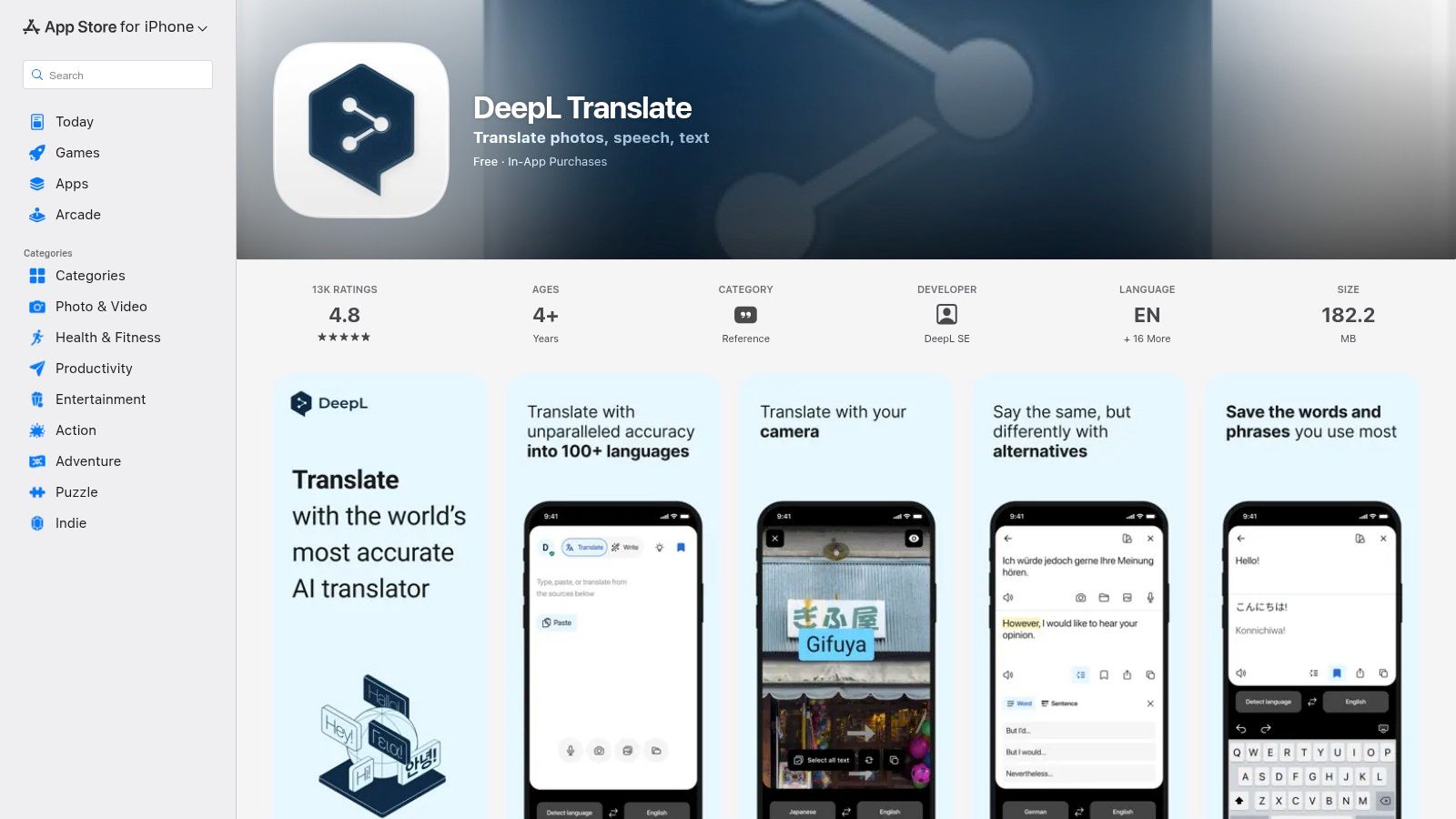
The app's standout feature is 'DeepL Voice for Conversations', which facilitates live speech translation with impressive automatic speaker detection. This mode not only translates what's being said but also provides a running transcript, which can be exported for later review, a huge benefit for business meetings or important discussions. Users can also adjust the text-to-speech (TTS) speed, tailoring the playback to their listening comfort level.
Key Features & Assessment
- Real-Time Conversation: High-quality voice translation with automatic speaker detection and transcript support.
- Text Translation Quality: Widely recognized for superior accuracy and nuance, especially for complex sentences.
- Adjustable Playback: Users can control the speed of the translated audio output.
- Transcript Export: The ability to save and share conversation transcripts is a key feature for professionals.
Our Take: DeepL is the go-to choice for users who refuse to compromise on translation accuracy. Its conversation mode is well-designed for structured dialogues where retaining a record is important. While its free tier is generous, unlocking its full potential and broader feature set requires a paid subscription, and its voice language support is less extensive than some competitors.
Pros:
- Reputation for nuanced, high-quality translations
- Conversation mode includes useful transcript support
- Clean, professional user interface
Cons:
- Voice and language coverage for speech is less broad than competitors
- Some advanced features are locked behind a paid plan
Website: App Store
6. iTranslate — Official Site
As one of the original players in the mobile translation space, iTranslate has evolved into a comprehensive suite of tools designed primarily for travelers and everyday users. Its longevity has allowed it to build a mature app with broad device support, including a handy Apple Watch app and keyboard extensions for seamless integration. The platform excels at providing practical travel utilities beyond simple translation, such as curated phrasebooks for common situations and verb conjugation guides to aid language learners.
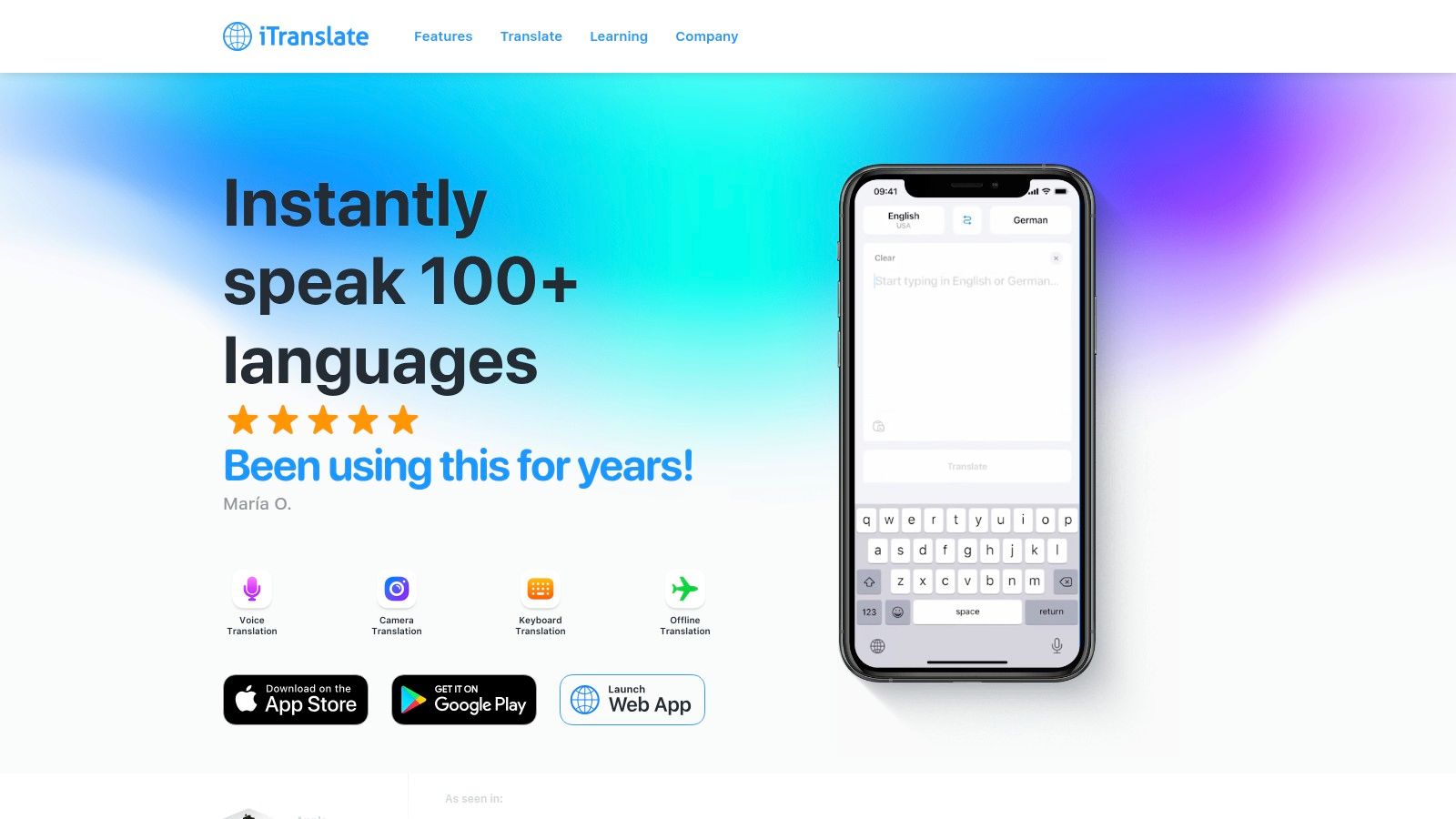
The app's real-time features include a voice-to-voice conversation mode and a camera "Lens" feature for instant text recognition on menus or signs. It also offers offline language packs, which are crucial for staying connected in areas with poor or expensive data service. While the free version is functional for basic text translations, accessing the most powerful real-time voice, camera, and offline capabilities requires upgrading to iTranslate Pro, its subscription service.
Key Features & Assessment
- Live Voice Conversations: Facilitates spoken dialogue with clear audio output.
- Camera & AR Translation: Uses the 'Lens' feature and an augmented reality mode for visual text.
- Cross-Device Support: Excellent compatibility with Apple Watch, iPads, and keyboard extensions.
- Traveler Tools: Includes valuable phrasebooks, offline packs, and verb conjugations.
Our Take: iTranslate is a polished and reliable choice for travelers who value a wide range of features on multiple devices, especially within the Apple ecosystem. It’s a strong contender for the best real time translator app for those who need a travel-focused toolkit and are willing to pay for premium features like offline access and unlimited voice translation.
Pros:
- Mature app with extensive platform and device support
- Useful travel-specific tools like phrasebooks
- Strong offline capabilities with the Pro subscription
Cons:
- Many key real-time features are locked behind a paywall
- Subscription model might feel costly compared to free alternatives
Website: https://itranslate.com/
7. NAVER Papago — Official (Android/iOS)
Developed by Naver Corporation, the South Korean tech giant, Papago has earned a strong reputation, particularly for its proficiency with East Asian languages. While major platforms offer broad coverage, Papago specializes, providing nuanced and context-aware translations for Korean, Japanese, and Chinese that often surpass more generalized engines. Its name, which means "parrot" in Esperanto, reflects its goal of being a clever, language-savvy companion. For travelers in East Asia, it's often the recommended choice for its accuracy in local dialects and conversational text.
The app's interface is clean and user-friendly, focusing on core functionalities like real-time voice, conversation, and image translation. Its conversation mode is well-designed for back-and-forth dialogue, making interactions in markets or restaurants straightforward. A key practical feature is its offline mode, which is essential for navigating areas with spotty connectivity. Papago also includes useful add-ons like honorific settings for Japanese, adding a layer of cultural appropriateness that many other apps lack.
Key Features & Assessment
- Real-Time Conversation: Simple and effective two-way dialogue mode, optimized for clarity.
- Camera & Image Translation: Reliable OCR for translating menus, signs, and documents on the go.
- Offline Mode: Downloadable language packs are available for its core languages.
- Specialized Engine: Utilizes a neural machine translation engine fine-tuned for Asian languages.
Our Take: For anyone traveling to or doing business in South Korea, Japan, or China, Papago is arguably the best real time translator app available. Its specialized focus results in superior accuracy for these key languages, making it a more reliable tool than global all-rounders in these specific contexts.
Pros:
- Excellent translation quality for Korean, Japanese, and Chinese
- Completely free with a clean, ad-free interface
- Includes culturally specific features like honorifics
Cons:
- Limited language support (around 14 languages) compared to competitors
- Performance for non-Asian languages is less consistent
Website: Google Play Store
8. Lingvanex — Mobile Translator (Official)
Lingvanex positions itself as a comprehensive translation ecosystem, extending beyond a simple mobile app to a full suite of tools for various platforms. Its mobile translator is notable for its broad modality coverage, handling text, voice, images, and even entire files with support for over 100 languages. This makes it a versatile option for users who need to translate different types of content, from a quick voice conversation to a PDF document, all within a single application.
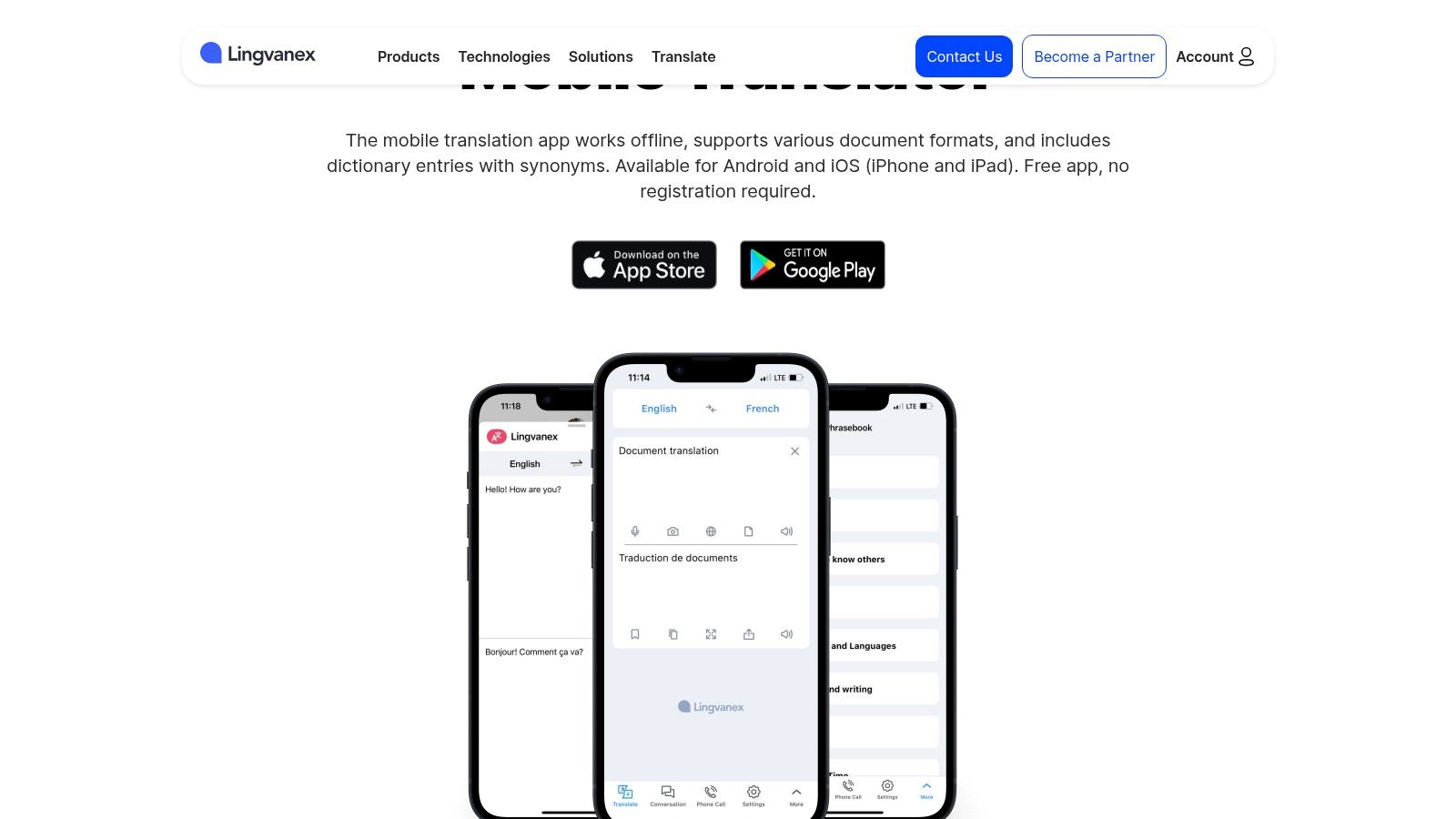
The platform’s strength lies in its multi-platform availability, with synchronized apps for mobile, desktop, and web browsers, which is beneficial for professionals working across different devices. Key features include a device-to-device conversation mode, which facilitates dialogue without needing to huddle over one screen, and downloadable offline language packs. Lingvanex also integrates a dictionary with synonyms, adding a layer of depth for language learners or those needing more precise word choices.
Key Features & Assessment
- Multi-Modality Support: Translates text, voice, images, and documents, offering great versatility.
- Offline Capability: Downloadable language packs ensure functionality without an internet connection.
- Device-to-Device Conversation: Allows two or more users to have a translated conversation on their own devices.
- Cross-Platform Sync: Provides a consistent experience across mobile, desktop, and browser extensions.
Our Take: Lingvanex is a solid contender for users invested in a cross-device ecosystem. Its ability to handle multiple content formats makes it a powerful all-in-one tool, but the user experience can feel less polished than some competitors. While it offers a strong feature set, many of its most useful functions are locked behind a subscription, making the free version somewhat limited.
Pros:
- Broad support for different content types (voice, image, file)
- Available across multiple platforms (iOS, Android, macOS, Windows)
- Offers offline translation packs
Cons:
- Many advanced features require a paid subscription
- User interface and accuracy can vary between languages
Website: Lingvanex Mobile Translator
9. Vocre — Official Site
Vocre positions itself as a streamlined, user-friendly translation tool designed primarily for travelers who need quick, reliable communication. The app prioritizes simplicity and speed, offering an interface that gets users into a conversation with minimal setup. Its focus is on facilitating immediate back-and-forth dialogue, making it a solid choice for navigating common travel scenarios like ordering food, asking for directions, or interacting with hotel staff.
The app supports dozens of languages for both voice and text translation, stripping away many of the complex features found in larger platforms to concentrate on core conversational needs. This lightweight approach results in an intuitive user experience that is less intimidating for non-technical users. While the free version is functional for basic online use, accessing its crucial offline mode requires a paid subscription, which is an important consideration for travelers who may have inconsistent internet access.
Key Features & Assessment
- Instant Voice Translation: Designed for rapid, turn-by-turn conversational translation.
- Simple Interface: A clean, uncluttered design makes it easy for anyone to start translating immediately.
- Travel-Centric Design: The user experience is tailored for common tourist and travel interactions.
- Offline Mode: Available with a Vocre Pro subscription, essential for on-the-go use without data.
Our Take: Vocre is a great entry-level tool for tourists who want a simple, no-fuss solution. Its ease of use makes it an accessible choice, but it falls short of being the best real time translator app for power users. The subscription requirement for offline access and its smaller feature set mean users needing more robust functionality may be better served by more comprehensive alternatives.
Pros:
- Extremely easy to use, ideal for quick conversations
- Lightweight app with fast performance
- Clear and simple onboarding process
Cons:
- Offline mode and other key features are locked behind a subscription
- Lacks advanced features like camera translation or OS integration
Website: https://www.vocre.com/
10. Timekettle — Official Store (Translator Earbuds + App)
Timekettle shifts the paradigm from phone-centric apps to a hardware-first solution with its translator earbuds. This system is designed for natural, hands-free conversation, where each person wears an earbud, allowing for a seamless, ear-to-ear dialogue flow. It's an innovative approach that eliminates the awkwardness of passing a phone back and forth, making it ideal for business meetings, networking events, or immersive travel experiences where uninterrupted communication is key. The official store is the primary source for their products, like the WT2 Edge and W4 AI Interpreter, ensuring access to the latest models, US shipping, and warranty support.
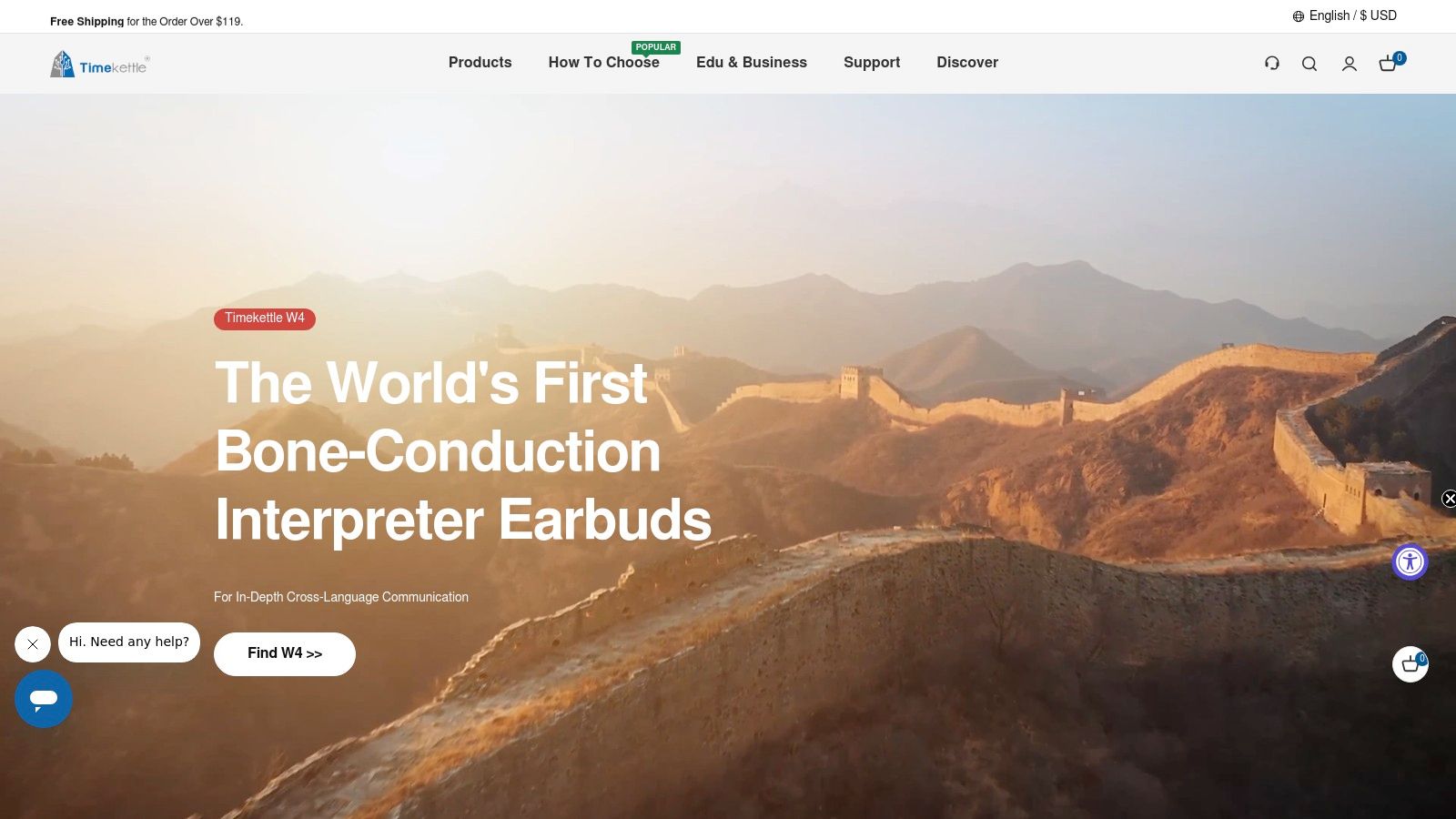
The system works through a dedicated app that powers the earbuds, offering multiple modes tailored to different scenarios. "Simul Mode" provides two-way simultaneous interpretation, while "Speaker Mode" allows one person to speak while the translation is broadcast through the phone's speaker. The hardware is purpose-built with features like noise reduction to improve accuracy in busy environments. While the app itself is free, the system's effectiveness is entirely dependent on purchasing the high-quality, specialized earbuds, which represents a significant upfront investment compared to software-only solutions.
Key Features & Assessment
- Two-Way Simultaneous Translation: Enables natural, continuous conversation flow without pauses.
- Purpose-Built Hardware: In-ear design and noise-reduction technology are optimized for clear audio capture.
- Multiple Translation Modes: Offers flexibility for one-on-one dialogue, group chats, and presentations.
- Offline Language Packs: Provides functionality in areas with poor or no internet connectivity.
Our Take: For professionals and serious travelers who need the best real time translator app experience for fluid, face-to-face conversations, Timekettle's hardware-app combo is unmatched. The high cost is a barrier, but the investment pays off in the sheer naturalness of the interaction. However, for spontaneous or infrequent translation needs, a powerful standalone app might be more practical.
Pros:
- Creates a natural, hands-free conversational experience
- Purpose-built hardware with US shipping and warranty options
- Excellent for business meetings and in-depth discussions
Cons:
- Requires a significant upfront hardware investment
- Accuracy is still dependent on app connectivity for online modes
Website: https://www.timekettle.co/
11. Pocketalk — Official Site (Devices + App)
Moving beyond phone-based solutions, Pocketalk offers a specialized hardware approach to real-time translation. The company produces dedicated handheld translator devices designed for one purpose: facilitating clear, two-way conversations. This focus on hardware provides a reliable, distraction-free experience that can outperform smartphone apps in noisy environments or areas with poor connectivity, thanks to built-in data eSIM plans usable in over 100 countries. It's a robust solution for business professionals, healthcare providers, and travelers who need guaranteed performance.
Pocketalk stands out by using a multi-engine approach, tapping into various translation models to select the most accurate one for any given language pair. This often results in more nuanced and contextually appropriate translations than single-engine apps. For those seeking dedicated hardware, the company's offerings are a leading choice; you can see a more detailed comparison in this guide to the best language translation devices to understand where it fits in the market. The device also includes a camera for translating signs and menus, making it a comprehensive tool.
Key Features & Assessment
- Dedicated Hardware: Purpose-built devices offer superior microphones and a focused user experience.
- Multi-Engine Translation: Accesses multiple translation sources for higher accuracy.
- Built-in Data Plans: eSIM functionality provides connectivity in numerous countries without relying on your phone.
- Enterprise Management: Offers a management console for deploying and overseeing devices in regulated settings like healthcare or education.
Our Take: Pocketalk is the best real time translator app and device combination for users who prioritize reliability, security, and performance over the convenience of an all-in-one smartphone solution. The upfront cost of the device and potential data plan fees make it a premium choice, best suited for serious business travelers or organizations rather than casual tourists.
Pros:
- Purpose-built hardware provides consistent and reliable performance
- High accuracy due to a multi-engine translation approach
- Enterprise features and compliance for professional settings
Cons:
- Requires purchasing a separate device, adding significant cost
- Less convenient for casual users who prefer an integrated phone app
Website: https://pocketalk.com/en
12. Editor's Pick for Apple Users
This subsection highlights a top choice specifically for users within the Apple ecosystem, focusing on seamless integration and a modern user experience.
Translate AI
Translate AI establishes itself as the best real time translator app for users seeking seamless, natural-sounding conversations without the need for specialized hardware. Its core strength lies in its ability to facilitate true, two-way voice translation that feels less like a clunky tech interaction and more like a genuine dialogue. The app leverages context-aware AI to not only translate words but also to capture nuance, resulting in output that is remarkably fluid and accurate across its supported 80+ languages. This makes it an exceptional tool for travelers ordering at a restaurant, business professionals clarifying contract details, or expats handling daily errands in a new country.
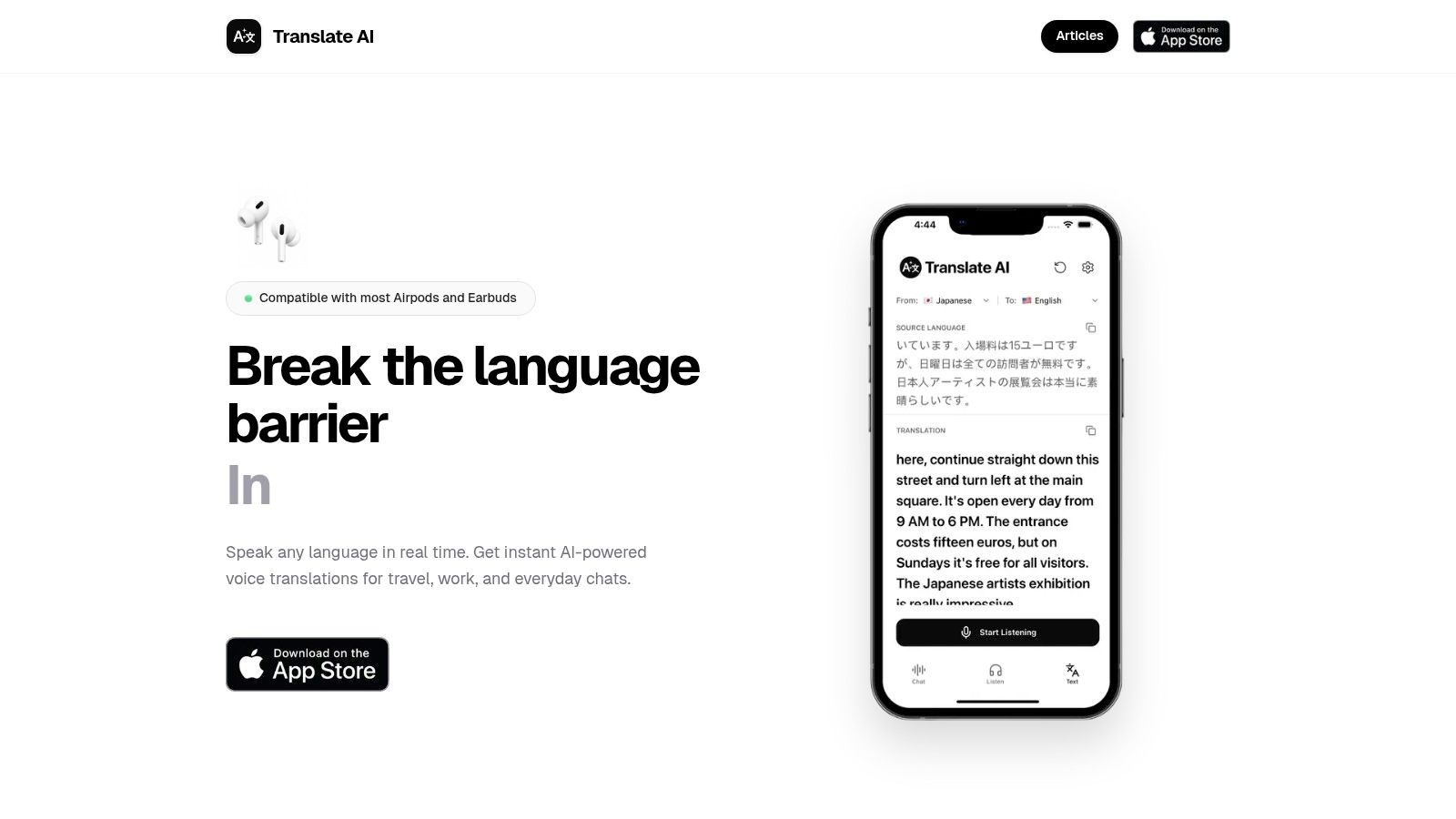
The standout feature is its device-agnostic approach. Unlike competitors that lock you into a proprietary earbud ecosystem, Translate AI works with the AirPods or wireless earphones you already own. This hardware freedom, combined with a simple "tap and speak" interface and a hands-free speaker mode, makes it incredibly practical and accessible.
- For Travelers: Navigate foreign countries with confidence, asking for directions or engaging with locals without awkward pauses.
- For Business: Conduct clear, real-time multilingual meetings, ensuring critical information is understood instantly by all parties.
- For Language Learners: Practice conversational skills by speaking with native speakers, receiving immediate and natural-sounding translations to aid comprehension.
Website: https://www.translate-ai.app App Store: https://apps.apple.com/us/app/translate-ai-live-translator/id6753839312
Comparison of 12 Real-Time Translator Apps
| Product | Core features | Quality ★ | Price/Value 💰 | Target 👥 | Unique ✨ |
|---|---|---|---|---|---|
| Google Translate — Android | Conversation mode, camera OCR, offline packs, headphone beta | ★★★★☆ | 💰 Free | 👥 General users, travelers, students | ✨ Massive language support; deep Android integration |
| Google Translate — iOS | Real‑time convo, image/text translation, offline packs, default‑app support | ★★★★☆ | 💰 Free | 👥 iPhone/iPad users | ✨ iOS default‑app support; cross‑platform parity |
| Apple Translate (iOS) | Real‑time conversations, on‑device processing, Live Translation w/ AirPods | ★★★★☆ | 💰 Free (built‑in) | 👥 Privacy‑focused Apple users | ✨ On‑device privacy; integration across Apple apps |
| Microsoft Translator | Multi‑device/group conversations, meeting transcripts, offline packs | ★★★★☆ | 💰 Free | 👥 Education, enterprise, meetings | ✨ Best‑in‑class group/multi‑device features |
| DeepL Translate (Mobile) | High‑quality text; DeepL Voice for live speech, transcripts, adjustable TTS | ★★★★☆ | 💰 Free tier; paid plans for advanced | 👥 Professionals, translators, EU languages | ✨ Nuanced translations; strong TTS controls |
| iTranslate | Live voice, camera OCR, offline packs, phrasebooks, AR mode | ★★★☆☆ | 💰 Freemium; subscription for premium | 👥 Travelers wanting extras | ✨ Phrasebooks, AR mode, cross‑device tools |
| NAVER Papago | Voice, image and convo translation; offline support; Korea/Asia focus | ★★★★☆ | 💰 Free | 👥 Korea/East‑Asia travelers & learners | ✨ Strong Korean/Japanese/Chinese accuracy |
| Lingvanex | 100+ languages, voice/camera/file translation, offline models | ★★★☆☆ | 💰 Paid/subscription options | 👥 Multi‑platform users, enterprises | ✨ File/site translation + enterprise customization |
| Vocre | Instant voice/text translation; offline via subscription; simple UI | ★★★☆☆ | 💰 Freemium; offline paid | 👥 Casual travelers seeking simplicity | ✨ Lightweight, travel‑centric UX |
| Timekettle (earbuds + app) | Two‑way simultaneous translation, noise reduction, multi‑modes | ★★★★☆ | 💰 Higher upfront (hardware + app) | 👥 Frequent travelers, hands‑free meetings | ✨ Purpose‑built earbuds for natural ear‑to‑ear flow |
| Pocketalk (device + app) | Handheld two‑way translator, camera OCR, eSIM data, enterprise console | ★★★★☆ | 💰 Device + data plan costs | 👥 Enterprise, regulated settings, global travelers | ✨ Multi‑engine translations; enterprise management and eSIM plans |
| 🏆 Translate AI | Real‑time two‑way voice; 80+ languages; works with most earbuds; speaker mode | ★★★★☆ | 💰 Undisclosed (likely subscription) | 👥 Travelers, business users, learners | ✨ Context‑aware natural TTS; no special hardware |
Choosing Your Voice: Final Thoughts on Real-Time Translation
Navigating the landscape of real-time translation technology can feel like learning a new language itself. We've explored a dozen powerful contenders, from the ubiquitous Google Translate to specialized hardware like Timekettle and Pocketalk. The core takeaway is clear: the concept of a single "best real time translator app" is a moving target, defined entirely by your individual needs, your device's ecosystem, and the specific situations you'll face.
The journey to find your perfect translation partner begins with self-assessment. Are you a globetrotting tourist needing quick, on-the-fly translations for menus and directions, or a business professional requiring impeccable accuracy and privacy for sensitive negotiations? The answer radically changes which tool is right for you. A casual traveler might prioritize a free app with robust offline capabilities, while a corporate user should weigh the benefits of dedicated, secure hardware.
Key Factors to Guide Your Decision
Reflecting on the options presented, your final choice should pivot on a few critical factors. Don't just look at the number of languages offered; consider which ones are most relevant to your life and work.
- Ecosystem Integration: How seamlessly does the app work with your existing devices? Apple users, for instance, benefit from the deep integration of Apple Translate or apps like Translate AI that leverage AirPods for a natural, hands-free conversational flow. Android users will find Google Translate's system-wide integration hard to beat.
- Primary Use Case: Your goal dictates the tool. For immersive language learning, apps with features like transliteration and voice speed control, such as NAVER Papago or iTranslate, are invaluable. For critical business meetings where every nuance matters, a specialized device from Pocketalk might provide the necessary reliability and security.
- Conversational vs. Textual Needs: Do you primarily need to translate spoken dialogue in real-time, or are you focused on translating text from signs, documents, and messages? While most apps do both, some excel in one area. The dual-screen conversation modes in Microsoft Translator and Google Translate are designed for face-to-face interaction, whereas DeepL's strength remains its unparalleled accuracy with written text.
- Privacy Considerations: For personal travel, standard app privacy policies may suffice. However, for business or healthcare professionals discussing confidential information, it's crucial to examine how your data is handled. This is where enterprise-grade solutions or apps with clear, user-centric privacy policies gain a significant advantage.
Moving Beyond Words to True Connection
Ultimately, the goal of any real-time translation app isn't just to swap words from one language to another. It's to facilitate understanding, build relationships, and dissolve the barriers that separate us. The technology is a bridge, not the destination. The most effective tool will be the one that feels so intuitive and reliable that it fades into the background, allowing you to focus on the person in front of you.
Whether you're ordering a coffee in a bustling Tokyo café, closing a deal with a partner in Berlin, or simply connecting with a new neighbor from a different country, the right technology empowers you to be present in the moment. The best real time translator app is the one that allows your own voice, personality, and intentions to shine through, unhindered by linguistic divides. Choose the app that aligns with your life, and you'll do more than just translate; you'll truly communicate.
Ready to transform your iPhone and AirPods into a powerful, natural conversation translator? For a seamless experience designed specifically for the Apple ecosystem, explore what Translate AI can do. It's built to make real-time, two-way conversations feel effortless, turning your existing devices into a bridge to the world. Download Translate AI today and start speaking freely.