

The 12 Best Real Time Translation App Options for 2024
Ever felt that moment of panic when you're in a new country, trying to ask for directions, and all you get back is a confused stare? Or the frustration of a business deal stalling because of a simple miscommunication? For travelers, global professionals, and expats, these language barriers aren't just inconvenient; they're genuine obstacles that can turn simple interactions into stressful challenges. You need a tool that doesn't just translate words, but bridges the gap in understanding, instantly.
This guide is your clear, actionable roadmap to finding the best real time translation app for your specific needs. Forget sifting through endless feature lists. Our goal is to give you the practical insights you need to choose confidently. We'll dive into the top 12 contenders, analyzing what really matters in the real world: accuracy, conversational speed, and ease of use when you're on the move.
For each app, you'll get a no-nonsense breakdown of its key features, pros, cons, and who it's truly best for. By the end of this article, you will know exactly which app will empower you to break down language barriers and connect with the world, whether you're closing a deal in Tokyo or ordering a coffee in Rome.
1. Translate AI: Best for Natural, Two-Way Conversations
Translate AI earns its top position by directly solving the biggest problem with most translation apps: awkward, turn-by-turn conversations. Instead of creating a clunky exchange, its core focus is on facilitating natural, two-way dialogue. It uses a sophisticated, context-aware AI to capture the flow and nuance of a real conversation, making it the best real-time translation app for anyone who values genuine interaction over simple word swapping.
The app’s killer feature is its ability to work with the hardware you already own. There's no need to buy expensive, proprietary earpieces; it seamlessly integrates with most Bluetooth earbuds, including AirPods. This "bring your own device" approach makes powerful, real-time translation accessible to everyone. The experience is designed for immediate use: just select your languages, tap the microphone, and start talking. The translated audio is delivered instantly to your partner’s ear, creating an experience that feels like a truly uninterrupted conversation.
Actionable Advice: How to Get the Most Out of Translate AI
- For International Travel: Use the speaker mode for quick, hands-free interactions like asking hotel staff for recommendations or confirming a fare with a taxi driver. It supports over 80 languages, so you're covered almost anywhere.
- For Business Meetings: Pair your AirPods to facilitate smoother negotiations with international clients. The app's ability to handle natural back-and-forth dialogue allows for more dynamic brainstorming and decision-making.
- For Expat Life: Confidently manage daily tasks like doctor's appointments or parent-teacher meetings. It breaks down the small language barriers that make everyday life in a new country challenging.
- For Language Learning: Practice your conversational skills with native speakers. Hearing the natural cadence and vocabulary in real-time provides an invaluable, immersive learning experience.
While its power comes from its online AI processing, requiring a stable internet connection, its strength is its unmatched ability to foster fluid verbal exchanges. This makes it a standout choice for anyone looking to truly connect with people across linguistic divides.
Where to Find Translate AI
- Visit the Website: https://www.translate-ai.app
- Download the App: Available on the App Store for iOS devices.
2. Google Translate (web)
Google Translate's web platform is the universally accessible starting point for instant translation needs. While many seek the best real time translation app for mobile use, this browser-based tool provides a powerful, no-install solution perfect for desktop users or anyone needing a quick translation without downloading software. Its main strength lies in its sheer simplicity and the breadth of its features, which are available for free. Users can translate typed text, upload entire documents, or even input a website URL to see a fully translated version of the page.

The interface is clean and intuitive. You get two boxes: one for your source text and one for the translated output. It supports an enormous number of languages and includes features like voice input for hands-free use. For business professionals, the ability to quickly translate a PDF or Word document is invaluable. For language learners, the saved history and phrasebook (synced with your Google account) create a personalized learning tool that travels with you across devices.
Key Features and User Experience
While its mobile app counterpart is superior for on-the-go conversation, the web version offers a robust feature set for stationary tasks. The "Conversation Mode" simulates a bilingual chat, and the platform’s accuracy is consistently refined by Google's machine learning algorithms.
- Platform: Web browser
- Pricing: Completely free
- Best For: Quick desktop translations, document analysis, and initial language exploration.
Pros:
- Instantly accessible with no installation required.
- Supports document and full website translation.
- Syncs history and phrasebook across devices via Google account.
Cons:
- Requires a stable internet connection for all features.
- Lacks the advanced real-time camera and offline capabilities of the mobile app.
Website: https://translate.google.com
3. Google Translate (Android app on Google Play)
The Google Translate Android app takes the power of its web counterpart and supercharges it with deep mobile integration, making it a top contender for the best real time translation app for Android users. It excels in on-the-go scenarios, offering features tailored for real-world interactions. Its standout capability is "Tap to Translate," which allows users to get instant translations from within any app by simply copying text, eliminating the need to constantly switch between applications. This creates a seamless workflow whether you're chatting with a friend or reading a foreign news article.

For travelers, the offline language packs are indispensable, providing reliable translations without needing a data connection. The app’s Conversation Mode facilitates fluid, bilingual discussions, and its advanced camera translation can instantly decipher text on signs and menus. While it relies on powerful algorithms, you can learn more about how this technology works by understanding what is machine translation. The app is constantly evolving, with beta features like live speech translation to headphones showcasing the future of personal translators, though these are often rolled out gradually by region.
Key Features and User Experience
The user experience is highly intuitive, leveraging native Android functionalities for a smooth and integrated feel. The app combines core text translation with powerful, mobile-first features designed for dynamic environments, from crowded marketplaces to quiet study sessions.
- Platform: Android
- Pricing: Completely free
- Best For: Android users seeking deep OS integration, frequent travelers needing offline access, and everyday cross-app translation tasks.
Pros:
- Deep Android integration with "Tap to Translate" for cross-app use.
- Excellent camera and image translation capabilities.
- Robust offline functionality with downloadable language packs.
Cons:
- New features often have limited availability (beta or region-locked).
- Offline packs do not support all features or languages available online.
Website: https://play.google.com/store/apps/details?id=com.google.android.apps.translate
4. Apple Translate (iPhone/iPad)
For users embedded in the Apple ecosystem, Apple Translate offers a seamless and deeply integrated experience directly on iPhone and iPad. This native app stands out by leveraging on-device processing for enhanced privacy and offline functionality, making it a strong contender for the best real time translation app for iOS users. Its design prioritizes simplicity and integration, allowing for quick translations within Messages, Safari, and even hands-free conversations with supported AirPods. The "Conversation Mode" presents a clean, side-by-side view that makes face-to-face interactions feel natural and fluid.

The key differentiator for Apple Translate is its system-wide integration. Users can translate text in photos, use the camera for live translation of signs and menus, or engage in bilingual conversations where the app automatically detects the language being spoken. This native advantage ensures a smooth user experience without needing to switch between different applications. For travelers concerned about data security and connectivity, the ability to download language packs for on-device, offline translation is a significant benefit.
Key Features and User Experience
Apple's focus on privacy is a major draw, with on-device mode ensuring your conversations remain private. The Live Translation feature, when paired with compatible AirPods, creates a personal, near-instant interpreter, ideal for business professionals and tourists navigating new environments.
- Platform: iOS, iPadOS
- Pricing: Free (built into the operating system)
- Best For: Apple users seeking a private, seamlessly integrated translation experience for travel and daily communication.
Pros:
- Deeply integrated into iOS for use across apps like Messages and Safari.
- Strong privacy features with on-device and offline translation modes.
- Hands-free Live Translation with supported AirPods.
Cons:
- Exclusive to Apple devices, not available on other platforms.
- Language support is less extensive than some competitors.
- Advanced features like Live Translation require specific hardware (newer iPhones/AirPods).
Website: https://apps.apple.com/us/app/translate/id1514844618
5. DeepL Translate (mobile apps)
DeepL has earned a powerful reputation for its highly nuanced and natural-sounding translations, and its mobile app brings that quality into the palm of your hand. Often considered a top contender for the best real time translation app, DeepL excels at understanding context, making its output feel less robotic and more human. The app is a fantastic tool for professionals and language learners who prioritize accuracy and subtleties in communication, offering a clean, focused user experience.
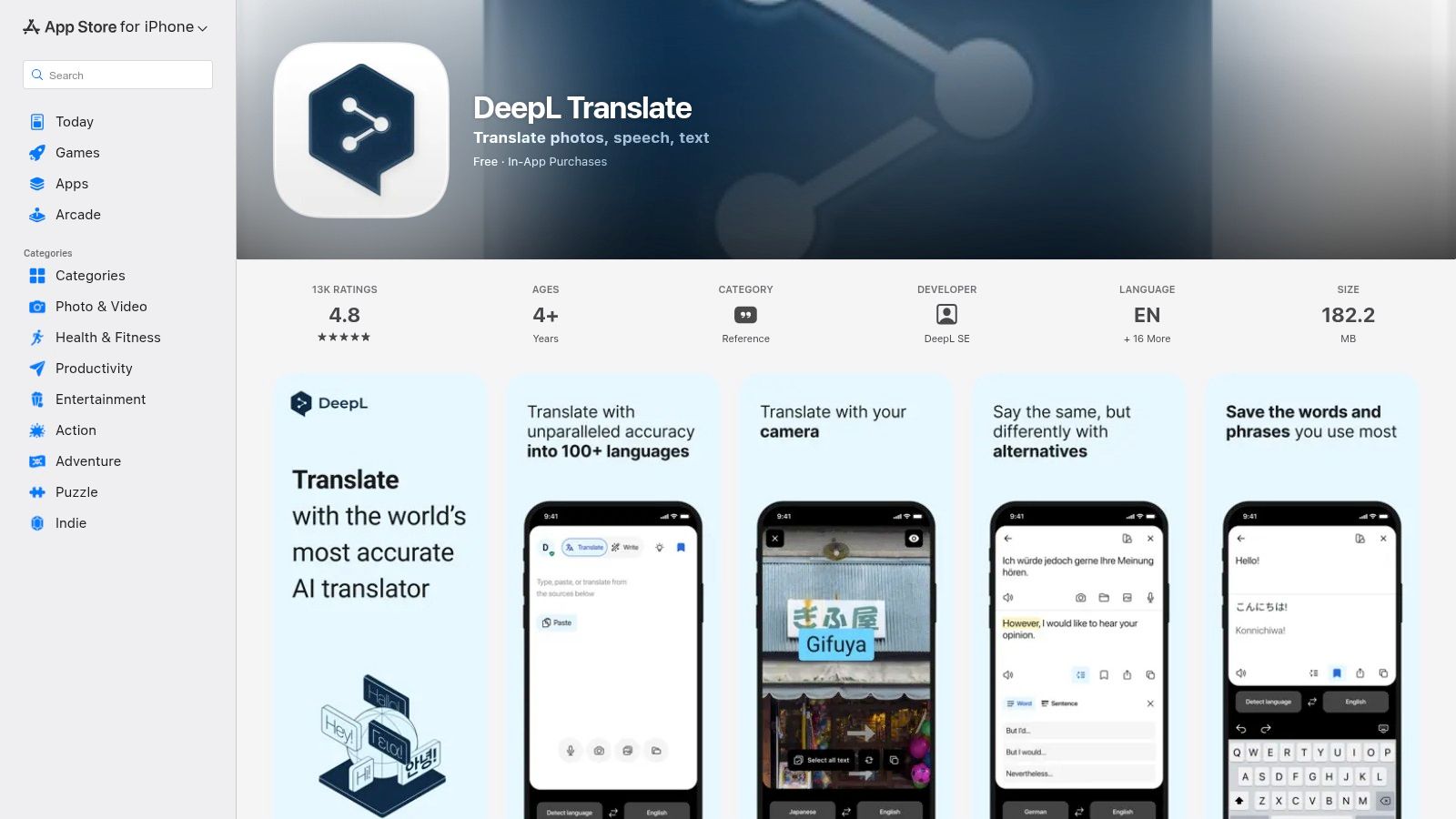
The standout feature is its real-time "Conversations" mode, which facilitates two-way speech translation with impressive automatic speaker detection. This allows for a more fluid and natural back-and-forth dialogue without constantly needing to tap buttons. The app also supports camera and file translation, making it versatile for both spoken and written content. While the free version is robust, the paid DeepL Pro plans unlock advanced capabilities like formal/informal tone control and custom glossaries, which are invaluable for maintaining brand consistency in a business context.
Key Features and User Experience
DeepL’s mobile interface is minimalist and efficient, focusing on delivering high-quality translations quickly. Its strength in contextual accuracy makes it a reliable choice for situations where precision matters, such as business negotiations or understanding complex documents.
- Platform: iOS, Android
- Pricing: Free; Pro plans start at $8.74/month
- Best For: Business professionals, academics, and users who need highly accurate, context-aware translations.
Pros:
- Praised for natural, context-aware translation output that often surpasses competitors.
- "Conversations" mode provides seamless, two-way speech translation.
- Business-friendly features like glossaries and tone control on paid plans.
Cons:
- Some of the most powerful features are locked behind a DeepL Pro subscription.
- Its language library is growing but remains smaller than industry giants like Google.
Website: https://apps.apple.com/us/app/deepl-translate/id1552407475
6. iTranslate (official site)
iTranslate has established itself as a long-running and mature consumer translator, offering a comprehensive suite of features well beyond simple text input. For those seeking a real time translation app that integrates deeply into their device's ecosystem, iTranslate presents a compelling option. It's designed for seamless communication, whether through real-time voice conversations, camera-based text recognition, or even translating directly within your favorite messaging apps using its custom keyboard. The platform focuses on providing a feature-rich, polished experience for travelers and daily users.
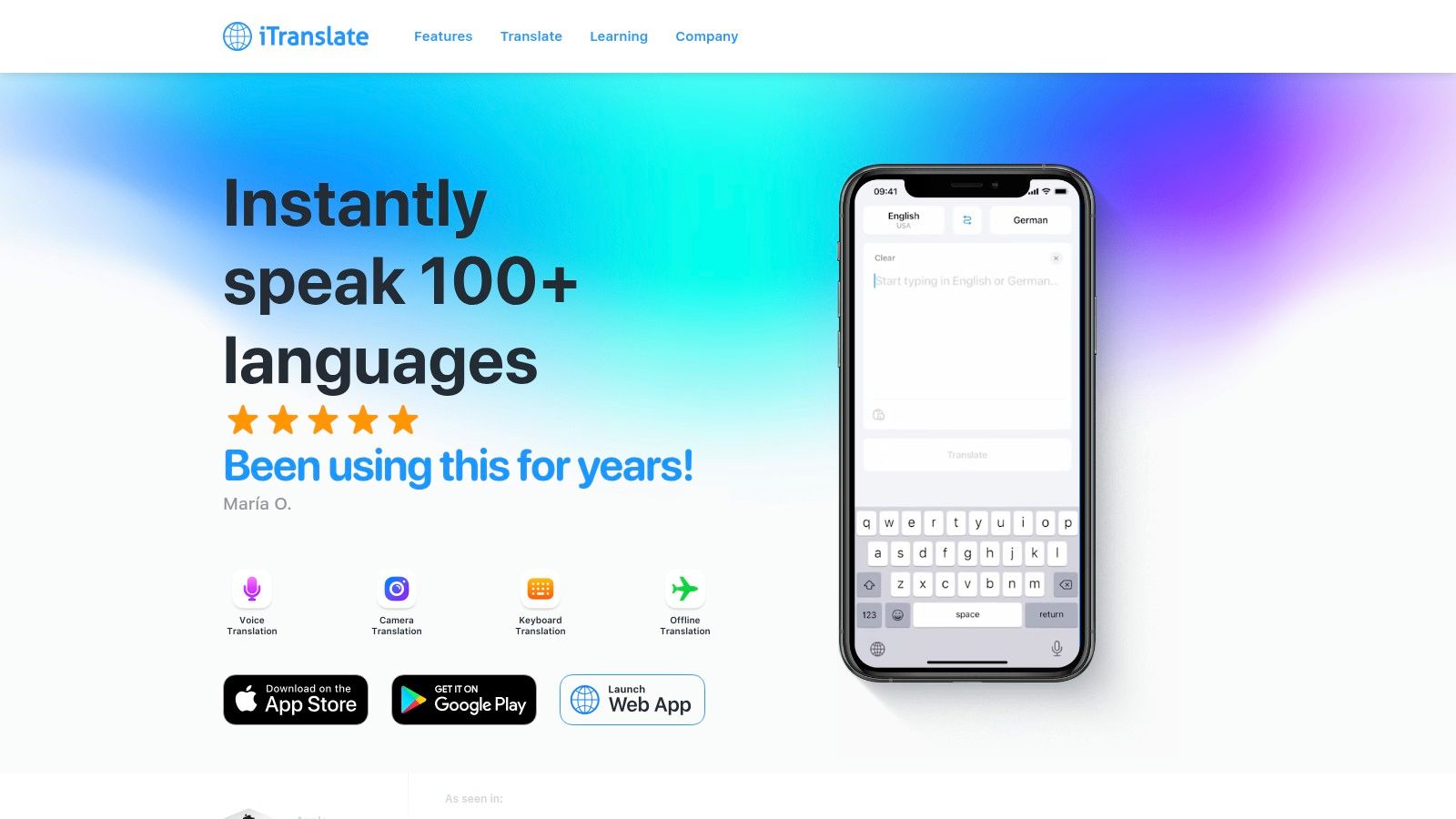
The user experience feels refined, catering to a wide audience from international tourists needing offline maps to business professionals requiring quick phrase lookups. What makes iTranslate stand out is its system-wide integration, particularly the keyboard extension. This allows users to type in one language and have it instantly appear translated in another app, removing the need to constantly switch between a translator and a chat window. This practical application makes it a powerful tool for everyday cross-lingual communication.
Key Features and User Experience
While the free version provides basic functionality, the premium subscription unlocks its most powerful tools, including offline packs and unlimited voice conversations. The app's design is clean, with intuitive access to its various modes like camera, voice, and phrasebook, making it a reliable digital companion for navigating foreign environments.
- Platform: iOS, Android, macOS, Web
- Pricing: Free (limited); Pro subscription from ~$6.99/month
- Best For: Everyday users, travelers needing offline access, and seamless translation in messaging apps.
Pros:
- Mature consumer app with a large, established user base.
- Convenient keyboard extension for translating directly in other apps.
- Offers offline packs and extensive phrasebooks for travel.
Cons:
- The most useful features are locked behind a subscription paywall.
- Translation accuracy can vary for less common language pairs compared to top-tier engines.
Website: https://www.itranslate.com
7. Microsoft Translator
Microsoft Translator stands out as a powerful competitor in the real-time translation space, particularly for its innovative approach to group conversations. While offering standard text, voice, and image translation, its multi-device conversation feature is a game-changer for business meetings, conferences, or group travel. This function allows multiple users to connect their devices using a simple code or QR scan, with each participant seeing the conversation translated into their own language in real time. This makes it an exceptional tool for fostering inclusive, multilingual discussions.
The app is deeply integrated within the Microsoft ecosystem, appearing in products like Edge and the SwiftKey keyboard, which adds a layer of convenience for users already invested in Microsoft's software. The continuous language identification in speech mode is another highlight, automatically detecting the language being spoken in a two-person conversation without manual switching. This fluid user experience makes it a strong candidate for the best real time translation app for collaborative environments.
Key Features and User Experience
Microsoft’s commitment to facilitating group communication is its core differentiator. The platform leverages advanced neural machine translation to provide accurate and contextually aware results, both for individual use and in its unique multi-person conversation mode.
- Platform: iOS, Android, Web, and Windows
- Pricing: Free for consumer use; paid APIs for business solutions.
- Best For: Business meetings, international conferences, and group travel scenarios.
Pros:
- Excellent multi-device group conversation feature for live events.
- Free consumer app with a robust, enterprise-friendly ecosystem.
- Seamless integration with other Microsoft products enhances usability.
Cons:
- App availability and features can vary significantly between platforms and updates.
- Some users may find the interface less intuitive than single-purpose translation apps.
Website: https://www.microsoft.com/en-us/translator/help/
8. Naver Papago
Naver Papago is a powerhouse translation tool, particularly renowned for its exceptional accuracy with East Asian languages. Developed by South Korea's leading search engine company, Naver Corporation, this app is often considered the best real time translation app for anyone traveling to or communicating with individuals in Korea, Japan, or China. Its neural machine translation engine is highly optimized for the nuances and contexts of these languages, frequently outperforming more globally-focused competitors. Papago offers a comprehensive suite of features, including text, voice, conversation, and image translation.
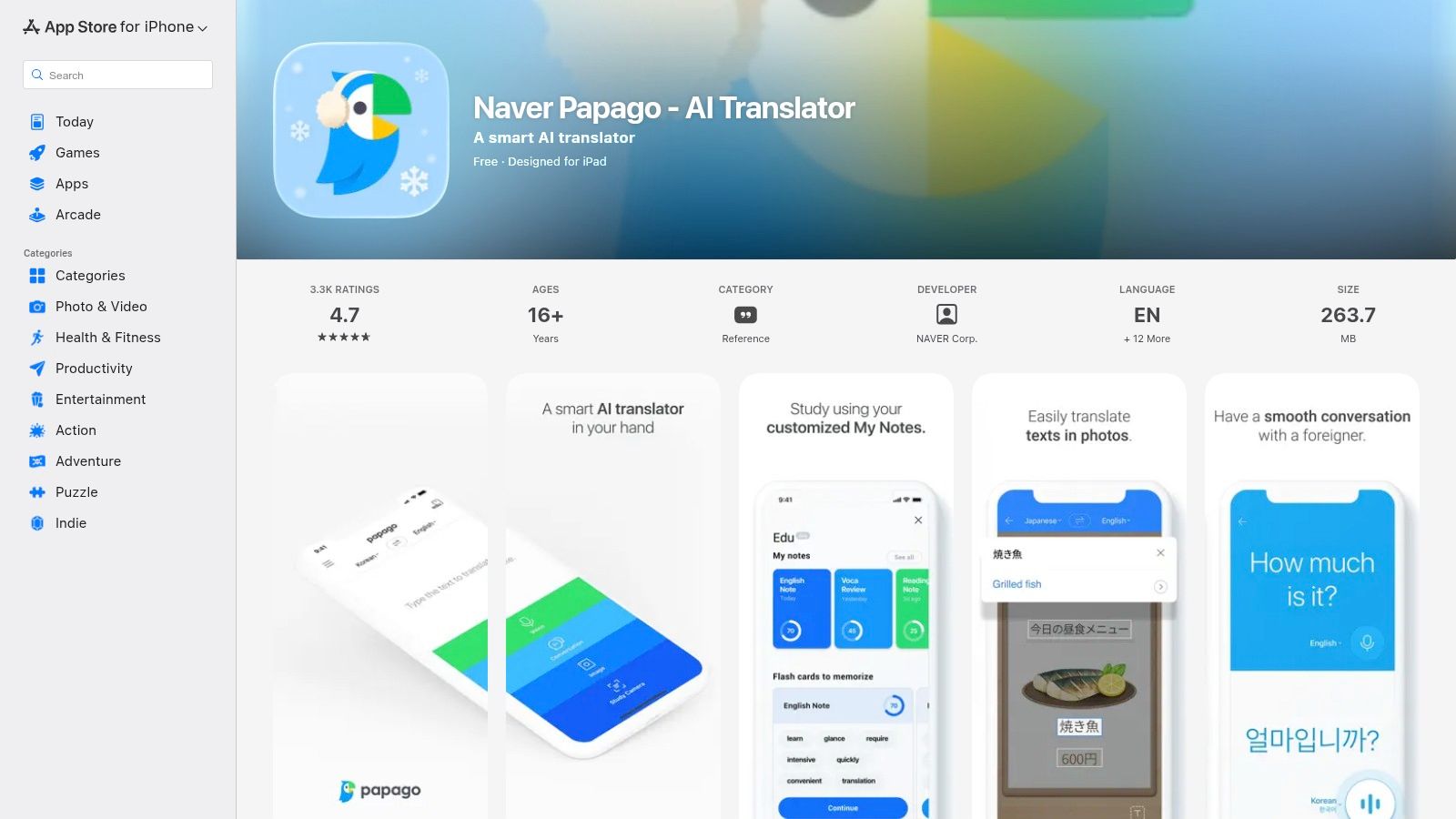
The app's design is clean, intuitive, and built for practical, real-world scenarios. The conversation mode presents a split-screen view, making face-to-face dialogue simple and effective. Image translation is equally robust, allowing users to get instant translations of menus, signs, and documents just by pointing their camera. For travelers, the offline mode (available for select languages) is a crucial feature, ensuring you have translation capabilities even without a reliable internet connection.
Key Features and User Experience
Papago's strength is its specialization. While it supports fewer languages overall than giants like Google, its depth and accuracy within its core language pairs are second to none. The user experience is smooth, with quick processing times and a focus on essential, easy-to-access tools that are genuinely useful on the go.
- Platform: iOS, Android, Web browser
- Pricing: Free
- Best For: Travelers in East Asia, learners of Korean/Japanese/Chinese, and business professionals communicating with partners in the region.
Pros:
- Superior accuracy for Korean, Japanese, and Chinese translations.
- Excellent one-on-one conversation and camera translation modes.
- Simple, stable, and user-friendly interface on all platforms.
Cons:
- Supports a significantly smaller number of languages compared to major providers.
- Some advanced features and optimizations are tailored for the Korean market.
Website: https://papago.naver.com/
9. VoiceTra by NICT
Developed by Japan's National Institute of Information and Communications Technology (NICT), VoiceTra is a specialized speech translation app meticulously designed for travel. Unlike general-purpose translators, this tool excels in handling conversational dialogue and travel-specific scenarios, making it an excellent choice for tourists. Its development is backed by a government research institution, ensuring a focus on accuracy and practical application rather than commercial features. The app is engineered to facilitate smooth, face-to-face communication, helping users navigate everything from ordering food to asking for directions.
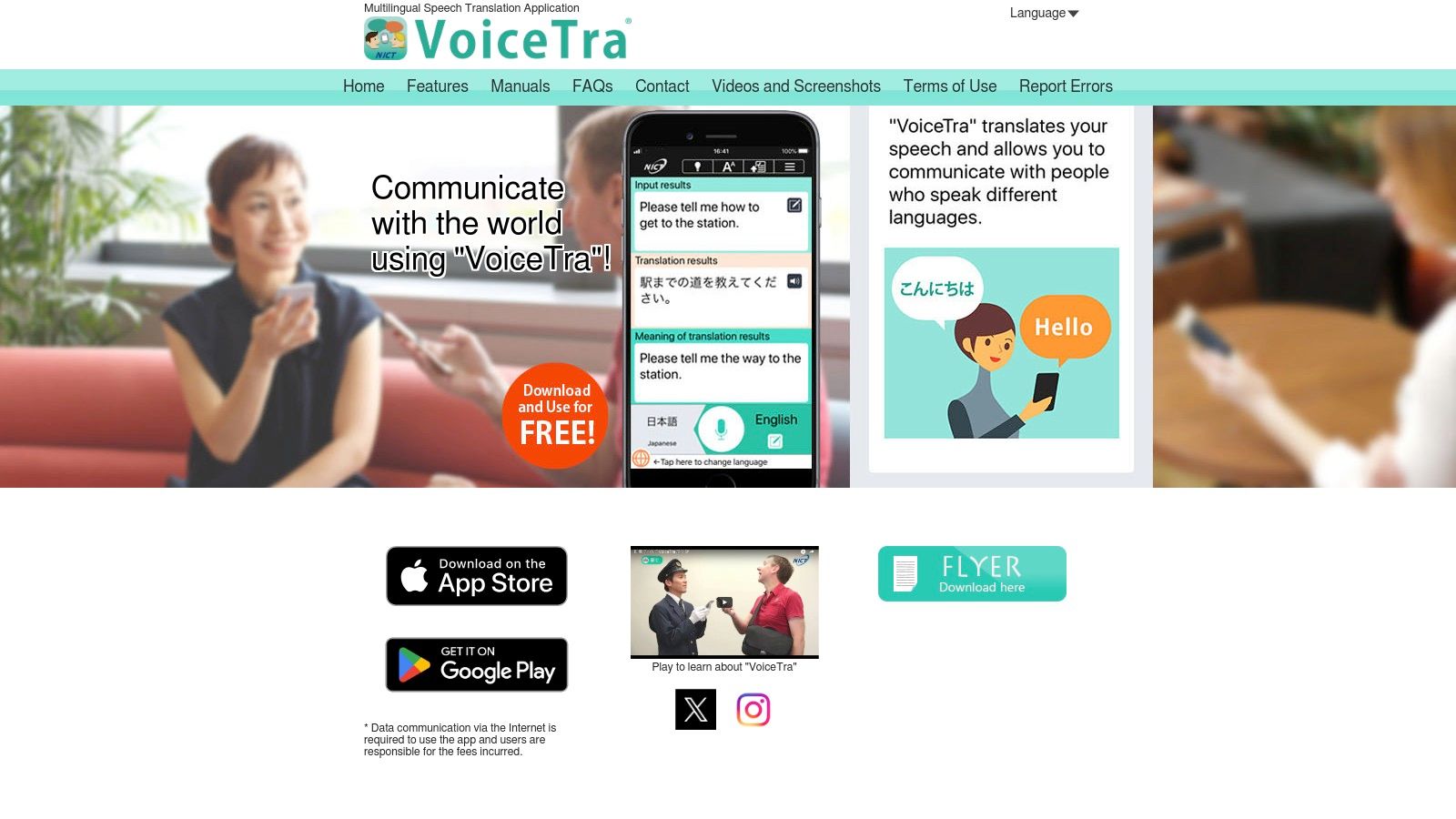
The interface is straightforward, displaying the conversation in a text-message-like format that allows for easy verification and correction of translated phrases. This focus on accuracy in spoken phrases is what makes VoiceTra a contender for the best real time translation app for travelers. The platform supports over 30 languages, and its dictionaries are regularly updated on the server side to improve performance and incorporate new terms, ensuring translations remain relevant and precise for common travel interactions.
Key Features and User Experience
VoiceTra is built with a singular purpose: to break down language barriers during travel. Its performance is optimized for this specific domain, often yielding more natural-sounding translations for conversational phrases than broader, more generalized applications.
- Platform: iOS, Android
- Pricing: Completely free
- Best For: Tourists and international travelers needing accurate spoken dialogue translation.
Pros:
- Highly optimized for travel-related conversations and scenarios.
- Completely free to use without ads, backed by a research institution.
- Interface allows users to easily check and correct translations.
Cons:
- Requires an internet connection for its primary speech translation features.
- Supports fewer languages compared to commercial giants like Google or Microsoft.
Website: https://voicetra.nict.go.jp/en/
10. Google Assistant Interpreter Mode
Google Assistant's Interpreter Mode transforms your existing smart devices into a powerful two-way translation tool, making it a strong contender for the best real time translation app without requiring a separate download. Integrated directly into supported Android phones, iOS devices (via the Assistant app), and Google Nest smart displays, it provides seamless, hands-free spoken interpretation. By simply saying a command like, "Hey Google, be my German interpreter," you can initiate a live, back-and-forth conversation, making it ideal for quick interactions in hospitality settings, airports, or at home.
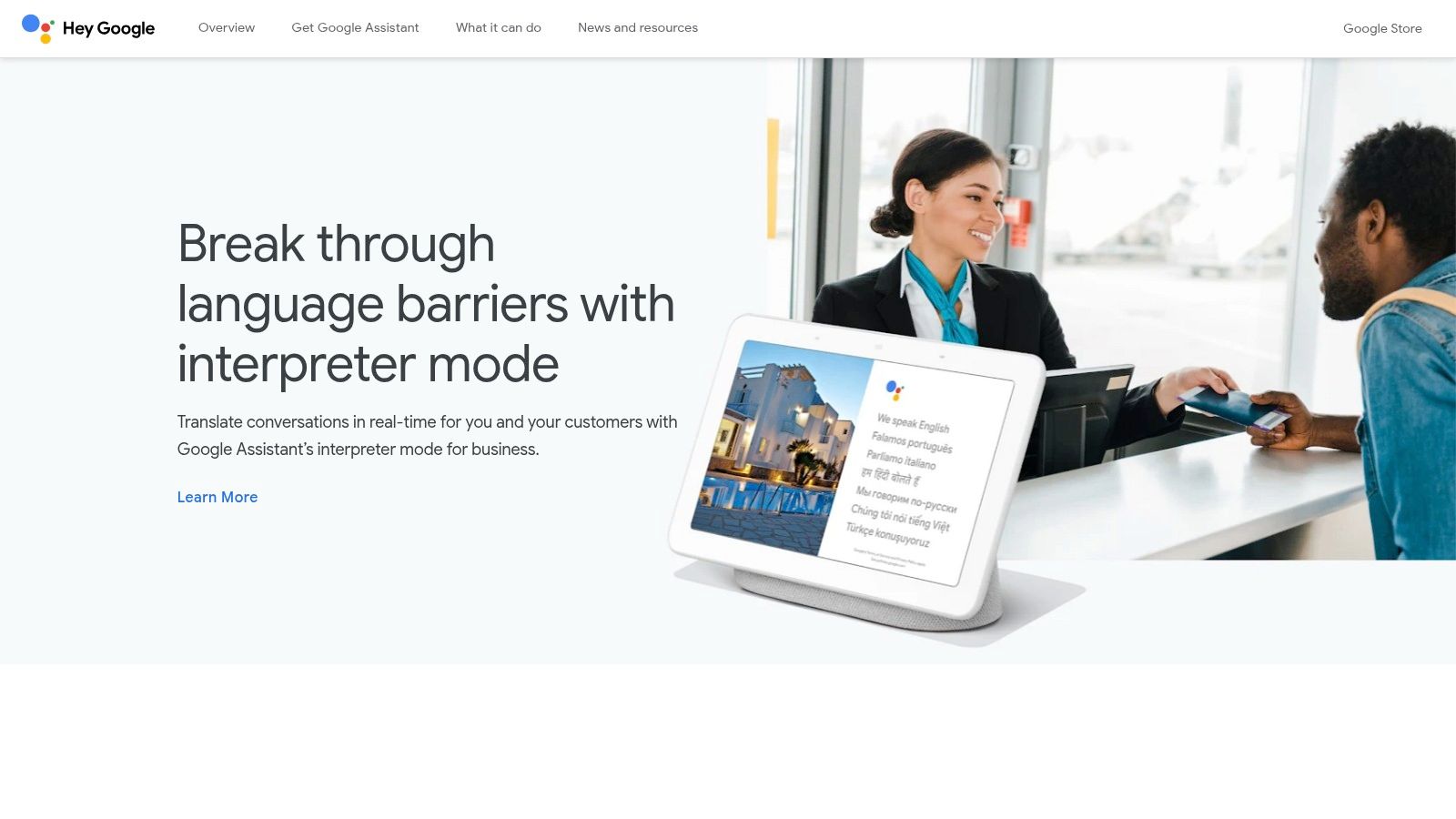
The user experience is designed for simplicity and speed. On smart displays, the conversation is transcribed on-screen, providing visual confirmation for both speakers. It also features smart replies, suggesting potential quick responses to speed up the interaction. This functionality is particularly useful for enterprise and hospitality deployments, where a dedicated device on a concierge desk can serve international guests without extra staff training. It leverages Google’s robust translation engine for a surprisingly fluid and natural conversational flow.
Key Features and User Experience
While not as feature-rich as dedicated apps, its strength lies in its native integration and convenience. The hands-free capability on smart displays is a standout feature, allowing for more natural communication where participants can focus on each other rather than a phone screen.
- Platform: Android, iOS (via Assistant app), Google Nest devices
- Pricing: Free (requires compatible hardware)
- Best For: Hands-free home use, hospitality desks, and users who prefer not to install a dedicated app.
Pros:
- No extra app installation needed on many Android devices.
- Excellent hands-free experience on smart displays.
- Integrated directly into a familiar voice assistant ecosystem.
Cons:
- Requires an internet connection to function.
- Fewer features and language options compared to dedicated apps.
- Device and language availability can vary.
Website: https://assistant.google.com/interpreter-mode/
11. Timekettle (app for translator earbuds)
Timekettle takes a unique hardware-first approach to real-time translation, pairing its specialized translator earbuds with a dedicated companion app. This system is engineered not just to translate words but to facilitate natural, hands-free conversations. While most apps require you to hold and speak into your phone, the Timekettle ecosystem allows for seamless earbud-to-earbud dialogue, making it a standout solution for in-person interactions where fumbling with a device would be awkward or disruptive. The app serves as the control center, managing translation modes and language packs for the paired hardware.
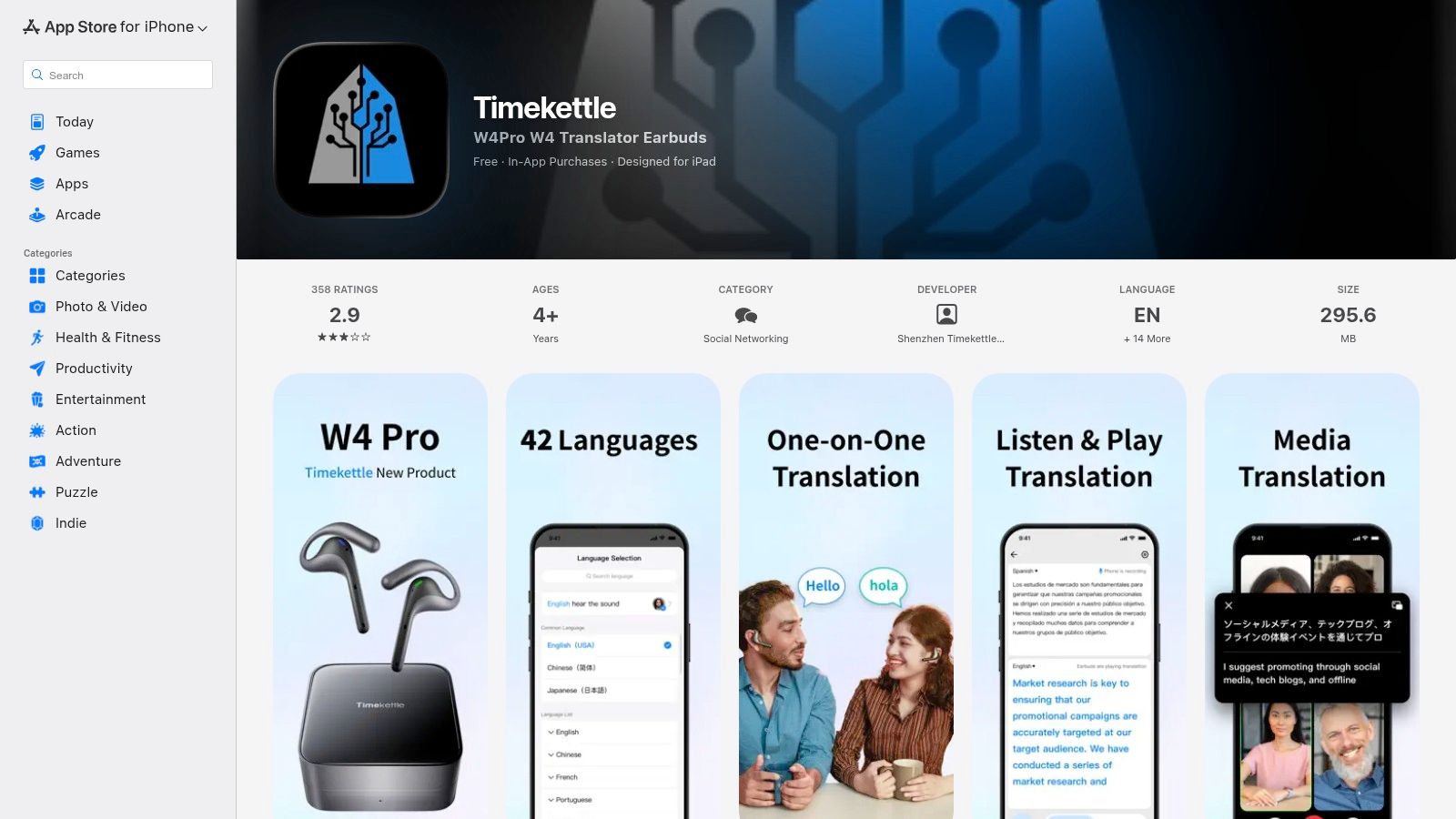
The primary strength of the Timekettle app is how it unlocks the full potential of its hardware, like the WT2 Edge or M3 earbuds. It offers various modes, including a "Simul Mode" that allows two people wearing earbuds to speak and hear translations simultaneously, closely mimicking a natural conversation flow. This makes it an exceptional tool for business meetings, networking events, or any extended dialogue. The experience is fundamentally different from a standard app, creating a more personal and less intrusive communication bridge. If you're looking for more ways to handle bilingual discussions, you can learn more about how to translate a conversation in real time with modern tools.
Key Features and User Experience
The app's interface is clean and focused on managing the earbud connection and translation settings. It acts as the brain behind the Brawn of the hardware, processing the audio and delivering translations with minimal latency.
- Platform: iOS, Android (requires Timekettle hardware)
- Pricing: App is free; requires purchase of Timekettle earbuds (e.g., WT2 Edge, M3), some language packs may be extra.
- Best For: Business professionals, frequent travelers, and anyone needing seamless, hands-free in-person conversations.
Pros:
- Provides an unparalleled, natural-feeling conversation experience.
- Hardware and software are purpose-built to work together seamlessly.
- Excellent for long or frequent in-person dialogues.
Cons:
- Requires a significant upfront investment in proprietary hardware.
- Not a standalone app; it's useless without the earbuds.
Website: https://apps.apple.com/us/app/timekettle/id1485347374
12. Ray‑Ban | Meta Smart Glasses (live translation)
For those seeking the ultimate hands-free experience, the live translation feature in Ray-Ban | Meta smart glasses offers a glimpse into the future. Instead of pulling out a phone, this functionality integrates translation directly into your eyewear, providing a heads-up display and audio for short, simple exchanges. Activated by a voice command like "Hey Meta, start live translation," the system translates conversations in real time, making it a uniquely futuristic option for travelers or tech enthusiasts wanting seamless interactions without physical barriers.
The system is designed for quick, on-the-go conversations, such as ordering coffee or asking for directions. On-device audio provides immediate translations for English, Spanish, French, and Italian, with transcripts appearing in the companion Meta AI mobile app. The ability to download language packs for offline use is a significant advantage, ensuring functionality even without a data connection. This hardware-based approach differentiates it from every other software-only solution on this list, positioning it as a specialized tool rather than an all-purpose app. For a deeper dive, learn more about the best language translation devices.
Key Features and User Experience
While not a conventional app, this feature turns your smart glasses into a powerful real time translation app. The user experience is focused on immediacy and maintaining eye contact, something traditional apps can disrupt. However, its effectiveness is currently limited by the small number of supported languages and its reliance on specific, costly hardware.
- Platform: Ray-Ban | Meta smart glasses
- Pricing: Requires purchase of supported hardware (starts at $299)
- Best For: Tech-forward travelers needing hands-free translation for brief, simple interactions.
Pros:
- Truly hands-free, heads-up translation maintains natural conversation flow.
- Offline capability is available after downloading language packs.
- Voice-activated commands make it incredibly easy to start and stop translations.
Cons:
- Requires purchasing specific, expensive smart glasses.
- Currently supports a very limited number of language pairs.
- Best suited for short, simple exchanges, not complex business discussions.
Website: https://www.ray-ban.com/usa/c/frequently-asked-questions-meta-ray-ban-display
12 Real-Time Translation Apps: Feature Comparison
| Product | Core features | Quality (★) | Price / Value (💰) | Audience (👥) | Unique selling points (✨) |
|---|---|---|---|---|---|
| 🏆 Translate AI | Live two-way voice, 80+ languages, context-aware, speaker mode | ★★★★☆ | 💰 Not published / likely freemium | 👥 Travelers, business, expats, learners | ✨ True two-way real-time; works with most earbuds; natural-sounding AI |
| Google Translate (web) | Text/image/doc/site translation; conversation mode | ★★★★☆ | 💰 Free | 👥 General users, web-first workflows | ✨ Massive language coverage; syncable phrasebook |
| Google Translate (Android app) | Conversation mode, Tap to Translate, offline packs, headphone beta | ★★★★☆ | 💰 Free | 👥 Android users, on-the-go translators | ✨ Deep Android integration; Tap to Translate |
| Apple Translate (iPhone/iPad) | Two-way voice, camera, on-device/offline, Live with AirPods | ★★★★☆ | 💰 Free | 👥 iOS users, privacy-conscious | ✨ On-device privacy; Live Translation with supported AirPods |
| DeepL Translate (mobile) | Conversations mode, speech I/O, file/camera, glossaries (paid) | ★★★★★ | 💰 Freemium (Pro for advanced features) | 👥 Professionals, translators, businesses | ✨ High-quality, context-aware output; tone/glossary control |
| iTranslate | Voice-to-voice, camera/AR, offline packs, keyboard extension | ★★★★☆ | 💰 Subscription tiers | 👥 Consumers, frequent travelers | ✨ Keyboard translator + AR modes |
| Microsoft Translator | Multi-device group chat, auto language ID, text/image/voice | ★★★★☆ | 💰 Free app; paid enterprise APIs | 👥 Teams, meetings, enterprise | ✨ Group multi-device sessions; MS ecosystem integrations |
| Naver Papago | Conversation, camera, offline for select languages | ★★★★☆ | 💰 Free | 👥 East-Asia travelers, Korean/Japanese users | ✨ Optimized for Korean/Japanese/Chinese pairs |
| VoiceTra (NICT) | Real-time speech for travel, phrase optimization, updates | ★★★★☆ | 💰 Free | 👥 Travelers in Japan, public-sector use | ✨ Government-backed; travel-tuned phrase accuracy |
| Google Assistant Interpreter Mode | Two-way live interpretation, smart replies, display support | ★★★★☆ | 💰 Free on supported devices | 👥 Android users, hospitality/desks | ✨ Hands-free on smart displays; no extra app needed |
| Timekettle (earbud app) | Earbud-to-earbud real-time translation, multiple convo modes | ★★★★☆ | 💰 Requires Timekettle hardware (+ app) | 👥 Frequent in-person conversational users | ✨ Purpose-built hardware+app for seamless earbud dialogue |
| Ray‑Ban | Meta Smart Glasses | On-device live audio translation, offline packs, voice trigger | ★★★☆ | 💰 High (hardware purchase) | 👥 Niche heads‑up users |
Speak Their Language: Choosing the Right Translator for You
Navigating the world of real-time translation can feel overwhelming. We've covered a dozen powerful tools, from the all-around convenience of Google Translate to the specialized hardware of Timekettle. But finding the best real time translation app isn't about picking one "perfect" tool—it's about matching the right features to your specific situations.
The goal is to move beyond a simple language count and think about how and where you need to communicate. A high-stakes business negotiation requires a different level of nuance than a casual chat with a market vendor on vacation.
Your Actionable Checklist for Choosing an App
To make your decision easier, use this checklist based on the most critical factors:
- Define Your Goal: Are you a tourist needing quick directions (try VoiceTra), a professional in a meeting (Microsoft Translator), or a language learner (DeepL)? Start with your main purpose.
- Consider Your Gear: Do you want an app that works with the phone and earbuds you already own (like Translate AI), or are you willing to invest in specialized hardware for a hands-free experience?
- Prioritize Conversation Flow: Do you need to translate a sign, or have a sustained dialogue? For natural, two-way conversations that build real connections, an app like our top pick, Translate AI, is specifically engineered for that flow.
- Check for Offline Access: If you're traveling, a reliable offline mode is a must-have. Don't assume you'll have Wi-Fi. Before you go, check which apps offer downloadable language packs for your destination.
Your Next Steps
- Pick Your Top 2-3 Contenders: Based on our breakdown, choose the apps that best fit your needs. For iPhone users seeking a natural conversation experience, put Translate AI on your list. For a reliable backup with broad language support, Google Translate is always a solid choice.
- Test Drive Them: Before you're in a situation where you need the app, test it out. Translate a few phrases with a friend or use it to watch a foreign-language video. See how you feel about its speed, accuracy, and user interface.
- Prepare Before You Go: Once you've chosen your app, download the offline language packs you'll need. Get comfortable with its conversation mode so you can use it confidently when it matters.
The power to communicate is the power to connect. These tools are more than just software; they are bridges to new cultures, new friendships, and new opportunities. By making an informed choice, you are equipping yourself with the confidence to step into any conversation, anywhere in the world.
Ready to experience the future of natural, real-time conversation? Translate AI was designed to turn your existing iPhone and earbuds into a powerful universal translator, making it a top contender for the best real time translation app. Download it today and start breaking down language barriers with the technology you already own. Find out more at the official Translate AI website.