

How to Make Japanese to English Subtitles
You pause a Japanese interview because you're still reading the English subtitle when the next person starts speaking. Or you replay a meeting clip and realize that the English sounds polished, but you still don't know whether the speaker promised to act or politely declined.
Making Japanese to English subtitles means solving both problems: recovering the meaning Japanese leaves unstated, then fitting that meaning into text viewers can read. Start with a short clip, a subtitle editor such as Subtitle Edit or Aegisub, and a reading-speed target. A readable, trustworthy file matters more than a word-for-word translation.
Reading Speed Limits Before You Translate
Choose a working target of about 12 characters per second, counting spaces and punctuation. That's a common English subtitle timing reference described in the Japan Foundation's interview with subtitler Don Brown, which also describes Japanese subtitle practice at about 4 characters per second, allowing about 12 Japanese characters in a three-second cue.
Reading-speed targets for Japanese to English subtitles
| Setting | Rate | What fits | Use it when |
|---|---|---|---|
| Japanese broadcast-style cap | About 4 characters per second | About 12 Japanese characters in a three-second cue | Judging how dense the source line is |
| Typical English timing | About 12 CPS with spaces and punctuation | About 36 characters in a three-second cue | Simple, predictable dialogue |
| Eye-tracking comfort case | About 10.5 CPS | 64 characters over at least six seconds | Names, terms, or busy visuals |
| Travel and meeting band | 10–15 CPS | A shorter line if the picture matters | Interviews, travel video, presentations |
| Adult streaming ceiling | Up to about 20 CPS | Only easy wording | Fast but simple lines, never technical talk |
The comfort example, travel band, and adult streaming reference are discussed in this review of subtitle reading-speed guidance, including 64 characters over at least six seconds, approximately 10.5 CPS, guidance around 10–15 CPS, and adult limits reaching about 20 CPS. These are reference points, not permission to fill every available character.
Set a budget before drafting
Write your chosen CPS target at the top of the project notes. In your editor, enable reading-speed warnings so a long translation gets flagged before you spend time polishing it.
Calculate CPS as displayed characters divided by seconds on screen. For a hypothetical cue lasting three seconds, a working target of twelve CPS gives you about thirty-six characters, including spaces and punctuation. That budget is small enough that an ordinary English sentence may need substantial editing.
Say a speaker repeats a request, hesitates, then finally names the document. Your English subtitle should preserve the document, requested action, and degree of urgency. It doesn't need to reproduce every restart.
Leave room for the picture
A traveler watching an exit sign can't devote the same attention to captions as someone watching a static interview. Unfamiliar surnames, medical terms, and presentation slides also demand extra processing.
- Shorten difficult material: Give an unfamiliar term breathing room rather than surrounding it with explanatory prose.
- Protect important qualifications: Keep words such as might, unless, and not yet when they change the decision.
- Remove redundant wording: Cut repeated setup before deleting the action or responsible person.
Practical rule: A fluent sentence that exceeds the reading budget is still a failed subtitle.
Don't solve overload by automatically extending the cue over the next speaker. Edit the wording first, then check whether the timing can accommodate it without misrepresenting the exchange.
Restore Meaning Japanese Leaves Unsaid
A grammatically complete English sentence can still assign the action to the wrong person. Before making the dialogue sound elegant, establish who acts, what they act on, and how firmly they're speaking.
A comparative study of Japanese and English subtitles identifies Japanese as more topic-prominent, tolerant of incomplete utterances, and rich in backchannel responses, while English generally favors explicit subjects and fuller clauses. It also finds that Japanese subtitles tend to omit information recoverable from the image, whereas English subtitles more often verbalize spoken content.

Recover the person before choosing the pronoun
Say you're watching an exchange at a station counter. During a quiet moment, a staff member looks at a colleague's lunch bag and asks a question whose literal English outline is already ate?
Have you eaten yet? may be the fair English rendering. Adding you isn't inventing dialogue if the gaze, situation, and response establish the addressee.
Change the scene, however, and the same incomplete outline could concern somebody else's meal. Don't supply a pronoun merely because English needs one. Look for the referent first.
A meeting fragment requires the same discipline. Suppose the discussion concerns whether a team can deliver a revised proposal, and the speaker trails off after expressing difficulty. Translating it as I won't do it can introduce both the wrong subject and an unjustifiably firm refusal.
A more faithful line might be We may not be able to deliver it, if the team and uncertainty are established. The English must reflect the actual context, not the translator's preferred interpretation.
Separate hesitation from a decision
Consider these alternative readings of an incomplete response about proceeding:
| Possible English reading | Context that could support it |
|---|---|
| We could proceed. | A questioning look toward the manager and a pause awaiting approval |
| We'll proceed. | A decisive nod followed by instructions assigning the work |
These are illustrative alternatives, not interchangeable translations. A title, a glance, or the following response may resolve what the isolated utterance cannot.
Small replies such as sou or un don't automatically deserve separate captions. Decide whether they express agreement, recognition, hesitation, or continued attention. Preserve a meaningful acceptance, but don't turn every listening sound into a decision.
- Mark unresolved responsibility: Note when the implied subject could be the speaker or the team.
- Mark unresolved stance: Flag a possible refusal rather than polishing it into certainty.
- Check neighboring dialogue: Review the question and response together, not just the isolated line.
A clearer subtitle sometimes states the ambiguity instead of pretending Japanese maps neatly onto a single English sentence.
Keep editorial uncertainty in review notes, not as distracting commentary on the finished picture. In a live meeting, ask for confirmation instead of relying on a plausible subtitle.
If a recording will also receive dubbed audio, settle these meaning decisions before performance matching. Synchronicity Labs Inc.’s resource on frame-accurate lip sync for dubbed performances is relevant to that separate production stage, not a substitute for establishing intent.
Localize Honorifics Names and Signs
Politeness is meaning, not decoration. At a clinic desk, a respectful request and a blunt command can lead the viewer to different conclusions about the same employee.
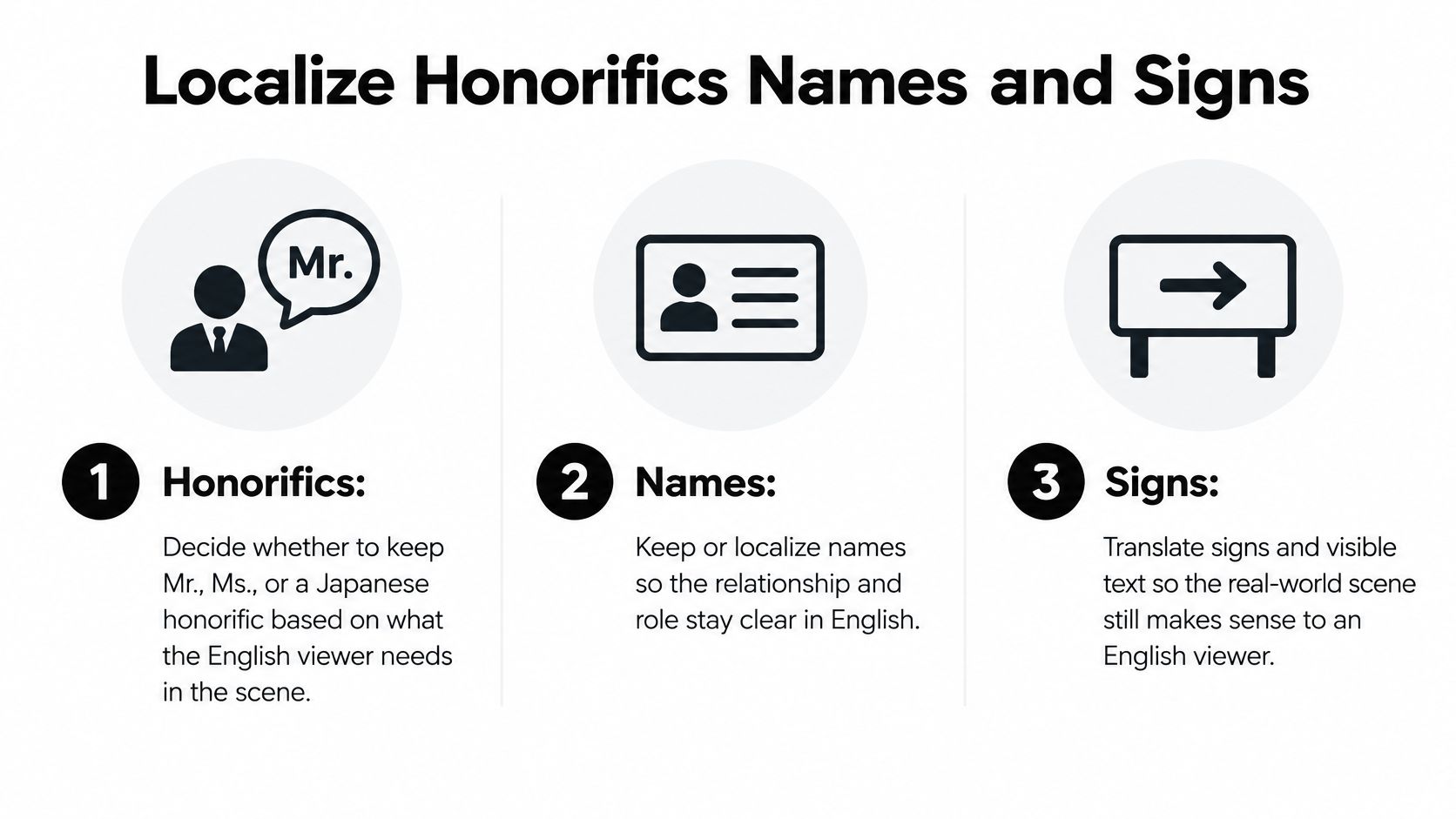
A study of honorific translation in Attention Please describes the difficulty of carrying Japanese honorific meaning into English DVD subtitles. Japanese honorific language, including keigo, conveys hierarchy, distance, and role relationships that English doesn't encode through equivalent grammatical forms.
Translate the relationship through the request
Start by identifying the relationship: customer and employee, manager and team member, strangers, friends, or senior and junior. Then choose English wording that allows the viewer to recognize it.
At a clinic desk, an illustrative rendering such as Could you please wait here? may preserve the staff member's courtesy better than Wait here. You don't need an on-screen explanation of keigo. You need an English request that carries the relevant stance.
In a team meeting, a junior employee's request for a manager's review might become Could you review this before we send it? A bare Review this may sound like an instruction from someone with authority.
Keeping -san can retain cultural flavor, but it doesn't automatically explain deference to an English-speaking viewer. If the respectful relationship matters, express it through the sentence rather than expecting a suffix to do all the work.
Make names and unfamiliar terms usable
Introduce a person with a role plus name when the scene needs it and the reading budget allows, such as section chief Mori. Use the shorter form afterward unless the relationship changes or another person could be confused with them.
Keep a terminology sheet for names, titles, and recurring locations. The distinction between translation and transliteration helps here: representing a name's sound is different from explaining a role or translating a meaningful label.
- Gloss consequential terms: Render meishi as business card when the exchange matters, rather than leaving the viewer to infer it.
- Use context for social events: A term such as nomikai may need a short rendering such as work drinks, not an unexplained borrowed word.
- Avoid transcript-shaped English: Replace an outline like this report, already sent with a natural clause whose subject the scene supports.
- Keep meaningful acknowledgments: Don't translate every repeated hai, but retain the response that accepts an assignment or confirms understanding.
Translate visible text selectively
Subtitle a sign when the traveler or story needs its information and nobody reads it aloud. If a speaker already explains the sign, don't make viewers read the same message twice.
Slides need similar judgment. Prioritize the label or instruction necessary to follow the discussion, rather than squeezing the whole slide into a dialogue cue.
Keep the social meaning: At service counters, immigration windows, and workplace meetings, a blunt but dictionary-correct verb can turn a courteous refusal into an insult.
For a cultural joke that would need a paragraph, preserve its function through a short, contextually justified adaptation. Don't add a footnote that crowds out the next line.
How to Build the Subtitle File
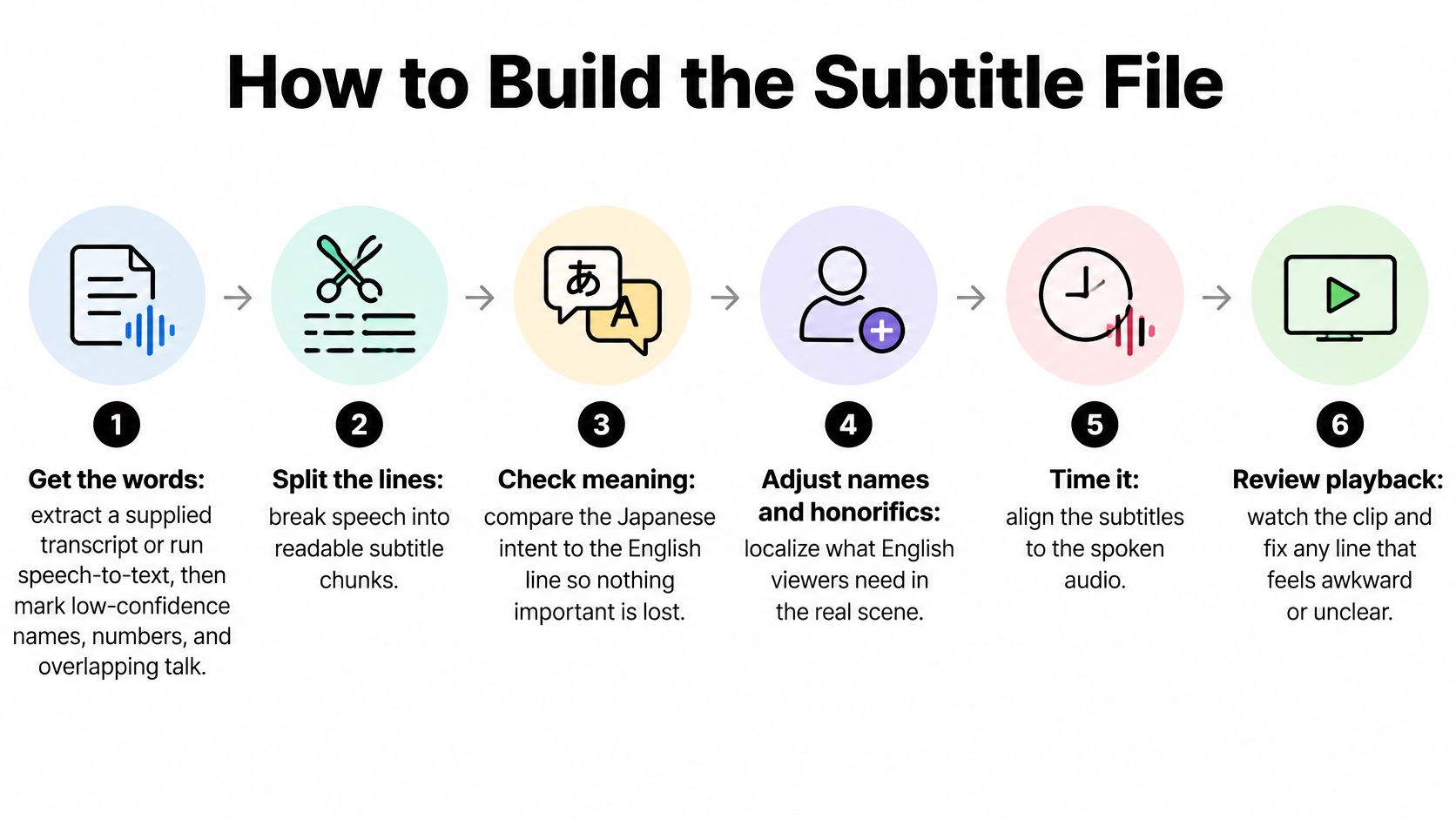
Build the file in separate passes so transcript errors, translation choices, and timing problems don't blur together. Subtitle Edit is useful for text and timing checks; Aegisub is useful when the project needs detailed placement or styling.
Run a controlled translation pass
-
Get the words. Extract a supplied transcript, or use a speech-to-text engine such as Whisper to produce a raw Japanese transcript. Check names, numbers, and overlapping talk against the audio by hand. Mark uncertain passages rather than accepting a plausible transcription.
-
Segment the dialogue. Place boundaries at natural clause endings and relevant shot changes, not at a fixed character count. Keep enough surrounding context to identify speakers and references. A useful segment expresses a coherent thought, even if the final subtitle later needs compression.
-
Write a meaning draft. Record the actor, action, object, and stance in a Japanese working draft or bilingual notes. Restore implied information only when the scene supports it. Keep a separate uncertainty field so an unresolved subject doesn't disappear during editing.
-
Machine-translate, then post-edit. If you use machine translation, feed it the checked, context-rich draft rather than an uncorrected transcript. Compare the English with the Japanese audio and notes. Don't publish raw output just because it reads smoothly.
-
Compress for the chosen CPS. Remove repeated setup and nonessential repetition while preserving responsibility, action, and qualifications. Check names and honorific decisions against the terminology sheet. If shortening changes who promised what, restore the meaning and restructure the cue.
-
Set times and prepare the export. Add provisional in and out points, choose the delivery format, and save an editable project copy. Export a test file ready for muted and sound-on playback. Use the detailed timing and encoding checks below before treating it as finished.
Make the human review explicit
Use FAR as a practical quality check: functional equivalence, acceptability, and readability. A Japanese-English subtitle-quality study applies these dimensions and reports that machine translation followed by post-editing improved efficiency and quality compared with unaided human translation in its student sample.
That finding supports a supervised workflow, not unattended publication. Ask whether the English communicates the same intent, reads naturally, and remains usable at playback speed.
Keep separate review flags for:
- Meaning loss: A missing negative, condition, actor, or promised action.
- Wrong stance: Excessive certainty, misplaced politeness, or a listening response treated as agreement.
- Opaque localization: An unexplained cultural term or misleading title.
- Stiff English: Japanese word order retained without a good reason.
- Bad segmentation: A name, phrase, or thought split where the viewer can't easily follow it.
For conversational pretesting, the JESC corpus paper reports expert evaluation of 200 sampled phrase pairs with an average adequacy score of 4.82. Treat that as a conversational benchmark for error analysis, not evidence that your clip's translation is correct.
Prepare the right deliverable
For hands-on file construction, follow the guide to making an SRT file. If the audience also needs speaker identification and meaningful non-speech audio, RenderIO's explanation of caption formats and accessibility rules helps distinguish dialogue translation from fuller captioning requirements.
Before batching a whole episode or meeting, make a 60-second pilot. Use it to test terminology, segmentation, export behavior, and reviewer expectations before repeating the workflow across a long recording.
Time Cues and Export a Clean File
Start detailed timing once the English wording is stable. Constantly changing the text while adjusting cue boundaries makes it difficult to tell whether a problem comes from translation, duration, or segmentation.
Set each in point to the relevant speech and each out point to a sensible end of the utterance, accounting for shot changes. Don't leave a former speaker's subtitle over a new speaker when it creates confusion, and don't flash a cue so briefly that the viewer can't settle on it.
Check phrases and playback
Break lines at syntactic boundaries. Keep a modifier with its noun, a person's name together, and a short verb phrase intact whenever possible.
Don't apply a universal six-second rule. The familiar convention of a two-line subtitle with roughly thirty-seven characters per line lands near twelve CPS, but the reading-speed review cited earlier treats it as an intuitive convention rather than a universally validated viewer threshold.
- Watch muted: Can you understand the sequence without stopping? Does the subtitle leave enough attention for a sign, gesture, or chart?
- Watch with sound: Do cues appear with the correct speaker? Does an early subtitle reveal an answer before the speaker gives it?
- Check the destination player: Confirm that wrapping, placement, and special characters survive outside the editor.
If a cue fails, determine why before extending it. You may need a shorter sentence, a better split, or a corrected start point rather than more screen time.
Pick the format for the destination
SRT, ASS, and WebVTT for English subtitles
| Format | Styling | Timestamp | Plays well in | Choose it for |
|---|---|---|---|---|
| SRT | Plain text, little positioning | 00:01:02,500 | YouTube, VLC, most editors | The file you hand to someone else |
| ASS or SSA | Fonts, colors, margins, speaker styles | H:MM:SS.cs | libass players; styles often stripped online | Placement and fansub-style emphasis |
| WebVTT | Plain or light cue settings | 00:01:02.500 | HTML5 web players | A page you control |
SRT is the practical default for a transferable subtitle file. Its numbered cues and plain-text structure are easy to inspect, but don't depend on it for elaborate styling.
ASS or SSA suits controlled playback where fonts, margins, and per-speaker treatment matter. Test the actual platform because an upload service may strip the styles.
For a web page you control, WebVTT fits HTML5 playback. Notice the period before milliseconds, rather than SRT's comma.
Protect the encoding
Save the final text as UTF-8. A Shift-JIS transcript opened with the wrong encoding can turn Japanese names into unreadable characters while the English still looks normal.
A concrete failure is reopening an SRT with a legacy encoding and saving over it, turning every Japanese review note into question marks. Keep the original transcript and editable project separate from delivery exports.
If the first cue shows a junk character, check whether the player mishandles a byte-order mark and try saving without the BOM. Match the editor's expected line endings, reopen the exported file, and inspect the beginning, middle, and end.
Finish with the same CPS target recorded in the project notes. A successful export shouldn't become permission for denser subtitles.
Choose a Timed File or Live Voice
Use a timed subtitle file for a recording people need to revisit: a lecture, travel clip, interview, or episode. Viewers can pause, replay an unfamiliar name, and return to a decision without asking the speaker to repeat it.
Use spoken translation when reading would take attention away from the situation. At a busy counter or during an unscripted discussion, following continuous text may interfere with watching a demonstration, finding a document, or responding naturally.
Match the output to the task
| Situation | Better starting point |
|---|---|
| Recorded interview that colleagues will review | Edited, timed English subtitle file |
| Travel video explaining a route | Concise subtitles with necessary sign translations |
| Unscripted exchange at a station counter | Live spoken translation with confirmation |
| Language practice from a recording | Short bilingual captions, followed by separate speaking practice |
| Presentation with visually dense slides | A reviewed recording or spoken support that doesn't compete with every slide |
A language learner doesn't need a complete transcript permanently displayed over the picture. Short bilingual captions can support comparison, while separate replay helps with pronunciation and listening.
For a longer production, compare video translation services according to the deliverable you need: an editable transcript, a timed file, reviewed subtitles, or translated audio. Don't assume those outputs are interchangeable.
Live Voice with Translate AI
For station counters, meetings, and street conversations, the Translate AI app provides live voice translation rather than the subtitle-authoring workflow described here. We give instant voice translations in over 80 languages, with translations shown and spoken after you speak.
To begin, select your native language and your partner's language from the app's list. Then tap the microphone button and speak naturally.
The live voice workflow isn't an SRT editor and doesn't set shot-change cues. For an important meeting decision, confirm the responsible person, action, and deadline rather than treating fluent translated speech as proof that every implication is settled.
Choose the file and the editing passes for anything that must be reread. Choose live voice for the conversation happening now, where the other person can clarify what they mean.
Export a 60-second clip at your chosen CPS, check it muted and with sound, then take the unscripted part of the same situation into a live conversation.
Translate AI offers instant, two-way voice translation when your Japanese-to-English task moves beyond a recording and into conversation. Visit Translate AI to select your languages, tap the microphone, and handle the exchange that a subtitle file can't prepare in advance.