

Hindi to English Voice Translator: How It Works
Your phone says the train leaves from platform 4, and the announcement over the speaker says something else entirely. You read English fine. You order from English menus, you follow written instructions at work, you understand the email your landlord sent. Then a station announcer speaks at natural speed with a regional accent over background noise, and the words arrive as one long blur.
That gap between reading English and following fast spoken English is exactly the problem a Hindi to English voice translator is built to close. It's also the reason so many people feel disappointed by the first app they try. The technology is real, it works better than it did two years ago, and it still fails in specific, predictable ways. Knowing those ways is the difference between a useful tool and a confusing one.
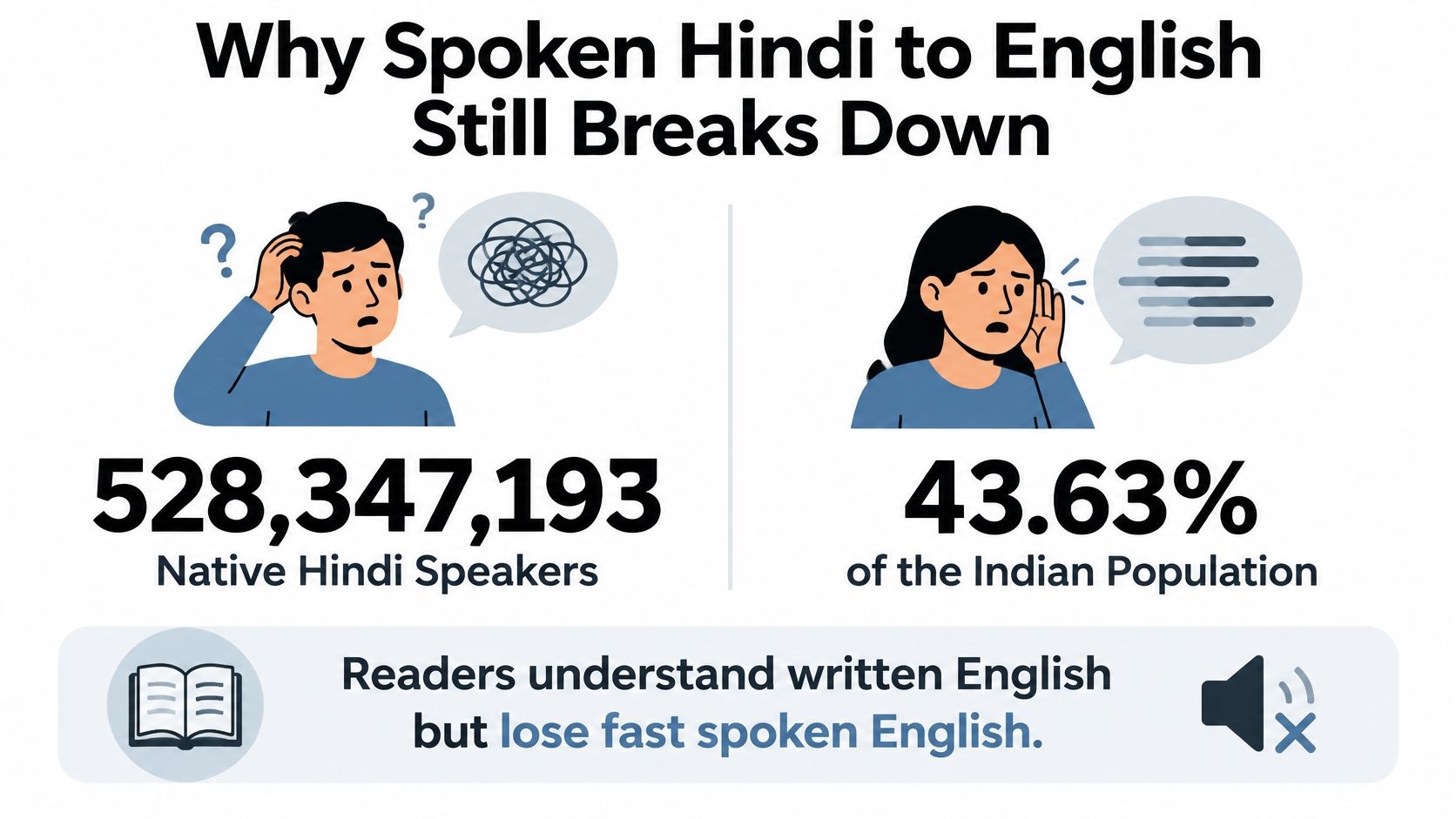
Start with scale. India's 2011 Census recorded 528,347,193 native Hindi speakers, equal to 43.63% of the population, with another 139 million reporting Hindi as a second language and 24 million as a third, so roughly 692 million people, or 57.1%, could speak Hindi as a first, second, or third language, according to census-based multilingualism data. English had only about 259,678 native speakers in India but around 129 million total speakers (10.6%), and roughly 314.9 million Indians, 26%, were bilingual.
The digital shift pushed the same direction. A 2017 Google-KPMG report covered by the Economic Times counted 234 million Indian-language internet users in 2016 against 175 million accessing English content, and projected Hindi internet users rising from 82 million in 2016 to about 191 to 201 million by 2021, roughly level with English.
Here's the practical consequence. Many people handle one language better aloud than in writing, and typing Devanagari on a phone keyboard is a poor substitute for a live conversation. A voice translator is often the only tool that fits the moment.
By the end of this guide, you'll know which situations a Hindi to English voice translator can carry on its own, where inside the machine the errors start, and which habits protect the names, prices, and times that matter.
Where a Voice Translator Is Safe Enough
The verdict first, because it saves you an expensive mistake: use live Hindi to English voice translation for gist, directions, shopping, logistics, and practice. Don't let it be the only record for a contract, a wage discussion, a visa appointment, or a medication instruction.
Everything else follows from one uncomfortable fact. Translation benchmarks are measured on prepared speech, and real life isn't prepared. The 2025 IWSLT Hindi-to-English evaluation drew on 653.88 hours of Hindi speech aligned with English translations, and the leading system reached a chrF++ score of 68.14. That's a strong result on the data it was measured against. It says nothing about a noisy clinic, a fast-talking supervisor, or a visa officer reading a name off a passport.
A high score on aligned speech and a reliable conversation in a reverberant room are two different achievements. The benchmark doesn't cover spontaneous dialogue, background noise, proper names, or domain vocabulary, and the paper says so directly.
When to trust Hindi-to-English voice translation
| Situation | Rely on it alone? | Confirm before acting |
|---|---|---|
| Directions and transit | Yes, for the gist | Street names, stops, and turns on screen |
| Menus, shops, and fares | Yes | Prices, quantities, and currency |
| Casual conversation | Yes | Idioms, jokes, and anything that sounds off |
| Language practice | Yes, as a study partner | Spoken English against the on-screen text |
| Meetings and logistics | Yes, with pauses | Dates, times, and who owns each task |
| Contracts, pay, or visas | No | A bilingual person or the written source |
| Medicine or emergencies | No | A qualified person, plus doses and times |
Walk the rows in order and the logic is consistent. The top five rows share one property: the cost of a small error is small, and you can see the mistake in time to fix it. Ask for a platform number, hear "four," glance at the screen, and correct yourself before you climb the stairs.
The bottom two rows share the opposite property. A single flipped number is expensive and you won't notice. A dose of 5 mg heard as 15 mg, a salary figure with a misplaced digit, a visa condition that inverts because a negation got dropped in recognition, none of these announce themselves as errors. The English comes out fluent and confident either way.
The rule that covers every row: repeat a short phrase, read the transcript on screen, and confirm numbers, dates, and names aloud before anyone acts on them.
That's the whole trust model in a sentence. The translator is a fast, patient interpreter sitting next to you. It's not a notary, a pharmacist, or a lawyer, and treating it as one is where people get hurt.
The Three Stages Inside Live Translation
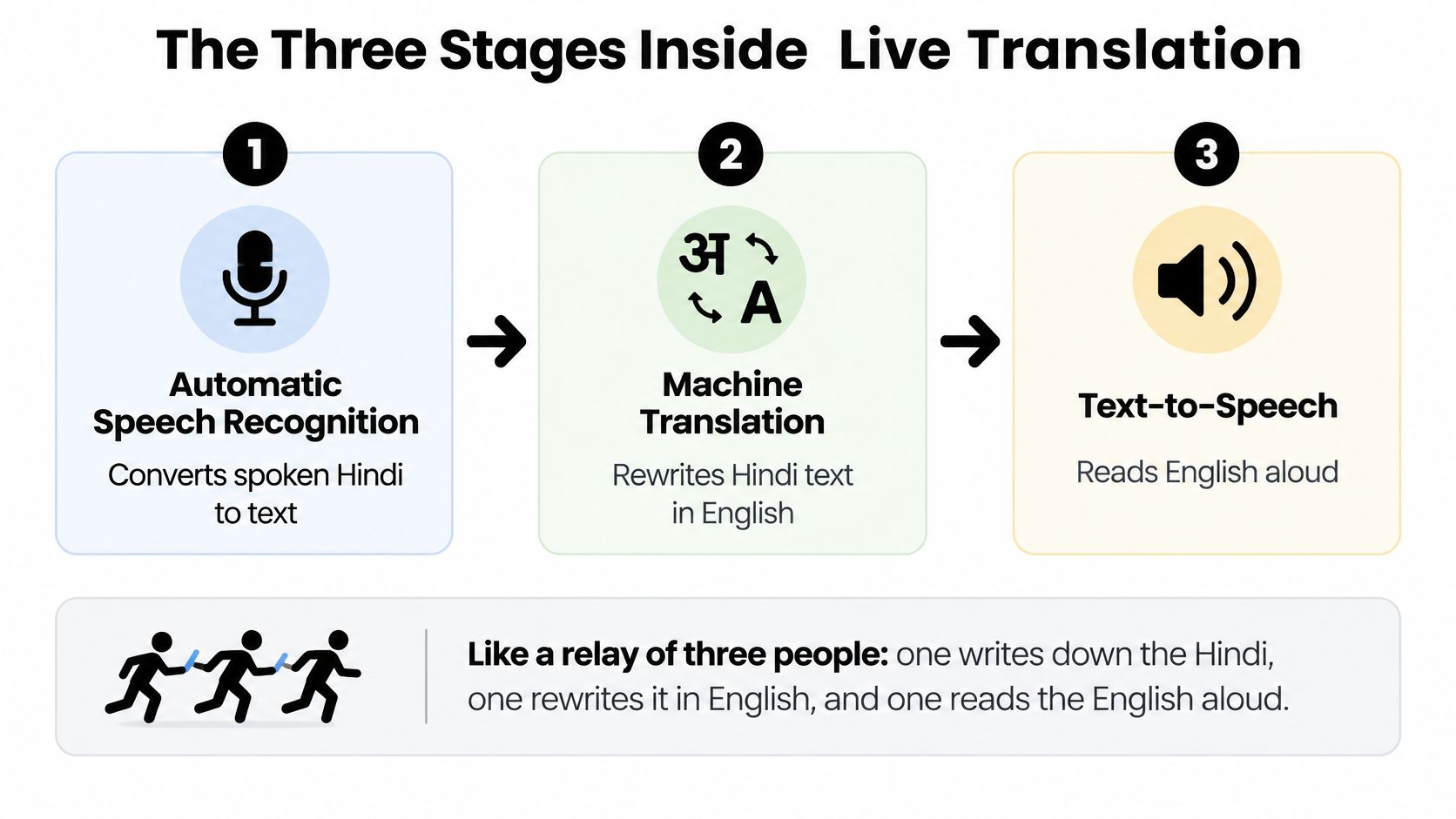
Think of the app as a relay of three people standing in a line. The first writes down what the Hindi speaker said. The second reads that note and rewrites it in English. The third reads the English aloud. Each person only sees what the one before handed over, which is why a mistake early in the line travels all the way to the end.
Engineers call this a cascade: automatic speech recognition, then machine translation, then text-to-speech. The research on Hindi speech pipelines treats it exactly this way, as three stages to be engineered and measured separately rather than one model to be trained harder.
What each stage of a voice translator can get wrong
| Stage | Job | Signal from research | User check |
|---|---|---|---|
| Speech recognition | Hindi audio to text | Fine-tuned Whisper 15.27% WER; Wav2Vec2 about 20% WER | Read the Hindi or source transcript |
| Machine translation | Hindi text to English | Direct model 15.86 BLEU, 2.27 BLEU behind a cascade; one FLEURS setup 2.51 BLEU and 92.93 TER | Recheck names, numbers, and negation |
| Speech playback | English text spoken aloud | A confident voice can hide a bad line | Treat the on-screen English as the record |
Stage one, where most damage happens
On a Hindi Common Voice benchmark, a Hindi-fine-tuned Whisper system reached 15.27% word error rate, while a Wav2Vec2 Hindi model sat at roughly 20%. Word error rate counts substitutions, deletions, and insertions, so every miss is a real word that vanished or changed before translation had any say in it.
Fifteen percent sounds tolerable until you apply it to a sentence with four numbers in it. A dropped "not" inverts your meaning. A mangled proper name sends you to the wrong office. That's why a well-built product keeps the source transcript visible and asks you to repeat when confidence is low, instead of confidently translating audio it didn't catch.
Stage two, where nuance gets decided
If you want the mechanics of this middle step, this explanation of what machine translation is covers how a system moves from one language's structure to another's. The practical point here is simpler: the translator can only rewrite the note it was handed. If the note is wrong, the English is wrong, and it will be wrong in fluent, natural-sounding prose.
Stage three, where confidence misleads
Speech playback is the stage readers trust most and should trust least. A smooth synthetic voice reads a bad English line with exactly the same assurance as a good one. The text is the record. The audio is a convenience.
Direct speech-to-speech models, which skip the intermediate text, remain less reliable than this cascade. A 2025 study reported a Transformer-based direct model reaching 15.86 BLEU after data augmentation, still 2.27 BLEU behind its cascade counterpart, and one configuration scored 2.51 BLEU with a 92.93 TER on natural FLEURS speech. That second figure reflects severe edit distance on out-of-domain audio, and it's the honest picture of direct models on spontaneous speech.
Judge any real-time app on three separate scores, not one: recognition error, translation meaning, and end-to-end delay. If you want a wider comparison of how different apps handle video and live audio, this roundup of translator video apps is a reasonable starting point.
Your check at every stage: if the Hindi transcript is wrong, fix the audio before blaming the English. Move closer, slow down, repeat. The translation model is usually innocent.
Test with a noisy room, a regional accent, a child's voice, and a sentence that mixes Hindi and English. A clean greeting in a quiet room tests almost nothing.
Hinglish Accents and Mid Sentence Switches
A sentence like "mera Tuesday wala review Friday pe shift karo" is where a live translator earns or loses your trust. The English may come back fluent and wrong, and the fault usually sits earlier than the translation step: in deciding which language is being spoken, or in writing the words down at all.
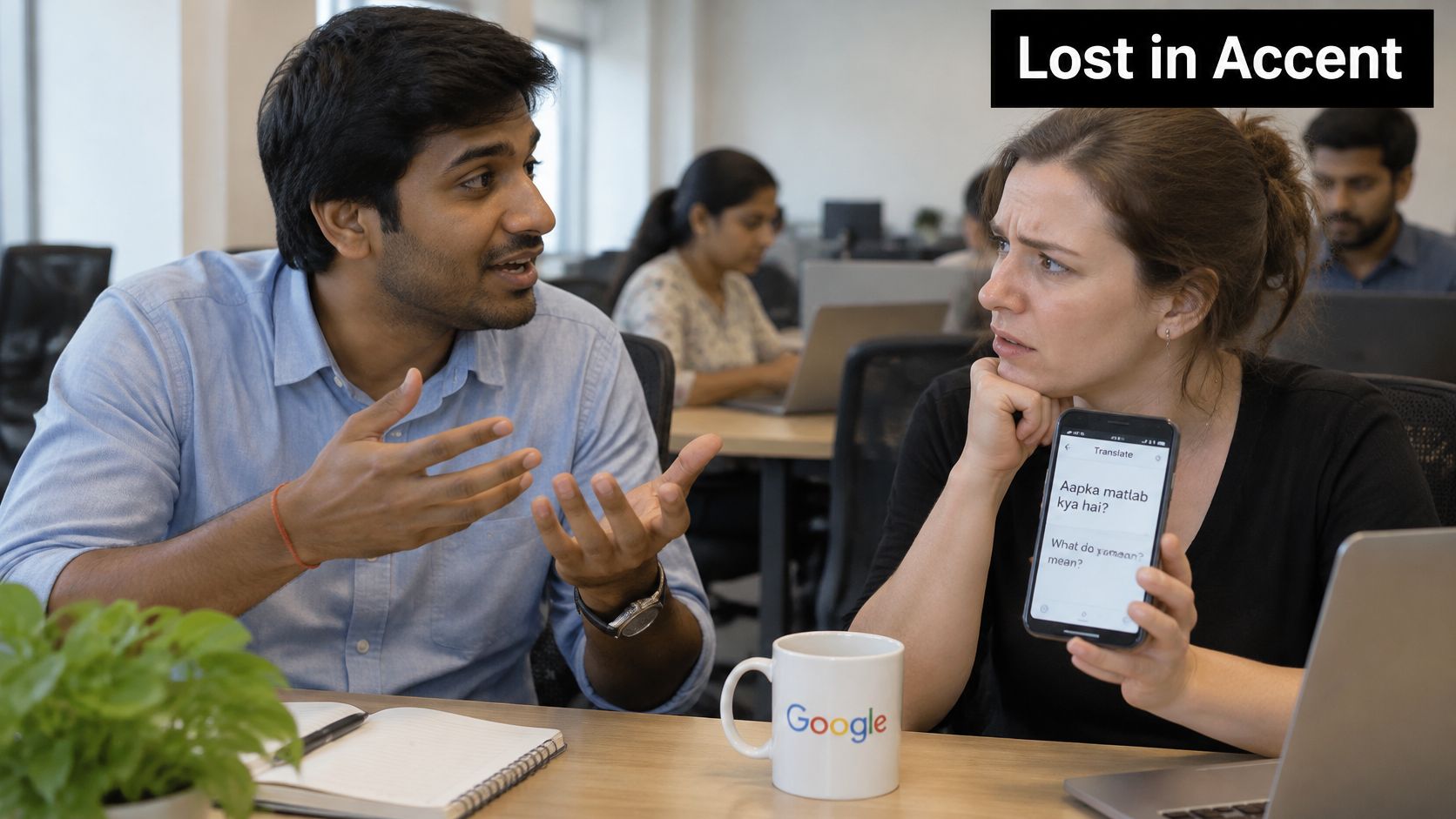
Most Hindi speakers mix English words into Hindi as a matter of course. Job titles, brand names, technical terms, and numbers arrive in English inside a Hindi sentence. Pronunciation then shifts by region, schooling, and formality, so the same word can sound different from two colleagues in the same office. The result is audio that never sits still long enough for a single-language model to feel at home.
Research on code-switched speech shows language identification handles English more reliably than Hindi inside these mixes, with likelihood-ratio scores of about 0.833 for English against 0.611 for Hindi. The system hears the English loanword clearly and loses the Hindi frame around it.
Language identification works like a triage decision: whichever language gets picked first decides which recognizer processes the rest of the sentence. Recognition carries the same weakness. Models trained only on monolingual Hindi or monolingual English miss the pronunciation patterns bilingual speakers produce, while training on code-mixed speech brings their estimates far closer to the true sounds. The fix is identical at both stages: expose the model to mixed audio, because a Hinglish sentence is a different acoustic problem from either language alone.
The four questions readers actually ask
"Will it understand Hinglish?" Only if the recognition model was trained on mixed speech. Otherwise a technical term gets transcribed as the nearest-sounding Hindi word, and the translation then faithfully renders the wrong word.
"What happens when the speaker switches mid-sentence?" The first language guess can stick and distort everything after it. You may see Hindi output for an English clause, or English for the Hindi around it.
"Do regional accents work?" A studio-clean Hindi sample is a weak test. Your own accent, at your normal speed, is the only test that tells you anything.
"What do I do when the app misreads the language?" Set Hindi and English manually if the app allows it, say the name or English term once on its own, then repeat the whole short sentence.
Two sentences worth testing
Say a workplace sentence out loud, the kind with a deadline and a person's name attached: the report for Meera goes out Thursday, not Friday. Then a travel version: the cab to Andheri station, near the English bakery.
Say each one twice, once in clean Hindi and once the way you would say it with English words mixed in. Compare the source transcript between the two attempts before you judge the English. The gap you see is the Hinglish penalty, and it tells you more about how you should speak than any setting will.
Results on recorded Hinglish speech show how wide that penalty runs: systems built for one language mishear a large share of words in mixed audio, while models trained on accented, code-switched speech come much closer, with children's voices still the hardest case. Expect your own attempt to land somewhere between clean adult Hindi and fast, fully mixed speech.
If listening is where you struggle most, the habits in this guide to improving listening comprehension pair well with the app: the translator buys you time, and the practice reduces how much you need it.
Habits That Keep Live Translation Accurate
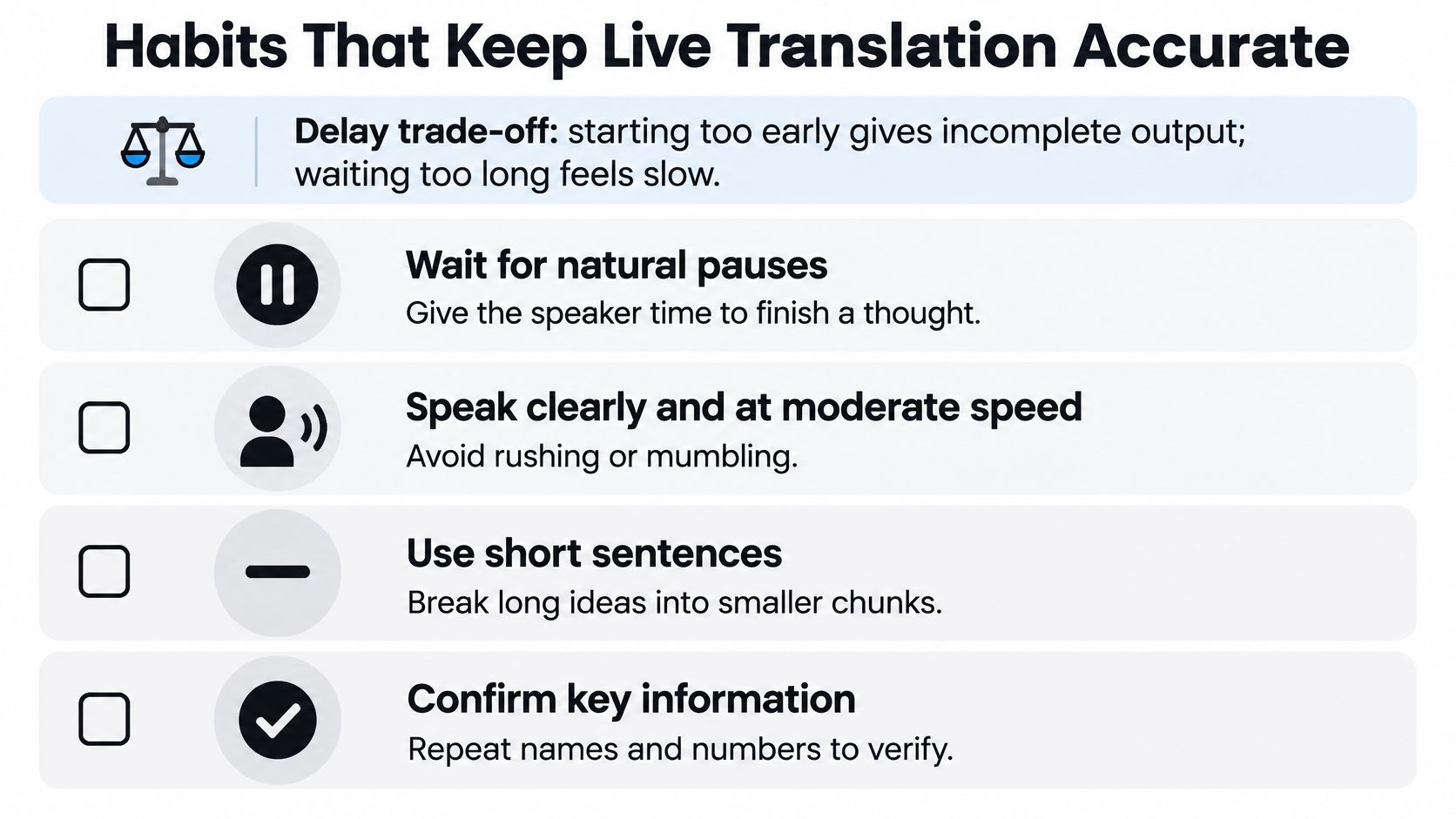
The app faces a decision every few seconds: has it heard enough Hindi to commit to an English phrase while the person may still be talking? Early output is fast but incomplete. Patient output is more accurate but feels late, and long unbroken speech makes the trade-off worse because a low delay and a long sentence pull in opposite directions.
Your habits do more for accuracy than any setting. Seven of them, in the order you'd use them.
- Speak one clause, then pause. Let the app close a thought before you start the next one.
- Don't stack details. A price, a time, and a place in one breath is three chances to lose one.
- Leave a gap after the playback. The English needs to finish before the next person starts, or you'll get two streams fighting.
- Keep one speaker at a time, phone close. Hold the microphone near whoever is talking, not in the middle of the table.
- Use earbuds. The English in your ear stops masking the Hindi in the room.
- Read names, dates, and amounts on screen. Say them back before anyone acts.
- Keep the later version. If the English line changes when more words arrive, the revised one is the better guess.
Why overlap ruins a meeting
Research on real-time translation in multilingual meetings found latency and overlap between original and translated speech to be the main barriers to following a discussion: translated audio lags the visible speech, and two simultaneous streams increase masking and distraction, as reported in this study of real-time speech translation in meetings.
The fix is structural, not verbal. Park the phone in one spot for the whole meeting. Summarize each decision right after that agenda item, while the context is fresh.
Speakerphone in a reverberant room is the worst configuration. The microphone hears the room, then plays English back into the same room, and the app's own output competes with the next speaker's Hindi.
Treat the microphone as a privacy decision
The same setup that improves accuracy improves privacy. Grant microphone access only while a conversation is running, and turn it off afterwards.
- Keep sensitive numbers out loud. Never speak passport numbers, medical doses, account numbers, or passwords into a speakerphone in a queue, a lobby, or an open-plan office.
- Prefer earbuds in public. The Hindi and the English stay in your ears rather than reaching the people around you.
- Assume the transcript is temporary. Unless the product clearly states where audio and text are stored and for how long, don't treat a transcript as a confidential file.
- Move high-stakes decisions elsewhere. For medicine, visas, pay, or contracts, take the decision to a bilingual person or the written source.
Run a sixty-second test before you rely on any app: a greeting, a number, a name, and a two-part instruction. If the name survives and the instruction comes back in the right order, you're ready for a low-stakes conversation.
Travel Work and Learning Conversations
Listening is the harder direction, and the numbers back that up. EF's 2025 India fact sheet reports an overall English Proficiency Index score of 484 against a global average of 488, with skill scores of 494 for reading, 504 for writing, 500 for speaking, and only 457 for listening. That 43-point gap between speaking and listening is exactly the shape of the problem: you can produce English and still lose it when it comes at you quickly.
When a sentence goes wrong in these settings, the failure usually happened earlier than people assume. The app misidentified which language was being spoken, or misheard a word through a regional accent, and the translation step faithfully translated the wrong input. So the workflow that works is show-and-speak. Display the English, hear it spoken, and ask the other person to use short complete phrases. Three scenes show how that plays out.
In a station or a market
You ask for the platform to the airport. The reply comes back fast, with a station name and a number you didn't quite catch. Read the English on screen before you move, because a platform number is exactly the kind of short word a recognizer flips when the speaker is hurried or the platform is loud. Pay only after the fare on screen matches the number you expected. The single detail to read back is the fare, and reading it back catches a recognition slip before it costs you anything.
In a cross-border standup
Everyone speaks in turn, one phone sits where the current speaker's voice reaches it clearly, and after each translation someone restates who owns which task and by when. Two people talking at once is where language identification falls apart, because the app has to guess which language it is hearing before it can translate anything. The detail to confirm is the meeting time and the owner, not the general mood of the discussion.
While learning
A learner answers in Hindi or simple English, then compares the spoken line against the on-screen text and replays one sentence rather than a whole story. Replaying a single sentence is where the correction lands, because you can see which word the recognizer caught and which one it guessed. Replaying a paragraph just repeats the confusion.
The same principle holds anywhere a plan depends on a detail you cannot afford to get wrong. Services built around flight-monitored pickups at Cancun airport work off a confirmed flight number rather than a loose arrival estimate, and the translator screen deserves the same discipline: the written detail on screen is what you act on, not the general sense of what was said.
If you're also curious how language use varies across the country, this piece on what Indians speak gives useful background on the languages and mixes you'll meet.
A sample app for this workflow
Translate AI is one option built for this show-and-speak pattern. The translation is shown and spoken immediately after you talk, and speaker mode is available for hands-free chats. You can find it on the App Store here: Translate AI live translator for iPhone.
Offline conditions, noisy rooms, children's voices, and heavy Hinglish still need the confirmation habits from earlier, because those are precisely the conditions that push the recognition stage hardest. No app removes the need to read back a fare, a meeting time, or a corrected phrase.
Start a Live Hindi and English Conversation
Pick one low-stakes conversation and run it today: a shop, a station, a colleague asking about lunch. You are testing how the tool behaves, especially how it hears Hindi, English, and the mixed Hinglish line in between.
Set it up in three moves.
- Select both languages. Open the app and choose Hindi and English from the language list before anyone speaks.
- Tap the microphone and speak naturally. Use normal phrases, pause between ideas, and avoid a performance voice. If a mixed sentence comes back garbled, repeat a shorter line in one language instead of pushing through the whole thought.
- Read and hear the result immediately. Check the on-screen text against what you meant. Turn on speaker mode only when hands-free chat suits the situation and the room is private enough.
Translate AI covers instant voice translation in over 80 languages, translates both ways so your partner hears their own language, uses context to keep meaning intact, and works with most AirPods and earbuds, so there is no dedicated headset to buy. Thousands of users have joined. It is built for travel, work, and everyday chats rather than formal documents.
Before you trust it in a station or a meeting, test three things: a number, a name, and a two-part direction. If the name comes back right and the directions come back in the right order, you have found your settings. If the transcript looks shaky, repeat a shorter line rather than raising the stakes. The same confirm-the-detail habit shows up outside translation too: some readers check free muhurta and career timing tools before fixing a date, while in a live conversation the check that matters is the costly number or name on screen.
The finish line is a conversation both people can follow. Anything costly gets confirmed on screen before anyone acts on it.
Start with a greeting, a number, and a name. Then have the conversation you came for.
Translate AI turns your phone into a live Hindi to English interpreter, with the translation shown on screen and spoken aloud so you can read it and hear it at the same time. It handles both directions, works with the earbuds you already own, and covers more than 80 languages for travel, work, and everyday conversations. Visit Translate AI to try your first conversation today.