

The Best Live Translation App for Real-World Conversations
Struggling to connect with someone who speaks another language? You're not alone. That awkward moment of misunderstanding—whether you're a traveler trying to find your way, a professional closing a deal, or just trying to chat with a new neighbor—is a universal frustration. It's a wall standing between you and a genuine human connection.
You're not just looking for another gadget. You're looking for a bridge. The goal is to ditch clumsy phrasebooks and awkward pauses for fluid, meaningful conversations. This guide will show you exactly how to find the best live translation app that turns your phone into a powerful communication tool, focusing on specific, actionable advice to help you connect, not just translate.
Why a Great Live Translation App Is a Game Changer

Miscommunication creates friction and missed opportunities. But the right app can completely change the dynamic. A great live translation app melts away that tension, turning stressful moments into rich, authentic exchanges.
The goal isn't just to swap words; it's to share ideas, tell stories, and build relationships. This is where modern AI-powered apps excel, making seamless communication more possible than ever.
The Real-World Impact of Instant Translation
Here’s how a great live translation app makes a tangible difference in critical moments:
- For the Traveler: Imagine confidently ordering street food in a Tokyo market, asking for directions in rural Spain, or sharing a laugh with an artisan in Morocco. A good app removes the anxiety, letting you immerse yourself in the culture without fear.
- For the Professional: Picture leading a negotiation with international partners where ideas flow freely, without waiting for an interpreter. Real-time translation ensures your point gets across with the right nuance, building trust and speeding up decisions.
- For the Expat: From making a doctor's appointment to just chatting with a neighbor, daily life in a new country is full of small linguistic hurdles. A reliable app becomes your go-to companion for navigating these essential interactions with confidence.
In every one of these cases, the core need is the same: to be understood and to understand others. A great app doesn’t just translate words; it opens the door to empathy and connection.
The Growing Demand for Seamless Communication
This universal need for better communication is pushing technology forward at a breakneck pace. The market for live translation is exploding, which tells you just how much people want these tools. In 2024, the portable real-time language translator market was valued at USD 985.6 million, and it's projected to surge to USD 2.45 billion by 2032.
This mirrors the wider language translation device market, which is expected to grow from USD 1.32 billion in 2024 to USD 4.27 billion by 2035. If you want to dig into the numbers, you can learn more about the market growth from recent translation accuracy statistics.
In this guide, we'll dive into the specific features and real-world performance of the best live translation apps out there, helping you find the perfect fit for your own communication challenges.
How We Judged the Best Translation Apps
Not all live translation apps are created equal. Some promise the world but stumble in a real-world conversation. To cut through the marketing noise, we focused on what actually makes an app useful when you’re standing in a Tokyo train station or trying to order dinner in Rome.
A great app should feel invisible, letting the conversation flow naturally. To find the ones that do, we tested the top contenders against a handful of make-or-break criteria. This is the exact framework we used—and the one you should use, too.
Accuracy and Contextual Understanding
This is the big one. Translation accuracy isn't just about swapping one word for another. It’s about grasping context, nuance, and intent. The best apps know the difference between idioms, casual slang, and professional jargon.
We threw complex sentences at each app, not just simple phrases. Did it understand that "I'm feeling blue" is about mood, not the color? A top-tier tool uses its AI to translate the thought, not just the words.
The gap between a literal and a contextual translation is massive. A basic app might translate a business delay as, "The response took time." A smarter one gets the professional tone right: "Our initial assessment classified the issue as minor, which unfortunately delayed our response." The meaning and professionalism are preserved.
Latency and Conversational Flow
Nothing kills a conversation faster than awkward pauses. Latency—the delay between speaking and hearing the translation—is the enemy of natural dialogue. Even a half-second lag feels like an eternity and constantly interrupts the back-and-forth.
We measured this delay in real-world scenarios, looking for apps that could keep up with a normal speaking pace. The goal is an experience that feels immediate, not like you're talking through a clunky machine.
- Low Latency: The conversation is fluid. Translations arrive almost instantly, feeling natural.
- High Latency: The conversation is choppy and frustrating, with noticeable gaps that break the rhythm.
Language Support and Accessibility
A long list of supported languages is great, but quality matters more than quantity. We looked at how well apps handled less common languages and, just as importantly, regional dialects. An app that’s brilliant with Castilian Spanish might fall flat with the nuances of Mexican or Argentinian Spanish.
Beyond that, we checked for features that make an app truly accessible in the wild:
- Offline Mode: Does the app work without an internet connection? This is a lifesaver for travelers dealing with spotty Wi-Fi or trying to save on roaming.
- Photo Translation: Can you point your camera at a menu or street sign and get an instant translation? Incredibly useful.
- Text-to-Speech Quality: Does the synthesized voice sound clear and natural, or is it a robotic drone that's hard to understand?
Device Compatibility and Ease of Use
The best tech just works. A live translation app shouldn't force you to buy expensive, specialized hardware. It should work seamlessly with the gear you already own, like your smartphone and a standard pair of earbuds.
We gave top marks to apps with clean, intuitive interfaces. Getting a conversation started should be as simple as picking your languages and hitting a button. If an app needs a complicated setup process or a long tutorial, it’s already failed the "ease of use" test.
Privacy and Data Security
Last but not least, we dug into the privacy policies. When you’re translating personal or business conversations, you have to trust that your data is safe.
We looked for clear, transparent policies on how voice and text data are handled. Apps that offer end-to-end encryption or don't store your conversations at all scored the highest here. For anyone discussing sensitive information, this isn't just a feature—it's a necessity.
Comparing the Top Live Translation Apps
Now that we have a framework for what makes a great translation app, let’s see how the top contenders actually perform in the wild. Picking the "best" live translation app isn't about finding a single winner. It's about matching the right tool to your specific situation. A solo backpacker trying to find a train station has completely different needs than a CEO leading a multinational video call.
This comparison goes deeper than a simple feature list. We want to show you how these leading apps handle real-world scenarios—from navigating a noisy street market to holding a quiet, high-stakes business meeting. The goal is to give you a clear, side-by-side view of where each app shines and where it falls short.
To get us started, this chart highlights the three pillars we're focusing on for live, spoken translation.
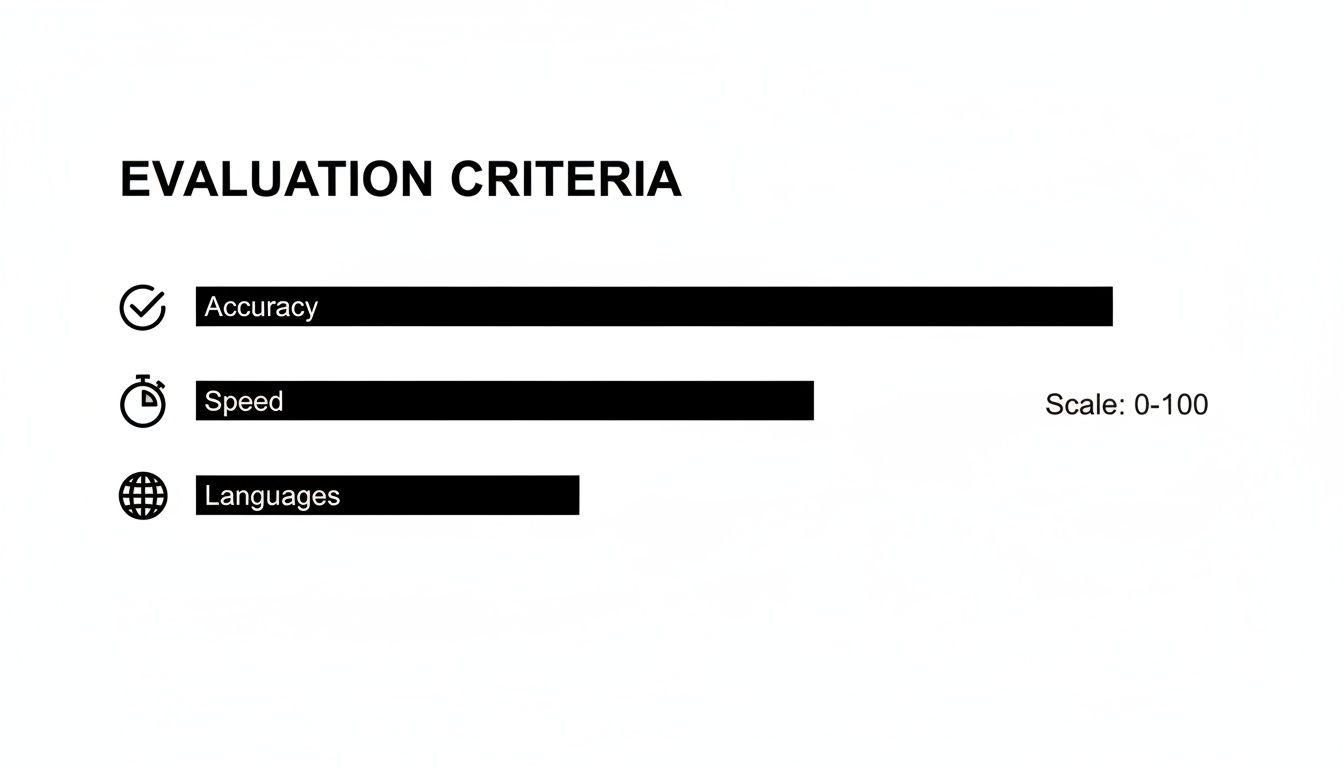
This graphic hammers home a key point: a top-tier app absolutely must nail accuracy, keep the conversation flowing with minimal lag, and support the languages you actually need.
Google Translate: The Ubiquitous Standard
Google Translate is often the first app people think of, and for good reason. It’s free, supports a massive number of languages (over 130), and packs in powerful features like camera and offline translation. For quick, one-off translations of signs, menus, or simple phrases, it's an incredibly useful tool to have in your pocket.
When it comes to live, two-way conversations, however, its performance can be a bit clunky. The Conversation Mode works, but it often feels more like a turn-based exchange than a natural dialogue. There’s a noticeable lag that forces you to pause and wait, which can really disrupt the flow of a real conversation.
Best For: Casual travelers who need quick text or sign translations and the occasional, simple spoken exchange.
iTranslate Voice: The Focused Conversationalist
iTranslate Voice is built specifically for spoken conversations, and that sharp focus is its greatest strength. The interface is clean and designed around the idea of a back-and-forth dialogue. It also includes genuinely helpful features like phrasebooks for common travel situations and the ability to link two devices for a more personal chat.
The app supports over 40 languages and generally delivers accurate translations with decent speed. Where it can fall short is its reliance on a stable internet connection. While some offline capabilities exist, they're often limited compared to other apps, making it less reliable when you’re in an area with spotty Wi-Fi.
Best For: Users who primarily need spoken translation for planned conversations in places with reliable internet.
The core difference often comes down to design philosophy. Is the app a Swiss Army knife like Google Translate, or is it a specialized tool built for conversation? For fluid dialogue, a specialized approach almost always yields a more natural-feeling experience.
Microsoft Translator: A Solid All-Rounder for Groups
Microsoft Translator carves out a unique space for itself with an impressive multi-device conversation feature. This allows several people to join a single conversation from their own phones, with each person communicating in their native language. It's a standout feature for international business meetings, classroom settings, or group travel.
The app supports a wide range of languages and offers reliable accuracy. Its performance in a live, one-on-one conversation is solid, though like many all-in-one tools, it may not feel as instantaneous as apps designed exclusively for two-way earbud translation.
Best For: Business professionals, educators, and groups needing to bridge language gaps in meetings or collaborative settings.
Translate AI: The Earbud-Centric Solution for Natural Dialogue
This is where the user experience takes a major leap forward. The app is built from the ground up to solve one specific problem: enabling natural, real-time, two-way conversations using the earbuds you already own. This hardware-agnostic approach is a huge differentiator, freeing you from the need for expensive, proprietary devices.
By focusing on earbud-to-earbud communication, the app slashes latency and creates an experience where each person speaks their language and hears the translation almost instantly. This design makes conversations feel more private and natural, since you’re not awkwardly passing a phone back and forth or huddling around a speaker. Its real strength lies in creating fluid, uninterrupted dialogue—something that's absolutely critical for building rapport in a business negotiation or just a casual chat.
And while software-based apps are incredibly powerful, you can also check out our guide on the best voice translation devices if you're curious about dedicated hardware.
Best For: Travelers, professionals, and expats who prioritize seamless, natural-feeling, two-way conversations and love the convenience of using their own earbuds.
A Special Mention for Translate AI
During our testing, we noticed that some apps are built with a very specific, practical goal in mind. Translate AI is a prime example. Its entire focus is on turning the earbuds you already have into a powerful two-way communication device. This approach hits all the right notes for compatibility and ease of use, since you don't need to shell out for special hardware. It’s a smart solution for travelers and professionals who just want a reliable tool that works on the go.
Live Translation App Feature Scorecard
To make this comparison easier to digest, here’s a scorecard grading each app against our key criteria. Scores are on a 1-5 scale, with 5 being the best.
This table gives a quick, side-by-side look at how the top live translation apps stack up based on the features that matter most for real-time conversation.
| Feature | Translate AI | Google Translate | iTranslate Voice | Microsoft Translator |
|---|---|---|---|---|
| Two-Way Dialogue Flow | 5 | 3 | 4 | 4 |
| Latency (Speed) | 5 | 3 | 4 | 3 |
| Accuracy & Context | 4 | 4 | 4 | 4 |
| Language Support | 4 | 5 | 3 | 4 |
| Device Compatibility | 5 | 5 | 4 | 5 |
| Ease of Use | 5 | 4 | 4 | 4 |
This scorecard makes it clear that while all these apps have their strengths, the best live translation app for you really depends on what you need it for. For the sheer number of languages and text features, Google Translate is unmatched. For group chats, Microsoft Translator is the clear winner. But when it comes to achieving the most natural, low-latency, two-way spoken dialogue, a specialized tool like Translate AI has a distinct advantage.
A Closer Look at Translate AI
Some apps try to be a Swiss Army knife, packing in dozens of features. Others are built with a laser focus on solving one critical problem, and doing it exceptionally well. That’s exactly where Translate AI carves out its space.
Its entire design is built around one simple idea: enabling natural, two-way conversations using the earbuds you already own.
This immediately solves a huge pain point for most people. You don't need to shell out for expensive, specialized hardware or weird-looking earpieces. Translate AI turns your standard earbuds—whether they're AirPods or any other brand—into a powerful communication tool. This makes real-time translation practical for just about anyone.
Enabling True Two-Way Dialogue
The real magic of Translate AI is its ability to create a genuine, flowing dialogue. Let's be honest, many apps feel clunky. You speak, you pause, you wait for the translation, then you awkwardly pass the phone. It completely kills the natural rhythm of a conversation.
Translate AI was engineered to get rid of that friction. Its low-latency performance means that when you talk, your partner hears the translation in their earbud almost instantly, and vice-versa.
- No Awkward Pauses: The conversation just flows without those frustrating delays.
- Hands-Free Operation: Forget passing a phone back and forth like a hot potato.
- Private Conversations: Since the audio goes straight to your earbuds, it’s perfect for everything from business negotiations to personal chats.
This is what makes interactions feel authentic. You're building a connection, not just swapping data.
Designed for Real-World Scenarios
The app’s interface is intentionally simple, built for the kind of on-the-go situations you actually find yourself in. The setup is a breeze: pick your languages, tap the microphone, and start talking. There’s no fiddling with complex settings, which is a lifesaver when you're just trying to quickly ask for directions or chat with a colleague.
A key differentiator here is the focus on contextual accuracy. The AI is designed to understand the nuance behind your words, delivering translations that sound natural whether you’re in a casual café or a formal business meeting.
Here's a look at the app's clean and intuitive interface.

As you can see, the design gets straight to the point, focusing only on what you need to start a conversation fast.
Who Is Translate AI For
Translate AI is the perfect fit for anyone who cares about smooth, spoken communication. Its specific design makes it a powerful tool for:
- International Travelers: Navigate new cities, order food, and connect with locals without hesitation.
- Business Professionals: Hold clear, effective meetings with international partners, minus the communication lag.
- Expats and Language Learners: Handle daily interactions and practice your conversational skills in a natural setting.
By combining high accuracy, low latency, and compatibility with the gear you already have, Translate AI makes a strong case for being the go-to tool for breaking down language barriers. You can learn more over at the Translate AI official website or grab it directly from the App Store.
So, Which Translation App Is Actually Right for You?
Choosing the best live translation app isn’t about finding a single “winner.” The features a solo backpacker needs to find a train station are completely different from what a CEO needs to lead a multinational video call.
This isn't just another feature list. We’re going to walk through a few common scenarios where live translation is make-or-break and figure out which app actually excels in that specific situation. The goal is to help you see yourself using these tools and pick the one that fits your life, not just the one with the longest feature list.
For the Solo Backpacker in a Remote Village
You're way off the beaten path. Wi-Fi is a distant memory, and every single interaction—from buying a bus ticket to finding a guesthouse—depends on getting your point across. You need something that works without internet, is versatile, and is easy to use when you’re juggling a backpack and a map.
In this situation, Google Translate is still your most reliable friend.
- Offline Language Packs: This is its killer feature. The ability to download entire languages for offline use is non-negotiable when you can't count on a data connection.
- Camera Translation: Pointing your camera at a sign or a menu and getting an instant translation is priceless for navigating unfamiliar territory. It just works.
- Versatility: It handles quick text, photo, and simple spoken translations well enough to get you through the essentials without a fuss.
Sure, its live conversation mode can feel a bit clunky, but its offline strength and all-around utility make it the top pick for unpredictable travel.
For the Executive Leading a Multinational Video Call
Your challenge is completely different. You’re in a professional setting where clarity, accuracy, and smooth integration are everything. You have to make sure a dozen people, speaking multiple languages, can all follow the same conversation without awkward delays or tech hiccups.
This is where Microsoft Translator shines.
Its standout feature is the multi-device conversation mode. This lets multiple people join a single translated chat from their own phones or laptops. Each person speaks their own language and sees or hears the translation in theirs.
It’s designed to turn a potentially chaotic multilingual meeting into an orderly, productive discussion. It’s built for group settings, making it the clear winner for business collaboration, webinars, and presentations where multiple voices need to be heard.
For the Expat Scheduling a Doctor's Appointment
As an expat, you’re navigating daily life in another language. Your conversations are often personal and demand a more natural, nuanced flow. Whether you're at the bank, a parent-teacher meeting, or trying to explain symptoms to a doctor, the goal is a fluid, two-way conversation that feels human, not robotic. Speed and natural dialogue are what you need most.
This is the exact scenario where a tool built specifically for dialogue makes all the difference. For these crucial one-on-one conversations, a tool designed for natural, low-latency dialogue is superior.
The Clear Choice for Natural Dialogue: Translate AI
For these crucial one-on-one conversations, Translate AI is the superior choice. Its entire design is focused on one thing: creating natural, low-latency dialogue using the earbuds you already have.
Instead of passing a phone back and forth, you and the other person can just speak normally. The translation is delivered almost instantly and privately to your respective earbuds. This completely cuts out the awkward pauses that make other apps feel so stilted, letting the conversation flow. You can learn more about its features or download it directly from the Translate AI page on the App Store.
This earbud-to-earbud approach makes it the best live translation app for any situation where building rapport and genuine understanding is key. It transforms potentially stressful interactions into simple, clear conversations, making it an indispensable tool for anyone living or working abroad.
Pro Tips for Flawless Live Translation
Picking the right live translation app is a great start, but how you use it is what really makes conversations flow. Even the smartest AI needs a little help from you to deliver its best work. These are the practical, real-world tips I've learned that will massively improve your translation quality.
Think of the app as a person listening to you. The more clearly it can "hear" you, the better it can translate for you. That all starts with how you speak.
- Speak Clearly and Pace Yourself: Try to talk at a moderate, natural speed. When we rush or mumble, the AI can easily miss important words, which throws off the entire translation.
- Avoid Slang and Idioms: AI is getting much better with context, but complex phrases like "it's raining cats and dogs" or "let's hit the road" can still completely confuse it. Sticking to more direct language almost always gives you a better result.
- Keep it Simple: Instead of one long, complicated sentence, break your thoughts into two or three shorter ones. This gives the AI less room to make grammatical mistakes when translating.
Optimize Your Audio Input
Your phone's microphone is the app's ears. Its quality and how you use it are everything. Background noise is the absolute number one enemy of a good translation, so just stepping into a quieter corner can make a world of difference.
Using earphones with a built-in microphone is a non-negotiable for two-way conversations. It isolates your voice, cuts out background chatter, and ensures the app can hear every single word you say with precision.
If a translation comes out a little strange, don't panic. Just politely say, "Let me try that another way," and rephrase your sentence more simply. It’s a quick fix that clears up confusion almost instantly. For a deeper dive, check out our guide on how to translate a conversation in real time for more advanced techniques.
A Note on Translate AI
When you're using an app like Translate AI, the design inherently helps with audio quality. Because the microphone is right there by your mouth and the translation goes straight to the other person’s ear, a lot of the usual audio interference gets cut out from the start. This creates a much cleaner, clearer channel for your conversation.
Still Have Questions About Live Translation?
Even after comparing all the features, you might have a few nagging questions. That's perfectly normal. Choosing the right translation app often comes down to getting clarity on a few final details before you commit.
Let's clear up some of the most common questions we hear. This should give you the confidence to pick the tool that genuinely fits what you need for your travels, business meetings, or daily chats.
Just How Accurate Are These Live Translation Apps?
Modern translation apps are surprisingly good, especially when you're dealing with major languages like Spanish, French, or Japanese. The AI has gotten much better at understanding the context of a conversation, which dramatically improves translation quality. But real-world situations can still throw it a curveball.
Things like loud background noise in a busy café, people talking incredibly fast, or very thick regional accents can challenge the AI. For the best results, my advice is always the same: speak as clearly as you can and use earbuds with a decent microphone to help isolate your voice.
Do I Need to Buy Special Hardware to Use These Apps?
Not anymore, thankfully. While some of the older translator devices forced you to buy their own proprietary hardware, that's a thing of the past. The best live translation apps today are designed to work perfectly with the gear you already have in your pocket.
We're talking about your everyday smartphone and any standard pair of Bluetooth earbuds. This change has made real-time translation way more accessible and affordable for everyone. You can get a powerful translation experience without dropping a few hundred dollars on specialized equipment.
Can These Apps Actually Handle a Natural, Two-Way Conversation?
Yes, and this is where the top-tier apps really prove their worth. They are built specifically for fluid, back-and-forth dialogue, leaving the clunky, one-person-at-a-time experience of older tools in the dust.
An app like Translate AI, for example, allows for a continuous conversation. Each person speaks their own language, and the translation is delivered right to the other person's earbuds. It creates a natural, uninterrupted flow without that awkward "pass the phone back" moment.
Ready to break down language barriers with seamless, real-time conversations? Translate AI turns your earbuds into a powerful communication tool. Download Translate AI from the App Store and start your first conversation today.