

How to Get Internet Access While Traveling Abroad – 7 Best Ways to Stay Connected
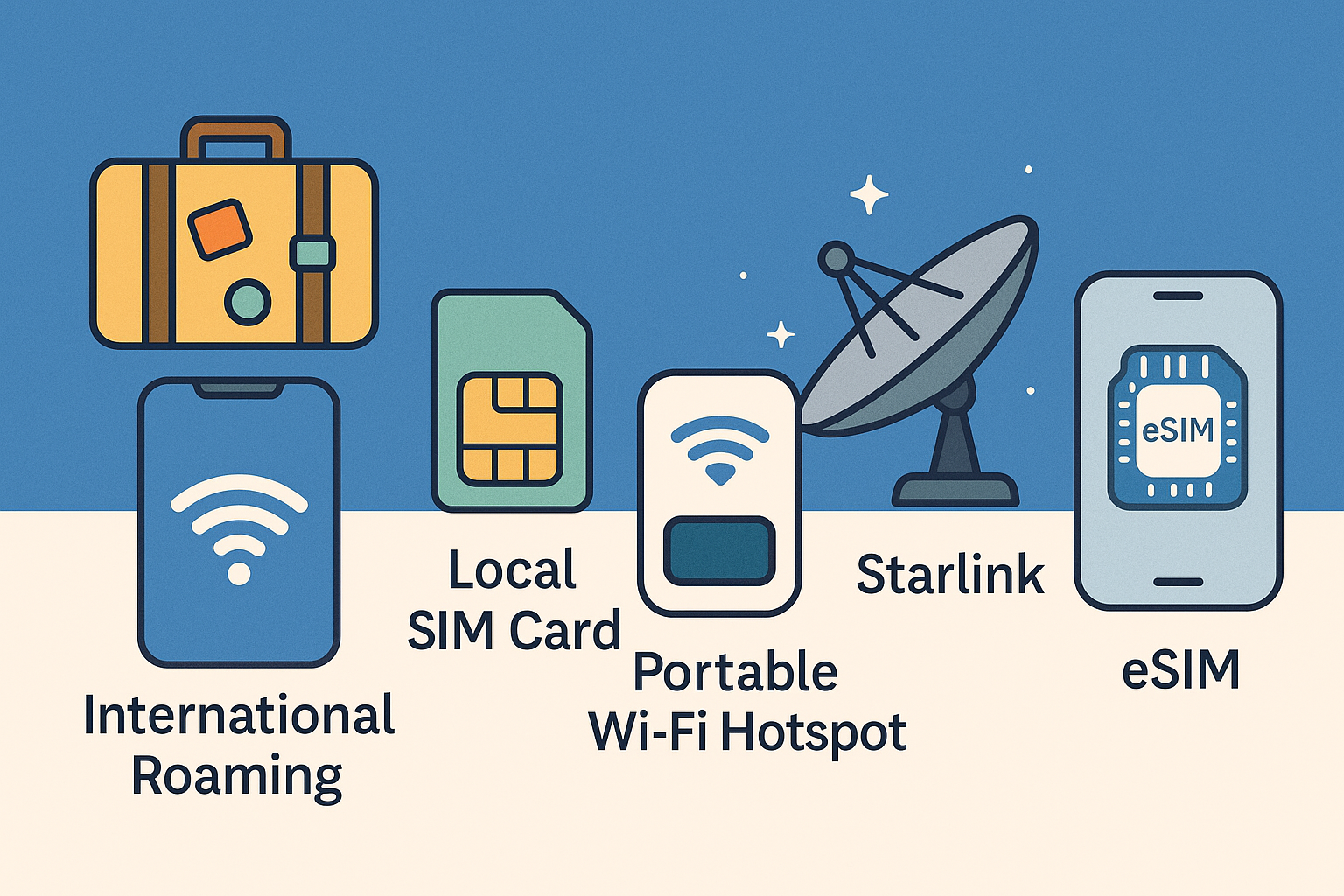
Many travelers wonder how to stay connected abroad. Whether you’re navigating with Google Maps, hailing a ride, or checking in with family, having internet access during international trips is a game-changer. The good news is there are several ways to get online overseas – from old-school local SIM cards to futuristic digital eSIMs – and each comes with its own pros and cons. In this guide, you’ll learn 7 reliable options for internet abroad and how to choose the best one for your travels. As a frequent traveler, I’ve compiled tips and real experiences from other globetrotters so you can skip the trial-and-error. By the end of this post, you’ll know exactly how to get Wi-Fi while traveling and stay connected anywhere in the world (without a monstrous phone bill). Let’s dive in!
1. Use International Roaming Plans (Your Carrier’s Travel Option)
One of the simplest ways to have internet abroad is to use your home mobile carrier's international roaming. This means your phone stays on your regular SIM and automatically connects to local networks in the country you visit [GoAbroad]. It's essentially "plug-and-play" – no swapping SIM cards or new numbers.
How it works: Most carriers offer international plans or day passes. For example, Verizon's TravelPass or AT&T's International Day Pass will let you use your phone overseas for a daily flat rate (around \$10–\$12 per day) just as you would at home [SatelliteInternet]. Some carriers like T-Mobile include basic data roaming at lower speeds for free on certain plans, and Google Fi charges the same $10/GB abroad as domestically. Always check with your provider before your trip to see what options they offer [GoAbroad].
Pros:
- Ultimate Convenience: No need to change anything on your phone. Just land and go online immediately using your regular number and SIM. All your calls and texts still come to your usual number, great for receiving verification codes or staying reachable for work.
- No Setup Hassle: Nothing new to buy or install. If your trip is short or work is footing the bill, roaming is a hassle-free solution.
Cons:
- Expensive if Uncapped: International roaming is notoriously pricy if you don't have a special plan. Pay-per-use roaming can rack up huge fees per MB, and even flat daily plans (≈\$10/day) add up fast on longer trips [GoAbroad, Reddit]. It's easy to blow through data and incur charges without realizing [Reddit].
- Limited Data Speeds: Some "free" roaming (like T-Mobile's) is at 2G-like speeds, which is only okay for messaging. High-speed data passes cost extra. You might also need to manually enable "Data Roaming" in settings, but remember to turn it off if you want to avoid unintended charges [GoAbroad]!
Traveler tip: One user noted "My plan will charge \$10 a day but only if I use it. So I keep my phone in airplane mode and use Wi-Fi as needed." [Reddit] If you have a day-pass setup, you can minimize cost by turning off data and only enabling it on days you really need on-the-go internet. Also, some carriers have short-term international add-ons that aren't well advertised, it's worth calling customer service to ask if there's a roaming bundle for your destination [Reddit]. Roaming is best for convenience on short trips or as a backup for emergencies, but for longer adventures, you'll likely save a lot by looking at local options below.
2. Buy a Local SIM Card at Your Destination
Probably the most popular solution among seasoned travelers is to buy a local prepaid SIM card in the country you're visiting [Reddit]. This gives you a local phone number and access to local data plans, often at a fraction of the cost of roaming. It's a tried-and-true, "old school" way to get internet abroad.
How it works: You'll purchase a SIM card (usually prepaid) from a local mobile carrier, often available at airport kiosks, phone shops, convenience stores, or official carrier stores in town. Pop out your home SIM, put the new one in, and your phone will use that local network. Typical tourist SIMs might offer packages like 5 GB for 30 days for \$15, depending on the country. Important: Your phone must be unlocked (not tied to your carrier) to accept a foreign SIM [GoAbroad]. Before traveling, confirm with your carrier that your device is unlocked for other networks, otherwise a local SIM won't work [Reddit].
Pros:
- Affordable Data: Local SIMs are usually the cheapest option for mobile data [Reddit]. You pay local rates, which in many countries are far lower than what you'd spend on international roaming or global plans. You often get more data for your money [Reddit], so it's great for longer trips or heavy data users.
- Local Phone Number: You'll have a local number, which can be very handy. You can make local calls (for reservations, taxis, etc.) at local rates and receive texts/calls. Certain services (like banking or ride-share apps) that send verification codes via SMS will work since you have an active local number [Reddit]. In an emergency, you can dial local emergency services directly, which might not be possible on a data-only plan [Reddit].
- Reliable Coverage: Using a major in-country carrier often means good coverage and speed, since you're on the native network. No throttling like some roaming plans.
Cons:
- Setup Effort: Acquiring a SIM involves finding a shop or kiosk after you arrive, possibly waiting in line or dealing with salespeople in another language. After a long flight, hunting down a SIM vendor can be a hassle (and airport SIM deals are sometimes overpriced [Verizon]).
- Changing Numbers: When you swap out your home SIM, your regular phone number is not active. You won't receive calls or texts to your usual number while the local SIM is in. This can be a problem for two-factor authentication texts from your bank, or if someone from home needs to reach you by phone. (One workaround: if you have a dual-SIM phone or an eSIM, you can keep your home line active alongside the local SIM, more on that below.)
- Possible Wasted Data: Local SIM plans are often time-limited (e.g. a 30-day pack). If your trip is short, you might not use all the data you paid for. It's a minor downside, but worth matching a plan to your length of stay.
Traveler tip: Research ahead of time which carrier SIM is best for tourists in your destination. Many travel forums have advice on the cheapest or easiest providers (some even let you pre-order a SIM online to pick up on arrival). And definitely ensure your phone is unlocked before you depart, one traveler learned this the hard way when his friend's phone refused the new SIM abroad [Reddit]! If you have an iPhone model that is eSIM-only (newer U.S. iPhones no longer have a physical SIM slot) [Reddit], you won't be able to use a physical local SIM, in that case, jump to the next option, eSIM.
3. Try a Travel eSIM (Digital SIM Cards)
eSIMs are quickly becoming the go-to solution for hassle-free connectivity abroad. An eSIM is an “embedded” SIM card, instead of inserting a physical chip, you download a digital SIM profile to your phone. In recent years, dozens of companies have popped up offering prepaid eSIM data plans for travelers, and major carriers support eSIM on newer phones. This means you can set up your international data before you even take off, and land in a new country with internet working instantly[16].
How it works: If your smartphone supports eSIM (most newer iPhones, Samsung S-series, Google Pixel, etc.), you purchase an eSIM data plan online or via an app. Providers like Airalo, Holafly, Nomad, and Ubigi let you buy a country-specific or region-wide plan (for example, 3 GB data in Europe for 15 days). They'll provide a QR code or install it via their app, you activate the eSIM and it downloads to your phone's eSIM slot. You can typically do this over Wi-Fi before departure or at the airport. Once you land, your phone detects the local network through the eSIM and you're online immediately, no physical SIM swap needed [Reddit]. Many travelers rave about how seamless this is: "The eSIM changes the game. You have connectivity as soon as you land. No finding a SIM vendor, no messing with physical SIMs." [Reddit]
Pros:
- Instant Connectivity: With an eSIM set up in advance, you can skip the post-flight scramble. Your phone will connect to mobile data as soon as you arrive, which means you can pull up maps, request a ride, or message loved ones right from the airport. This can really cut down travel stress [Reddit, Reddit].
- No Extra Hardware: Nothing to lose or fumble, eSIMs are digital. You also avoid physically ejecting your home SIM, so you can keep your primary number active for texts/calls while the eSIM provides data (most phones allow using one SIM for data while keeping the other for calls). For instance, one traveler with an eSIM was able to have both his home line and a local plan active: "Text and calls work as normal on my home SIM, and data is from the local SIM." [Reddit] This dual-SIM standby is a big perk.
- Easy to Buy More Data: Ran out of data? You can typically top up or purchase another eSIM plan online instantly, no need to find a store. It’s very flexible and great for multi-country trips; some eSIM packages cover entire regions (like all of Europe or Asia) so you don’t need a new SIM in each country.
- Widely Available: eSIM services work in hundreds of countries. For example, Airalo’s app offers eSIM packages for over 200 destinations. You’re not tied to one carrier’s roaming agreements, you can choose the best deal for each trip. And if one eSIM plan doesn’t cover your next country, you can add another. You can store multiple eSIM profiles on your phone and just enable the one you need.
Cons:
- Data Only (Usually): Most travel eSIMs are data-only plans [Reddit]. That means they do not come with a local phone number for voice/SMS. You'll be relying on WhatsApp, Telegram, FaceTime, etc. for calls and messages (which is fine for many travelers). But if you need to receive regular SMS (say, bank verification codes) or call local numbers (like a restaurant or hotel) on a phone line, a data-only plan has limitations [Reddit]. A few eSIM providers include a small amount of local minutes or a number, but it's not common and often limited. Consider whether not having cellular calling/SMS will affect you.
- Slightly Higher Cost: You pay a premium for the convenience. Per GB, eSIM data can be more expensive than buying a local SIM on the ground [Reddit]. For example, an eSIM might charge \$20 for 3 GB that a local carrier would offer for \$10. If you need lots of data (e.g. streaming video or working remotely), the cost can add up. In many cases eSIM prices are still reasonable, but budget travelers on longer trips might save by switching to local SIMs once in-country [Reddit].
- Phone Compatibility: Not all phones support eSIM, especially older or budget models. Double-check your device. Also, if your phone is carrier-locked, it will likely block foreign eSIMs just as it would a physical SIM, an unlocked phone is recommended here too.
Traveler tip: eSIM users often recommend specific providers by region. "I've been using Airalo for a few years, cheap and works well," one traveler says [Reddit]. Others mention Ubigi, Nomad, and local carrier eSIMs as good options [Reddit]. It's worth browsing a site like Airalo or Nomad to see plan choices for your destination. Also, install the eSIM while you have good Wi-Fi (at home or in the airport) [Reddit]. The download is quick, and then you can turn off auto-activation until you land to avoid using any data prematurely. Many were "shocked by how easy and affordable" eSIMs were on their first try [Reddit], it's arguably the easiest way to get internet abroad for the typical traveler. Just remember it's data-only, and plan for any calling/SMS needs (e.g. use WhatsApp or keep your physical SIM in a secondary phone). If you don't mind that trade-off, eSIMs offer an almost effortless connectivity solution.
4. Rent or Carry a Portable Wi-Fi Hotspot (Pocket Wi-Fi)
If you’re traveling in a group or have multiple devices (phone, laptop, tablet) to keep online, a portable Wi-Fi hotspot can be a handy option. Often dubbed “pocket Wi-Fi,” these are small gadgets that connect to the local 4G/5G network and broadcast a private Wi-Fi network for your devices. You can either rent a hotspot for your trip or buy an unlocked mobile hotspot device to use with local SIMs or eSIMs.
How it works: The hotspot device contains a SIM card (or eSIM) just like a phone. You turn it on, and it creates a Wi-Fi network that you then join from your phone/laptop. It's essentially a dedicated router for your personal use on the go [GoAbroad]. Many companies rent out pocket Wi-Fi units at popular destinations: for example, in Japan and South Korea, it's common to reserve a pocket Wi-Fi online and pick it up at the airport. It comes pre-loaded with a data plan and you return it after your trip. Alternatively, devices like Skyroam Solis, GlocalMe, or Huawei mobile hotspots can be purchased; you then buy regional data passes or stick a local SIM inside.
Pros:
- Shareable Connection: A pocket Wi-Fi can connect several devices (often 5-10 devices) at once. This is perfect for families or groups, instead of everyone buying individual SIMs or plans, you can all share one hotspot. It's also great if you have a phone, laptop, and maybe a travel iPad; you only need one data plan for all.
- Keep Your Phone Free: With a separate hotspot, your primary phone can remain on airplane mode (avoiding any roaming charges) and simply use Wi-Fi from the device. One traveler who carried a MiFi (mobile Wi-Fi) noted they just used WhatsApp and data through that, so phone calls/SMS weren't an issue [Reddit]. This can be a workaround if your phone is locked to your carrier, you leave it in airplane mode and use a rented hotspot for internet.
- No SIM Swapping: You don’t have to fuss with changing SIMs in your personal phone or configuring eSIMs. The hotspot comes ready, or once configured, you just power it on. It’s a separate unit dedicated to connectivity, which can simplify things if you’re hopping between multiple countries in one trip (some global hotspot services seamlessly roam across borders).
- Good for Work/High Usage: Many portable hotspot services offer large or unlimited data plans. If you’re a digital nomad or need to do work on your laptop, a pocket Wi-Fi with an unlimited plan might suit you better than draining your phone’s battery and data. These devices often have big batteries (some last 10–15 hours) so they can handle a full day of usage, and you can still use your phone normally without tethering battery drain.
Cons:
- Extra Device to Carry: The downside is obvious, it’s one more gadget to keep track of (and keep charged!). It adds a bit of weight and you’ll always need to remember to bring it when you leave your accommodation. If you misplace it, you lose your connection (and if it’s a rental, you might pay a hefty fee).
- Cost (Rental or Purchase): Renting a pocket Wi-Fi isn’t cheap. Prices vary, but expect something like \$5–\$10 per day, which can rival or exceed the cost of just getting a local SIM, especially for solo travelers. Buying your own global hotspot device can run \$100+ upfront. Additionally, the data plans for these devices (especially global ones like Skyroam) can be pricey, often they sell day passes (e.g. \$9 for 1GB/day). In short, you pay for the convenience of sharing and portability.
- Needs Cellular Coverage: A mobile hotspot is still using the cell networks. If you travel somewhere with poor cell service, the hotspot won’t magically work better than a phone would. In really remote areas with no signal, a pocket Wi-Fi is useless (this is where satellite options like Starlink come in, more on that soon). Also, in very crowded areas or peak times, your hotspot might get slow if the network is congested (same as a phone on a local SIM).
Traveler tip: Pocket Wi-Fi shines for specific scenarios, e.g. a group road trip where everyone wants to be online, or a short-term visit to a city with a convenient rental service. If you go this route, reserve in advance (for rentals). And always secure the device with a password (they usually come with one) so that random devices nearby don’t latch on. A creative alternative some use: if you have an old spare smartphone, you can pop a local SIM in the spare phone and use it as a makeshift hotspot for your main phone/laptop. This way your primary phone stays on your home SIM (in case of important calls) but you still get local data via the secondary device. It’s like rolling your own pocket Wi-Fi with hardware you already have.
5. Rely on Free Wi-Fi (and Download Offline Maps)
Sometimes, the cheapest solution is not to get a mobile plan at all. If your internet needs are light or you’re intentionally trying to disconnect a bit, you can plan to use free Wi-Fi networks at cafes, hotels, libraries, and other public spots during your travels. Millions of travelers have gotten by with just hopping between Wi-Fi hotspots, albeit with some trade-offs and precautions.
How it works: In practically every city or town, you'll find Wi-Fi available in places like coffee shops, restaurants, malls, airports, and public squares. Many accommodations offer free Wi-Fi to guests. If you're okay with being offline while walking around and just checking messages or maps when you find Wi-Fi, this can save you money. To make it work, you should download offline resources in advance: for example, save Google Maps offline for the areas you'll visit, so you can navigate without an internet connection [Reddit]. You can also download translations (in Google Translate), travel guides, or entertainment to have on your device. Then, whenever you have Wi-Fi (say at your hotel in the morning or a café in the afternoon), you sync up: send messages, check emails, load new info, etc. It's a more disconnected style, but it is doable, especially for short trips or if you want to avoid screen time.
Pros:
- Cost Savings: It’s essentially free. You’re not paying for any SIM, plan, or device. If your budget is super tight, relying on free Wi-Fi means one less trip expense.
- Less Tech Hassle: You don’t have to buy or set up anything. Your phone stays on airplane mode (or with data roaming off) and you just toggle Wi-Fi on when available. For some, this simplicity and not dealing with foreign carriers is a relief.
- Encourages Offline Exploration: Some travelers enjoy the semi-disconnected experience, you might be less glued to your phone when you're not always online. You can still use your phone for photos, and your offline maps will still GPS-locate you without data (GPS works without internet). One traveler noted that by relying largely on downloaded maps and intermittent Wi-Fi, they actually broke the habit of "randomly looking at your phone" and were more present during their trip [Reddit].
Cons:
- Inconsistent Access: Free Wi-Fi can be a hit-or-miss game. Not every place has it, or it might be down, or painfully slow. You could end up wandering around searching for a café with decent signal instead of enjoying the sights (which is what one person warned: "Hunting for a signal when you just want to be exploring" is frustrating [Reddit]). In some countries, public Wi-Fi is everywhere; in others, it's rare or requires local phone number login.
- Security Risks: Public Wi-Fi networks are not secure, they can expose your data or device to hacking if not used carefully. If you go this route, avoid accessing sensitive accounts (banking, work email) on public Wi-Fi, or use a good VPN service to encrypt your connection [Verizon]. It's also wise to turn off any setting that auto-connects you to open Wi-Fi networks [Verizon], so you only join networks deliberately.
- No Connectivity in Transit: While out and about, you won't have internet until you find the next hotspot. This means no on-demand ride apps (unless you connect first), no live translation queries on the street, no spontaneous Google searches. For some travelers, that's perfectly okay or even part of the adventure; for others, it's a significant inconvenience.
Traveler tip: Even if you plan to get a SIM or eSIM, it's smart to download offline Google Maps for your destination while you have Wi-Fi [Reddit]. That way, if your data plan hiccups or you run out of credit, you can still navigate. Many experienced travelers do this as a rule of thumb. Also, consider using apps like WiFi Map which can show known public Wi-Fi locations and passwords in the area. And absolutely use a VPN app when connecting to any public hotspot, this adds a layer of security when you log on to that café network [Verizon]. In short, free Wi-Fi can work if you have a low need for constant connectivity and a high tolerance for downtime. Just go in with the right expectations (and maybe a paperback book for those offline moments!).
6. Explore Satellite Internet (Starlink Roam for Off-Grid Connectivity)
For the truly adventurous or remote travelers, there’s a high-tech option on the rise: satellite internet. Specifically, SpaceX’s Starlink satellite constellation has made it possible to get broadband internet in places with no cell coverage at all. While this is far from necessary for the average vacation, it’s worth mentioning for digital nomads, van-lifers, or anyone who needs internet in the middle of nowhere, think deserts, mountains, sailing trips, or rural areas with poor infrastructure.
How it works: Starlink offers a service called Starlink Roam (previously known as Starlink RV) which is designed for portability. You purchase a special satellite dish kit (Starlink "Standard" or the smaller "Mini" dish) and subscribe to a monthly plan. The dish connects to Starlink's satellites, giving you a Wi-Fi network you can connect your devices to, just like at home. Crucially, Starlink Roam is authorized for use in many countries around the world, you can take your dish with you on your travels and get internet wherever Starlink has coverage [Reddit r/Starlink] (currently about 100+ countries). For example, if you have Starlink Roam and you go camping in rural Spain or remote Canada, you set up the dish, power it, and you'll likely have high-speed internet even if you're miles from the nearest cell tower.
Pros:
- Internet Almost Anywhere: No cell service? No problem. Starlink can work in extremely remote locales as long as you have a clear view of the sky [DigitalNomadLifestyle]. This is a game-changer for overlanders, RV travelers, or researchers working in the field. You're not reliant on local telecom infrastructure at all.
- High Speed & Unlimited Data: Unlike the slow legacy satellite internet of the past, Starlink can deliver broadband speeds (50–200 Mbps in many areas) [DigitalNomadLifestyle]. For heavy users, it even offers an unlimited data option. Starlink's Roam Unlimited plan provides truly unlimited data for a fixed price per month [DigitalNomadLifestyle] (no throttling after a cap, unlike many cellular "unlimited" plans). This means you could stream HD video, upload large files, or do video calls from the wilderness. It's basically like having home internet on the go.
- Month-to-Month Flexibility: Starlink Roam requires no long-term contract. You can pause the service when you don't need it and resume when you do [Reddit r/Starlink]. This is great for travelers, you might only pay for the months you're on a big trip or remote assignment. The hardware is a one-time purchase you carry with you, and the subscription can be toggled as needed [Reddit r/Starlink].
Cons:
- High Initial Cost & Ongoing Price: This is the most expensive option on this list. The Starlink hardware kit costs around \$350 for the standard dish, or \$599 for the portable "Mini" kit [SatelliteInternet]. The monthly service for Starlink Roam Unlimited is about \$165 per month [SatelliteInternet]. They have a lower-tier 50 GB plan for \$50/month [SatelliteInternet], but still, this isn't cheap by travel standards. It's overkill for someone who just needs Google Maps and WhatsApp on a city vacation. It's targeted at those who truly need robust connectivity off-grid (or perhaps splitting the connection/cost with others).
- Bulk and Power Needs: Carrying a Starlink dish and its power unit is not light packing. The newest Starlink Mini is more compact, but it's still about the size of a thick laptop and weighs a few kilograms, plus a tripod mount [Reddit r/Starlink]. You'll need to fit it in your car or camper. It also requires power, usually plugging into AC (or a generator/battery). This makes it impractical for backpacking or any travel where you can't bring extra gear.
- Setup and Restrictions: Using Starlink isn't as simple as a phone, you need to set up the dish with a clear view of the sky (obstructions like trees or buildings can disrupt it) [DigitalNomadLifestyle]. In dense urban areas, it may not work well due to obstructed sky and Starlink giving priority to residential users over roaming ones [DigitalNomadLifestyle]. Additionally, Starlink's portability has some regional restrictions: officially, you can only use it in countries where they have regulatory approval. If you roam too long outside your "home" region (over 2 months), they might throttle your service or require you to change your registered address [DigitalNomadLifestyle, Reddit r/Starlink]. Some countries (like India) currently ban the use of Starlink equipment without permission [Reddit r/Starlink]. So you must check the Starlink coverage map and rules for where you plan to travel.
Traveler tip: Starlink is a niche solution mainly for digital nomads and adventurers. One user shared that they used to rely on local eSIMs or Wi-Fi since "Wi-Fi is pretty much everywhere," but as they started doing more "unique rural travel off the beaten path" they invested in a Starlink Mini and love that it keeps them connected in remote areas [Reddit]. If you decide to get Starlink for travel, opt for the Starlink Roam (global) plan, which can be used in any country where Starlink is available, and consider the Mini dish for portability. Always stow the dish carefully and be mindful of the 2-month rule per country. And for most travelers: if your journeys stick to cities and well-touristed regions, you won't need Starlink, a local SIM or eSIM will be far simpler. But it's good to know that if you ever venture into the wild with an internet requirement, satellite tech has your back!
Conclusion: Stay Connected Anywhere You Go
Modern travelers have more options than ever to get online internationally. From the simplicity of flipping on your phone's roaming, to the cost savings of a local SIM, the instant convenience of eSIMs, or even satellite internet in the wild, there's an internet access method for every type of trip. Often, the best approach is a combination: for example, using an eSIM for primary data but also downloading offline maps as a backup [Reddit], or relying on hotel Wi-Fi most of the time but keeping a local SIM handy for emergencies. There is no one-size-fits-all, but here's a quick recap:
· Short vacation or business trip? Roaming or a quick eSIM might be easiest for a few days, especially if work is paying.
· Multi-week adventure or budget travel? A local SIM in each country (or a regional eSIM) will give you plenty of data without breaking the bank [Reddit].
· Traveling with family/friends? A pocket Wi-Fi can keep everyone online together.
· Going off-grid? Satellite options like Starlink can deliver internet where nothing else works.
Always remember to check that your phone is unlocked before trying a new SIM [Reddit], and estimate your data needs. (For reference, most travelers use about 5–10 GB of data per week abroad if not streaming video [Reddit], enough for maps, uploads, and browsing.) And don't underestimate the value of preparation: download key info offline and have a plan B for connectivity if possible.
And once you’ve sorted out how you’ll get online, don’t forget about the language barrier. If you want conversations to feel as smooth as your data connection, you can use my app, Translate AI: Live Translator. It’s a real-time voice translator powered by AI that lets you speak in your own language and have it instantly translated and spoken aloud in another – perfect for ordering food, asking for directions, or chatting with new friends abroad. It supports 80+ languages, works with any regular earbuds or AirPods (no special hardware needed), and handles two-way conversations so both sides can talk naturally while the app does the heavy lifting. You just choose the languages, tap to speak, and hand the phone over or use speaker mode. If you travel often or live abroad, having a “personal interpreter in your pocket” can be just as essential as having a good internet plan.
Staying connected overseas can greatly enhance your travel experience, letting you navigate confidently, stay in touch with loved ones, and even work remotely in far-flung places. With the tips in this guide, you’ll be able to choose the best internet option for your next international trip and avoid those scary roaming bills.